omdsh-dev/dsh-lark
Lark/Feishu IM bot channel for DeepSeek Harness | 飞书 DeepSeek Harness (DSH)插件
Listed
32
Notify
Bundle verified
Preview
What it does
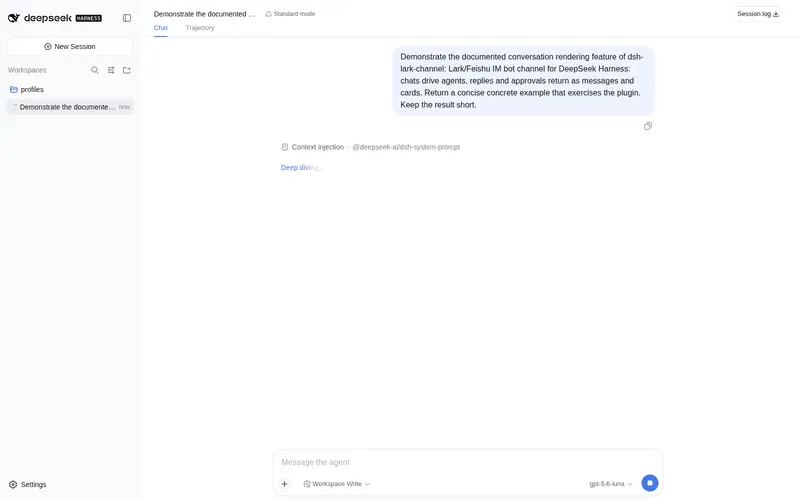
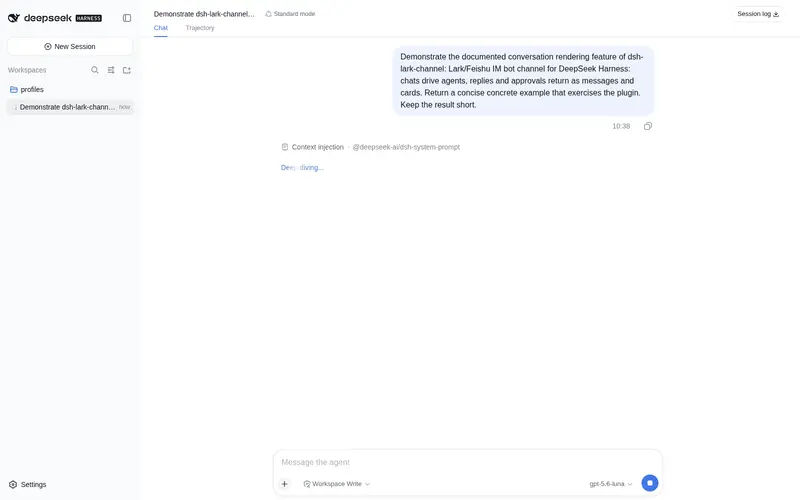
Lark/Feishu bot channel for DeepSeek Harness: each chat drives its own agent, and tool approvals, model questions, and plan reviews return as cards answered by a button or a reply. Switch workspace and model from the chat (`/cd`, `/model`, `/new`), and run several bots that keep separate sessions and can hand turns to each other in one group.
Best for
- Teams that want to operate DSH agents from Lark or Feishu without returning to a terminal.
- Human-in-the-loop workflows where questions, plan reviews, and tool approvals should arrive as interactive chat cards.
- Groups needing isolated sessions per chat, thread, sender, workspace, or bot, including bounded handoffs among multiple bots.
Not ideal for
- Deployments without Node.js 22.19 or newer, DSH 0.1.0-rc.6 or newer, and a Lark or Feishu tenant.
- Workflows requiring voice transcription; voice messages are only saved as files.
- Teams requiring inline previews for PDF, XLSX, or DOCX attachments, which are download-only through the upstream SDK.
README
dsh-lark · DeepSeek Harness 飞书 / Lark 插件



| 简体中文 | English |
把你正在使用的 DeepSeek Harness(DSH)接进飞书。
直接在聊天里给 Agent 派任务、看执行过程、切换工作区和模型。遇到提问、计划确认或工具审批,也不用回到终端,直接在飞书里处理。需要时,还能把多个 Agent 放进同一个群里协作。
快速开始
npm i -g dsh-lark-channel
dsh-lark-channel start
终端会显示二维码。用飞书扫码完成应用创建,然后私聊机器人,或在群里 @ 它即可开始。
启动命令会在首次安装依赖前写好 profile 的 pnpm 构建策略:未经批准的依赖构建脚本一律警告并跳过,而不是让安装失败;protobufjs 那个只打印提示的 postinstall 还会被按名字记为跳过。因此不需要手工执行 pnpm approve-builds。
不想装到全局也可以直接跑,只是之后每条命令都要带 npx:
npx dsh-lark-channel@latest start
如果还没有安装 DeepSeek Harness,先运行:
npm i -g @deepseek-ai/dsh
无需公网服务器,也无需配置回调地址。
为什么值得装
- 不用守着终端:从飞书发起任务,随时查看进度和结果。
- 不只是聊天机器人:可以切换真实工作区和模型,执行 Harness 已有的命令与工具。
- 关键决定仍由你控制:模型提问、计划审阅和工具审批都会回到当前聊天,按钮或文字都能作答。
- 上下文不会混在一起:不同聊天、话题和工作区可以保留各自的会话。
- Agent 之间也能协作:一条命令添加更多机器人,让它们在群聊中通过 @ 交接回合,并用轮数上限防止无限对话。
可以这样开始
先看看当前状态和可用工作区:
/status
/ws
/cd my-project
/model
然后直接派一个任务:
检查这个项目为什么构建失败。先给我计划,需要操作时让我确认。
Agent 的执行过程会显示在飞书中;需要你参与时,会发送提问、计划或审批卡片。渠道自带文案会按每位读者的飞书语言显示中文或英文。
主要能力
| 能力 | 使用体验 |
|---|---|
| 持久会话 | 重启后可以恢复;后续消息继续当前上下文,/new 可以原地重开一个 |
| 接续已有会话 |
/sessions 列出这个工作区里可以接续的会话——自己的历史,以及网页端/命令行开的——点一行就切过去;/cd、/new 会回到自动派生的会话 |
| 多工作区 |
/ws 查看、/cd 切换;回到原工作区时继续之前的任务 |
| 模型切换 |
/model 打开模型选择卡片;切换后保留当前会话,也可随时恢复默认模型 |
| 原生执行过程 | 在飞书中查看推理、工具调用和结果,最终答案单独发送 |
| 人机协作卡片 | 单选、多选或文字回答问题;批准计划或提出修改意见;允许或拒绝工具调用 |
| 权限预设 |
/permission 打开预设卡片,写明每个预设能碰到什么、会不会弹审批;放开沙箱需要审批人权限,切回更安全的预设不需要 |
| 实时状态 |
/status 展示工作区、模型、session 和当前权限预设;可用时还显示上下文占用与累计 token,并支持刷新 |
| 会话隔离 | 可按聊天、话题或群成员划分独立 Agent 会话 |
| 多 Agent 协作 | 多个机器人拥有独立设置、凭据和 session,可以在同一个群里对话与交接任务 |
| 斜杠命令 | 宿主自带的命令(/plan、/compact 等)直接进入 DSH 命令运行时 |
| 文件收发 | 人发文件进聊天,agent 在工作区里读;agent 的产物发回聊天,群聊里先弹审批卡 |
常用命令
| 命令 | 用途 |
|---|---|
/status |
查看并刷新工作区、模型和 session;可用时包含上下文与 token 状态 |
/ws |
查看可用工作区 |
/cd <名称或路径> |
切换工作区 |
/get <路径> |
把工作区里的文件发到聊天 |
/model |
打开模型选择卡片 |
/model use <provider/model> |
直接切换模型 |
/model reset |
恢复默认模型 |
/permission |
打开权限预设卡片 |
/permission <预设名> |
直接切换权限预设 |
/new |
原地开一个新会话,清空上下文,工作区和模型保持不变 |
/sessions |
列出可接续的会话,点一行切过去 |
/sessions <关键词> |
按标题或 id 过滤列表 |
/stop |
停止当前任务 |
/help |
查看全部命令(含宿主提供的) |
日常运行
macOS 和采用 systemd 的 Linux 会使用用户级后台服务,关闭终端后仍可运行:
dsh-lark-channel status
dsh-lark-channel logs -f
dsh-lark-channel restart
dsh-lark-channel stop
用 npx 启动的话,这些命令同样要带 npx dsh-lark-channel@latest 前缀——工具会按你实际的启动方式打印提示,读到什么就能直接粘贴。
升级:
dsh-lark-channel upgrade
它会装上最新的 CLI 并在新版本上重启机器人。用 npx 的话不需要这一步,npx dsh-lark-channel@latest start 本来就是最新。有新版本时,start 和 status 会顺带提醒你一行。
连接异常时,插件会在限额和退避控制下自动重建 WebSocket,避免进程仍在但机器人已经静默离线。
添加更多 Agent
给第二个飞书应用添加一套独立的 Agent:
dsh-lark-channel add reviewer
命令会写入新实例、重启服务并显示二维码。扫码后,这个机器人拥有自己的设置、App Secret 和 session,不会与第一个机器人共享上下文。
把两个机器人加入同一个群后,它们可以通过 @ 把回合交给对方。例如,让一个 Agent 完成修改后 @ 另一个 Agent 复核,后者也可以 @ 回去要求调整。默认最多连续进行 6 个机器人轮次;任何人发言都会恢复额度。需要移除时:
dsh-lark-channel remove reviewer
移除会保留该实例的凭据和设置,之后用同一个名字重新添加即可恢复。
如果希望飞书和 dsh web 共用同一个 profile:
dsh plugin --profile web add dsh-lark-channel@latest
dsh web
Frequently Asked QuestionsFAQ
Use the verified command dsh plugin --profile default add github:omdsh-dev/dsh-lark in a DSH-enabled shell. The command resolves the public package metadata and keeps the plugin attached to the catalog identity shown on this page.
Compatibility follows the bundle and profile status shown above. If a profile is not detected, keep the plugin disabled there and check the repository documentation before enabling it in production.
The GitHub link and activity metadata are the source of truth for releases and maintenance. Revisit this page after a new release to confirm the catalog has observed the latest version.