omdsh-dev/dsh-tool-json
DSH JSON 查询工具插件:JMESPath 子集查询,零依赖递归下降解析器
Listed
3
Tools
Bundle verified
Preview
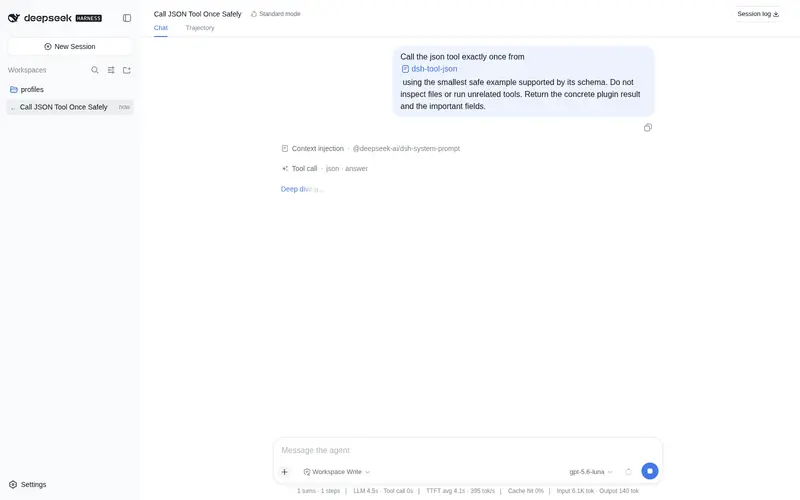
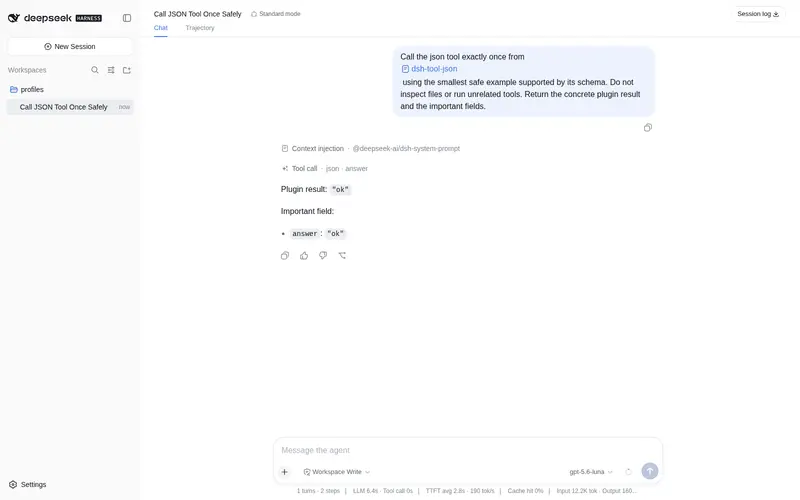
What it does
JSON queries with a JMESPath subset.
Best for
- Agents extracting known nested fields or array elements from JSON values and JSON strings.
- Workflows needing simple property access, array indexing, quoted keys, or array wildcard projection.
- Users who want structural JSON lookup without shell processes or text-level matching.
Not ideal for
- Queries requiring standard JMESPath filters, pipes, functions, object wildcards, or flattened multi-level projections.
- Workflows that need to modify JSON rather than read values.
- Very large inputs where full pre-query validation is undesirable; every query scans and validates the complete input.
README
dsh-tool-json
DSH JSON 查询工具插件 —— JMESPath-inspired 路径查询(自定义子集),零依赖递归下降解析器。

为什么需要
Agent 处理 JSON 是高频操作——API 返回值、配置文件、工具输出到处都是 JSON。当前做法是起 bash 进程跑 node -e 或 jq,每次都有进程开销和字符串序列化成本。
DSH 内置 grep 可以做正则匹配,但无法理解 JSON 结构。对于 {"items":[{"id":1}]}:
-
grep只能做字符串级搜索,容易误匹配值、key、或嵌套子对象中的同名 key -
json走结构化路径,只匹配指定路径,不混淆 key 和 value
安全模型
手写递归下降解析器,无 eval/new Function;Object.hasOwn 防原型链污染(constructor/__proto__ 读取不触发原型链)。资源上限(对象与字符串两条输入路径统一执行):
- 查询表达式长度 ≤ 200 字符、解析深度 ≤ 20 层、数组索引必须是安全整数
- 字符串输入 ≤ 1,000,000 bytes(UTF-8);输入嵌套深度 ≤ 100
- 单次 wildcard 投影 ≤ 100,000 元素
- 只接受 JSON-compatible 值(null/boolean/有限 number/string/array/plain object;拒绝 undefined/BigInt/函数/Date/非有限数)
错误分类(JsonQueryError):MISSING_PROPERTY(投影内跳过)、TYPE_MISMATCH/INDEX_OUT_OF_BOUNDS/INVALID_QUERY(如实抛错),统一 json: 前缀。
成本模型(AUDIT-JSON-03):输入在每次查询前执行全量校验(类型/深度/字节/循环/枚举性)——这是有意的安全成本,查询小字段也会完整扫描输入;
timeoutMs无法中断同步校验。
架构
DSH Agent
    │ ctx.tools.register()
    ▼
src/index.ts(Cordis 插件入口 + action 分发)
    │
    ▼
src/query.ts
    ├── parseQuery() — 递归下降解析器(strict 语法 + 转义 + 上限)
    ├── executeQuery() — 执行器(错误分类 + 投影上限)
    └── normalizeInput() — 双形态输入 + assertJsonCompatible 校验
工具声明
ctx.tools.register(defineTool({
  name: 'json',
  parameters: {
    input: { type: 'json', required: true, description: 'JSON value or JSON string to query.' },
    query: { type: 'string', required: true, description: 'Path expression, e.g. "data.items[0].name".' },
  },
  output: { schema: { type: 'json' }, render: (_a, v) => [{ type: 'text', text: JSON.stringify(v) }] },
  execute: (args) => Promise.resolve(executeAction(args) as JsonValue),
  timeoutMs: 1000,
}))
input 双形态:对象直传(模型直接生成参数,零转义)或字符串(bash/read 原文透传),normalizeInput 统一归一化与校验。
查询语法(JMESPath-inspired 子集)
| 表达式 | 示例 | 说明 |
|---|---|---|
| 点号访问 | foo.bar |
嵌套对象属性(标识符字符集 [A-Za-z0-9_$ + BMP 非 ASCII]) |
| 方括号索引 | items[0] |
数组索引(安全整数) |
| 方括号属性 |
items['key'] / items["key"]
|
含特殊字符的属性名 |
| 通配符投影 | items[*].name |
仅数组;提取元素属性 |
| 组合嵌套 | a.b[0].c.d |
以上全部自由组合 |
语义边界(有意不兼容标准 JMESPath,已锁定):
- 多级通配符
items[*].tags[*]返回嵌套数组([['a','b'],['c']]),不做标准投影扁平化 - 通配符仅作用于数组,不支持对象字段枚举;非对象元素按投影语义跳过;合法
null结果保留 - 引号属性支持
\\\'\"三种转义(任意引号包围形式下均可用);非法转义报错 - 投影内只跳过
MISSING_PROPERTY;类型/索引/内部错误如实抛出
不支持(低频场景,bash + node 兜底):过滤器 [?downloads > 1000]、管道 |、函数调用。
npm 0.1.0-rc.8 兼容(已验证)
本插件已迁移到 npm 0.1.0-rc.8 依赖线,并在 @deepseek-ai/dsh@0.1.0-rc.8 的隔离 consumer 中完成全链路验证:
-
类型/运行时:
@deepseek-ai/cordis@^4.0.1+@deepseek-ai/dsh-tools@>=0.0.1-rc.1 <0.2.0+@deepseek-ai/dsh-invariants@>=0.0.1-rc.1 <0.2.0(peer);不再依赖 unscopedcordis -
独立构建:
npm install(devDependencies 自包含 typescript/vitest/@types/node)→npm run typecheck→npm test→npm run build→npm pack -
消费验证:tarball 装入 0.1.0-rc.8 consumer →
dsh --profile compat --dump-config出现本插件 row → 工具真实注册与执行通过 -
启动方式:
npx -p @deepseek-ai/dsh@0.1.0-rc.8 dsh web(lib 生产模式;勿install -g全局安装)
版本适配
- 适配 DSH 版本: DSH 0.1.0-rc.8(npm)
-
bundle 声明:
package.json的dsh.bundle(patch 指向cordis.patch.yml)+exports导出 -
patch 格式:
cordis.patch.yml使用- insert:列表(patch 是 id-targeted 语义,裸- id:条目会报entry not found) -
files: 发布 tarball 含
lib/、src/、cordis.patch.yml
安装
插件源码仓库:https://github.com/omdsh-dev/dsh-tool-json(public)。
Profile Bundle(推荐)
将本插件作为独立 bundle 安装到 profile(DSH 0.1.0-rc.8,npm):
# 交互式(web)profile
dsh plugin --profile web add github:omdsh-dev/dsh-tool-json
# 一次性任务(headless)profile —— dsh run 默认使用 headless
dsh plugin --profile headless add github:omdsh-dev/dsh-tool-json
包内 dsh.bundle.patch(指向 cordis.patch.yml)会在安装后自动把插件加入 profile 的 layer stack;插件的 cordis.patch.yml 以 - insert: 插入 tool-json 条目。
⚠️ web 与 headless 是不同 profile:web 安装不会自动覆盖 headless;
dsh run默认使用 headless profile。
npm pack tarball 安装
npm pack    # 生成 dsh-tool-json-*.tgz
dsh plugin --profile web add ./dsh-tool-json-*.tgz
dsh plugin --profile headless add ./dsh-tool-json-*.tgz
验证安装
dsh --profile web --dump-config | grep tool-json
运行验证
dsh run "使用 json 工具查询 {"a":{"b":1}} 的 a.b"
手动安装与旧版本兼容
仅适用于不支持 Profile Bundle 的旧快照或插件开发调试环境:
- 放入 monorepo:
cp -r json ~/.dsh/source/master/packages/tools/json(开发调试) -
apps/cli/package.json加"@deepseek-ai/dsh-tool-json": "workspace:^";tsconfig.host.jsonreferences 加{ "path": "./packages/tools/json" } pnpm install && pnpm run build- 在 profile 用户层 patch 插入插件(
~/.dsh/profiles/<name>/cordis.patch.yml):
- insert:
    - id: tool-json
      name: '@deepseek-ai/dsh-tool-json'
- 验证:
dsh --profile <name> --dump-config | grep tool-json
注意:patch 是 id-targeted 语义——裸
- id:条目会报entry "xxx" not found,必须用- insert:列表包裹。用法
json { input: <JSON>, query: "items[0].name" }        → "hello"
json { input: <JSON>, query: "items[*].name" }         → ["a", "b"](合法 null 保留)
json { input: <JSON>, query: "items['complex-key']" }  → "ok"
已知限制
- 只读:不能修改 JSON 字段(原地修改用
str_replace_editor/write;v2 可考虑set模式) - 无过滤器表达式、无标准 JMESPath 投影扁平化(见语义边界)
- 对象形态 input 依赖 DSH 参数管线保证 lossless JSON
测试
pnpm test
54 个用例(功能、错误、攻击载荷、对象/字符串双形态输入、资源上限与转义边界)。完整清单见本地维护的设计文档。
许可
MIT
Frequently Asked QuestionsFAQ
Use the verified command dsh plugin --profile default add github:omdsh-dev/dsh-tool-json in a DSH-enabled shell. The command resolves the public package metadata and keeps the plugin attached to the catalog identity shown on this page.
Compatibility follows the bundle and profile status shown above. If a profile is not detected, keep the plugin disabled there and check the repository documentation before enabling it in production.
The GitHub link and activity metadata are the source of truth for releases and maintenance. Revisit this page after a new release to confirm the catalog has observed the latest version.