pany0593/dsh-ui-notifications
System notifications for the DeepSeek Harness web GUI — OS-level popups for finished turns and pending interactions (approvals, questions, plan reviews). · DSH Web 界面系统通知:回合结束、待处理授权/提问/计划审核时弹出系统级提醒。
Listed
1
Notify
Bundle verified
Preview
What it does
OS-level system notifications for the dsh web GUI: popups when a turn finishes or the agent needs your approval, answer, or plan review while the page is in the background.
Best for
- DSH Web users who leave the page in the background while agents work.
- Workflows where completed turns, approval requests, questions, or plan reviews need prompt attention.
- Users who want notifications only while the page is hidden, without foreground-page alerts.
Not ideal for
- Native desktop clients or non-browser notification channels.
- Browsers where notification permission has been denied and cannot be requested again by the plugin.
- Users who need separate switches for completion and interaction notification types, or replay of missed events after reconnecting.
README
dsh-system-notifications
系统通知(System notifications)插件:当对话回合结束或 agent 开始等待你时——授权请求、ask-user 提问或计划审核——即使页面在后台,浏览器也会弹出 OS 级通知,让你不会错过。
这是一个 DeepSeek Harness 社区插件(GitHub topic: dsh-plugin),以独立仓库发布,独立于官方 deepseek-harness 仓库。
功能
-
回合结束提醒 — 页面隐藏时,会话 agent 停止工作(
runningtrue→false)→ 弹”对话结束”通知。 - 待处理交互提醒 — 出现授权、提问或计划审核等待 → 弹”需要授权 / 需要回答 / 需要审核计划”通知。
-
仅后台触发 — 只有
document.hidden时才弹通知,你在看页面时不会被干扰。 -
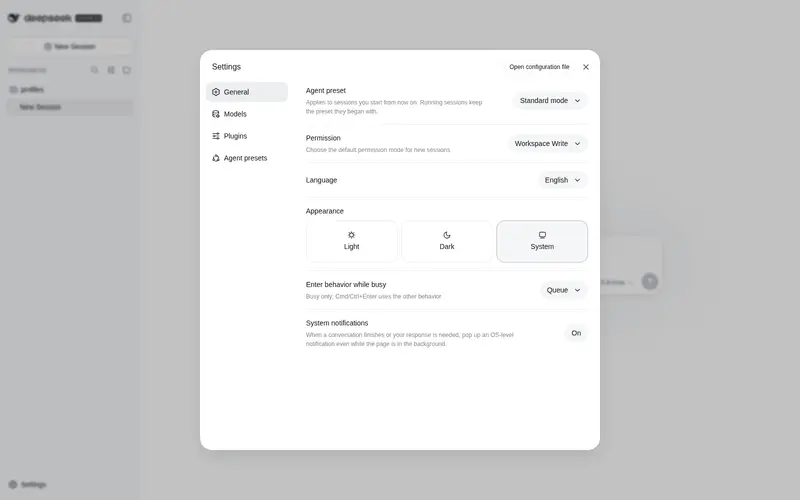
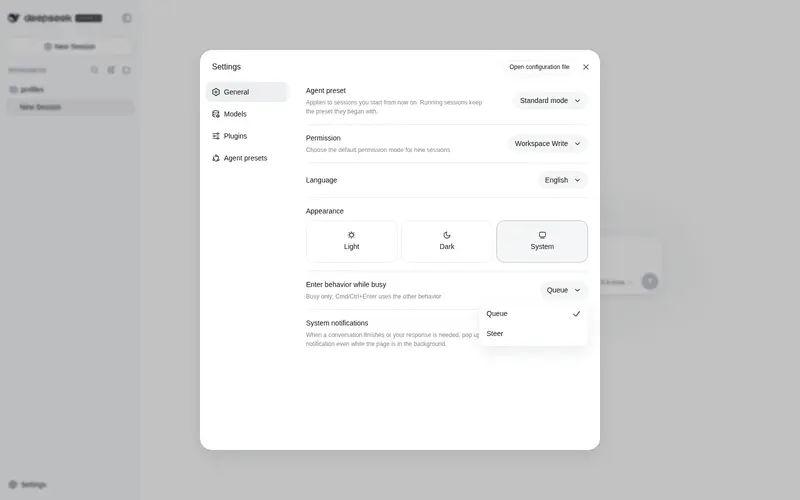
通用设置开关 — 设置 → 通用新增”系统通知”行,含启用开关和”开启系统通知”权限按钮(浏览器权限需要用户手势,按钮即入口),样式与其他偏好行一致。开关状态持久化在
localStorage。 - 排除子代理活动 — 内部编排回合不弹通知。
插件只监听浏览器端会话列表快照的实时状态变化,刷新和重连不会重放旧通知。
安装
通过 dsh plugin add(推荐)
本插件声明了 dsh.bundle manifest,可直接用官方插件安装命令:
dsh plugin --profile web add @deepseek-ai/dsh-client-ui-notifications
(npm 发布后生效;当前可从源码仓库安装:dsh plugin --profile web add pany0593/ui-system-notifications。)
手动加入 cordis.yml
在你的 dsh 配置(如 cordis.yml)中加入本插件:
- id: ui-notifications
  name: '@deepseek-ai/dsh-client-ui-notifications'
安装依赖(需要与官方 dsh 客户端包同版本系,当前基于 0.1.0-rc.x):
pnpm add @deepseek-ai/dsh-client-ui-notifications
然后在 dsh web GUI 的 设置 → 通用 中打开”系统通知”开关,并点击”开启系统通知”授予浏览器通知权限。
开发
pnpm install
pnpm --filter @deepseek-ai/dsh-client-ui-notifications bundle   # 构建 browser bundle
pnpm run test:gui                                               # 客户端测试
已知限制
- 仅浏览器 Web Notifications — 原生桌面客户端需要自己的通知通道;本插件不超出网页范围。
- 单通道设计 — 尚无按类型(回合结束 vs 授权)的细分开关,行内只有一个总开关,后续可扩展。
- 权限由浏览器管理 — 若用户在浏览器中拒绝权限,插件无法再次弹请求;设置行会引导到浏览器设置。
-
独立仓库测试范围 — 本仓库只带纯逻辑测试(
tests/notifications.spec.ts);UI 组件级测试依赖官方 monorepo 的测试基建(源码解析与__ModuleLoader__注入),随官方仓库的packages/client/ui-notifications运行。
许可
MIT
Frequently Asked QuestionsFAQ
Use the verified command dsh plugin --profile default add github:pany0593/dsh-ui-notifications in a DSH-enabled shell. The command resolves the public package metadata and keeps the plugin attached to the catalog identity shown on this page.
Compatibility follows the bundle and profile status shown above. If a profile is not detected, keep the plugin disabled there and check the repository documentation before enabling it in production.
The GitHub link and activity metadata are the source of truth for releases and maintenance. Revisit this page after a new release to confirm the catalog has observed the latest version.