qjcnmd/dsh-reasoning-slider
Codex-style reasoning-effort slider embedded in the model selector.
Listed
4
Ui
Bundle verified
Preview
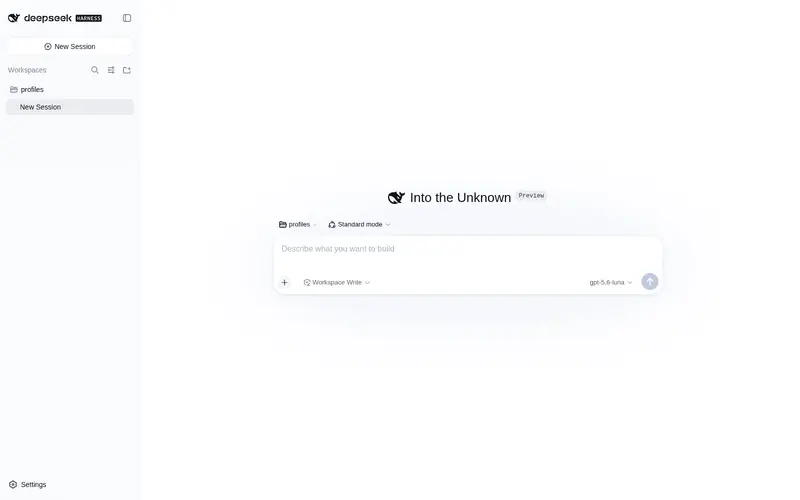
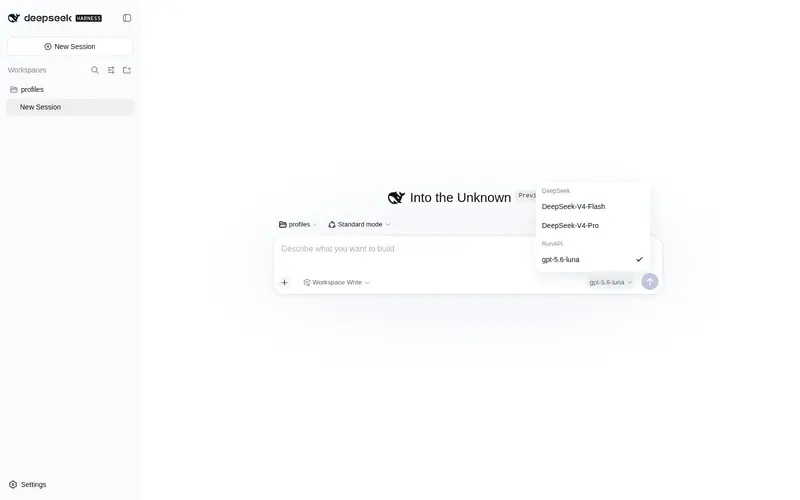
What it does
Codex-style reasoning-effort slider embedded in the model selector.
Best for
- Users who frequently switch reasoning effort for models directly from the DSH model selector.
- Keyboard or mouse users who want quick access to each model's supported reasoning levels.
- Multi-model workflows that benefit from carrying the current effort level across model changes with fallback to supported defaults.
Not ideal for
- Users who keep one fixed reasoning level and rarely open the model selector.
- Models with no configurable reasoning levels, where the plugin can only show an informational state.
- Non-web DSH workflows that do not use the model-selector UI.
README
dsh-reasoning-slider
推理等级滑块,直接内嵌在 DeepSeek Harness 的模型选择器里:点开模型选择器,选中模型后下方出现滑块,拖动即可切换该模型的推理档位(off / minimal / low / medium / high / xhigh / max)。
安装
需要 pnpm(npm i -g pnpm)与 dsh(npm i -g @deepseek-ai/dsh)。
# 从 npm 安装(推荐,快且稳)
dsh plugin --profile web add reasoning-slider

# 或从 GitHub 安装
dsh plugin --profile web add github:qjcnmd/dsh-reasoning-slider
安装完成后重启 dsh web
功能
- 滑块内嵌于模型选择器弹层,选择模型后自动显示该模型支持的推理档位
- 拖动滑块实时预览,松开后生效
- 切换模型时自动携带当前档位;目标模型不支持当前档位时自动回退到其默认档位
- 单档位模型显示”支持档位: xxx”,无档位模型显示提示
- 键盘:←/→ 或 ↑/↓ 切换,滚动滚轮也可切换
禁用 / 卸载
dsh plugin --profile web remove reasoning-slider
或编辑 ~/.dsh/profiles/web/cordis.patch.yml,给 insert 行加 disabled: true。
开发
dsh-reasoning-slider/
├── lib/
│   ├── index.js   # Node half(纯 UI 插件,apply 为空)
│   └── client.js  # 浏览器 half(完整滑块 UI)
├── cordis.patch.yml
└── package.json   # dsh.bundle 声明:安装后自动成为 profile 层
客户端代码是 window.__ModuleLoader__.load({...}) 格式的普通 JavaScript,无构建步骤;React 通过 require("react") 从 dsh 运行时解析。
许可
MIT
Frequently Asked QuestionsFAQ
Use the verified command dsh plugin --profile default add github:qjcnmd/dsh-reasoning-slider in a DSH-enabled shell. The command resolves the public package metadata and keeps the plugin attached to the catalog identity shown on this page.
Compatibility follows the bundle and profile status shown above. If a profile is not detected, keep the plugin disabled there and check the repository documentation before enabling it in production.
The GitHub link and activity metadata are the source of truth for releases and maintenance. Revisit this page after a new release to confirm the catalog has observed the latest version.