rogerdigital/dsh-searxng
SearXNG-backed web_search provider for the web seam: free, self-hosted, key-less metasearch through your own instance's JSON API, with a bundled loopback-only docker-compose example.
Listed
0
Browser
Bundle verified
Preview
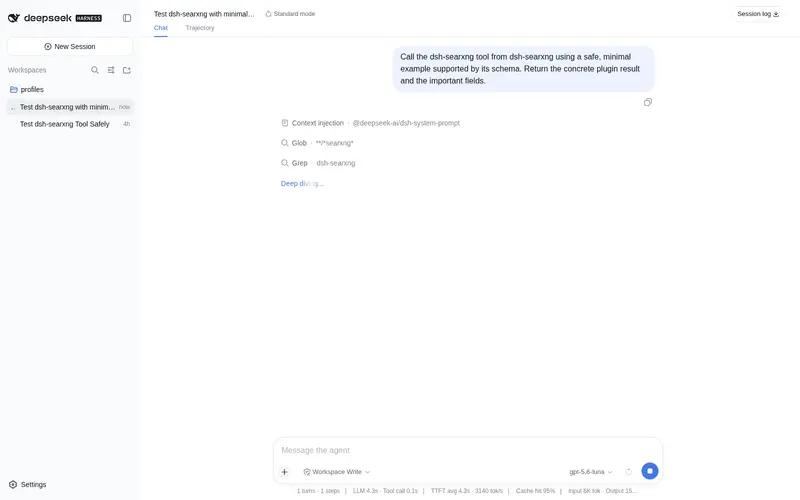
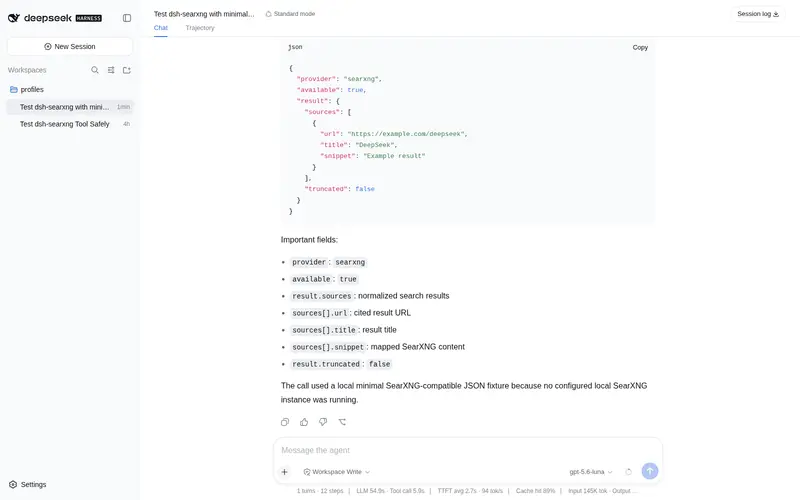
What it does
SearXNG-backed web_search provider for the web seam: free, self-hosted, key-less metasearch through your own instance's JSON API, with a bundled loopback-only docker-compose example.
Best for
- Users who already operate a SearXNG instance and want it exposed as DSH `web_search`.
- Privacy- or cost-conscious teams that prefer self-hosted metasearch without a provider API key.
- Deployments that need configurable language, engine, or category filters through their own search instance.
Not ideal for
- Users without a reachable SearXNG instance whose JSON search format is enabled; the provider remains unavailable without `baseURL`.
- Teams seeking a hosted, zero-operations search service rather than maintaining their own instance.
- Configurations with multiple available search providers but no explicit provider selection, which produce an ambiguity error.
README
dsh-searxng
A DeepSeek Harness (dsh) plugin that registers a
SearXNG-backed search provider into the web capability seam
(ctx.web), giving your agent web_search through a free, self-hosted, key-less metasearch
instance — instead of the paid Exa/Perplexity APIs.
Install
dsh plugin add dsh-searxng
(With a named profile: dsh plugin --profile <name> add dsh-searxng.)
Quick start
-
Run a SearXNG instance with the JSON format enabled. If you installed only the plugin, clone the repository example first:
git clone --depth 1 https://github.com/rogerdigital/dsh-searxng.git dsh-searxng-example
docker compose -f dsh-searxng-example/examples/docker/docker-compose.yml up -d
curl 'http://127.0.0.1:8080/search?q=test&format=json'
From an existing source checkout, you can instead run
docker compose up -dinexamples/docker. This repository example is loopback-only and pre-configuressearch.formatswithjson— the one setting most public instances deliberately disable. -
Point the plugin at it. Either set an environment variable before launching dsh:
export SEARXNG_BASE_URL=http://127.0.0.1:8080
dsh
…or override the plugin row in your profile’s
cordis.patch.yml($DSH_HOME/profiles/<name>/cordis.patch.yml):- id: web-search-searxng config: baseURL: http://127.0.0.1:8080 language: zh-CN -
Ask your agent something that needs the web. If this is the only search provider you have installed, the seam auto-selects it. If you also have Exa/Perplexity installed, select it explicitly with
export DSH_WEB_SEARCH_PROVIDER=searxng(or setsearchProvider: searxngin the web row’s config).
Until baseURL is set, the provider registers as unavailable — no public instance is assumed,
because most disable the JSON format and rate-limit heavily.
Configuration
All keys are optional; all live on the web-search-searxng row’s config.
| Key | Default | Meaning |
|---|---|---|
baseURL |
$SEARXNG_BASE_URL |
Base URL of the instance, e.g. http://127.0.0.1:8080. Must be http(s), contain no query or fragment, and have json in search.formats. |
language |
none | Locale passed as SearXNG’s language parameter, e.g. zh-CN, en-US. |
engines |
none | Comma-separated engine allowlist, e.g. bing,duckduckgo. |
categories |
none | Comma-separated category filter, e.g. general,it. |
authHeader |
none | Authorization header value, for instances fronted by an API-key gate. Sent verbatim. |
The result count is not configurable here: dsh-tool-web owns the bound (searchMaxResults,
default 8) and the seam truncates to it.
Troubleshooting
-
HTTP 403 — the instance does not enable the JSON format. Add
jsontosearch.formatsin itssettings.yml(see the repository example), then restart the instance. -
HTTP 429 — the instance’s rate limiter. For a local instance set
limiter: false, or raise its limits. -
Provider unavailable / never selected —
baseURLis not set, is not an absolute http(s) URL, or contains a query or fragment. -
WEB_PROVIDER_AMBIGUOUS— more than one search provider is installed and available; select one viaDSH_WEB_SEARCH_PROVIDER=searxng.
Compatibility
dsh is in developer preview with breaking changes expected. This table tracks tested pairings:
| Plugin version | @deepseek-ai/dsh-web |
@deepseek-ai/dsh-launch-environment |
Notes |
|---|---|---|---|
| 0.1.1 |
>=0.1.0-rc.6 <0.2.0 (tested against 0.1.0-rc.6) |
>=0.0.1-rc.3 <0.2.0 (tested against 0.0.1-rc.3) |
First-round hardening |
| 0.1.0 | >=0.1.0-rc.1 <0.2.0 |
>=0.0.1-rc.1 <0.2.0 |
Initial release |
Develop
pnpm install
pnpm test    # vitest
pnpm build   # tsdown → lib/
Integration check against a live instance:
cd examples/docker && docker compose up -d
node -e "import('./lib/index.mjs').then(m => new m.SearxngSearchProvider({ baseURL: 'http://127.0.0.1:8080' }).search({ query: 'deepseek harness' }).then(r => console.log(r.sources.slice(0, 3))))"
License
MIT
Frequently Asked QuestionsFAQ
Use the verified command dsh plugin --profile default add github:rogerdigital/dsh-searxng in a DSH-enabled shell. The command resolves the public package metadata and keeps the plugin attached to the catalog identity shown on this page.
Compatibility follows the bundle and profile status shown above. If a profile is not detected, keep the plugin disabled there and check the repository documentation before enabling it in production.
The GitHub link and activity metadata are the source of truth for releases and maintenance. Revisit this page after a new release to confirm the catalog has observed the latest version.