sakikoTGW/pack-agent
Agent Modpack — 像装 MC 整合包一样,装你的 agent。
Listed
2
Tools
Bundle verified
Preview
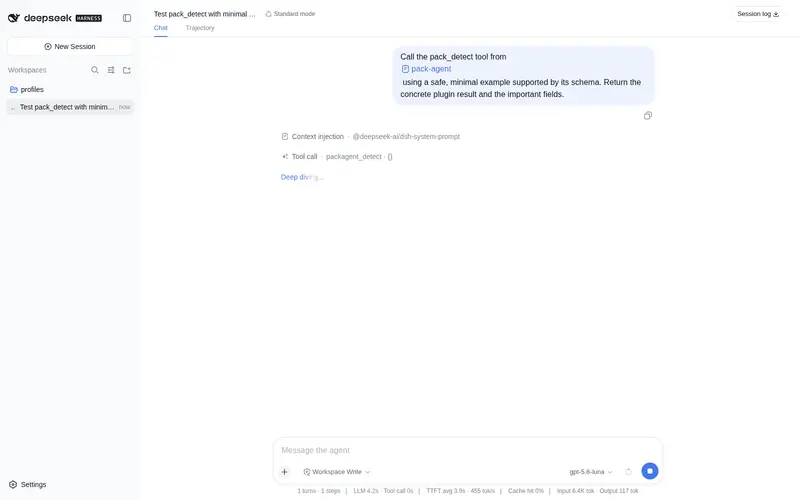
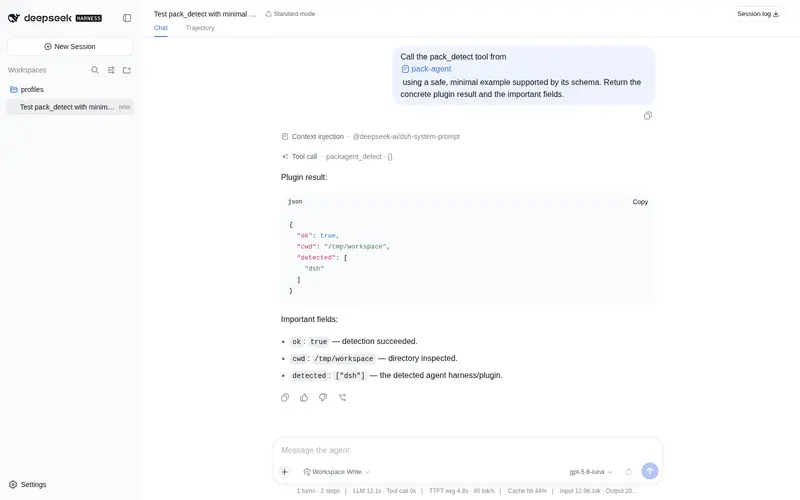
What it does
Project .pack.json/.pack.zip into .agent-pack/modpacks/ and expose skills via a workspace allow-list.
Best for
- Projects that distribute curated agent skills as .pack.json or .pack.zip modpacks.
- Workspace owners who want an allow-list controlling which packaged skills are exposed.
- Users maintaining project-local agent packs under .agent-pack/modpacks/.
Not ideal for
- Environments that cannot provide Bun 1.1 or newer.
- Workflows with no packaged skills or no need for workspace-level exposure controls.
- Users seeking a hosted marketplace or remote skill service rather than project-file projection.
README
Agent Modpack

| English | 中文 |
Manage DeepSeek Harness config like a Minecraft modpack. Agent Modpack (packagent) packs skills, rules, and MCP into a .pack.zip and installs them into Claude Code, Codex, Cursor, and other harnesses. Uninstall uses the install ledger.
Requires Bun ≥ 1.1. npm: @sakikotgw/pack-agent.
agent-pack for DSH lives in agent-pack-dsh/. Product design: agent-pack-dsh/docs/PRODUCT.md. Plugin package: @sakikotgw/pack-agent-dsh. See agent-pack-dsh/plugin/README.md.
Install
From npm
npm install @sakikotgw/pack-agent
packagent detect
One-off:
npx --yes -p @sakikotgw/pack-agent packagent install foo.pack.json
On Windows, npx --package @sakikotgw/pack-agent -- pack-agent fails. The bin name is packagent.
Use
packagent agents init
packagent export --agent <id>
packagent install .agent-pack/exports/<id>.pack.json --runtime claude-code
packagent eject --name <id>
--runtime installs to one harness. Without it, install targets every harness listed under Will install to in packagent detect. Install writes the current project only. Pass --global-config to write user-global harness config.
MCP
{
  "mcpServers": {
    "agent-pack": {
      "command": "bun",
      "args": ["node_modules/@sakikotgw/pack-agent/mcp/server.ts"],
      "env": { "AGENT_PACK_CWD": "." }
    }
  }
}
Supported harnesses
| id | skills | rules | MCP |
|---|---|---|---|
claude-code |
.claude/skills |
CLAUDE.md |
.mcp.json |
codex |
.agents/skills |
AGENTS.md |
.codex/config.toml |
opencode |
.opencode/skills |
AGENTS.md |
opencode.json |
openclaw |
skills.load.extraDirs |
AGENTS.md |
config/mcporter.json |
hermes |
external_dirs | AGENTS.md |
~/.hermes/config.yaml |
gemini-cli |
.gemini/skills |
GEMINI.md |
.gemini/settings.json |
windsurf |
.windsurf/skills |
— | .windsurf/mcp_config.json |
github-copilot |
— | .github/copilot-instructions.md |
.vscode/mcp.json |
Run from source
git clone https://github.com/sakikoTGW/pack-agent.git
cd pack-agent
bun install
License
Frequently Asked QuestionsFAQ
Use the verified command dsh plugin --profile default add github:sakikoTGW/pack-agent in a DSH-enabled shell. The command resolves the public package metadata and keeps the plugin attached to the catalog identity shown on this page.
Compatibility follows the bundle and profile status shown above. If a profile is not detected, keep the plugin disabled there and check the repository documentation before enabling it in production.
The GitHub link and activity metadata are the source of truth for releases and maintenance. Revisit this page after a new release to confirm the catalog has observed the latest version.