Samge0/dsh-plugin-nexterm
使用Nexterm进行批量运维的DeepSeek Harness插件
Listed
0
Tools
Bundle verified
Preview
What it does
Nexterm fleet maintenance in a DSH session: 6 agent tools (auth with password/TOTP/device-code login, fleet listing, single-host exec, parallel batch exec, preset health checks, CPU/memory/disk monitoring) over the Nexterm REST API, plus a minimal settings page; no SSH private keys needed on the DSH machine.
Best for
- Operators managing SSH fleets already enrolled in a Nexterm server.
- DSH sessions that need host inventory, single-host commands, parallel batch execution, or preset health checks.
- Teams that want fleet access through Nexterm tokens without storing SSH private keys on the DSH machine.
Not ideal for
- Environments without a reachable Nexterm 1.2.0+ server and account, or without DSH 0.1.0-rc.5+ and Node.js 22+.
- Fleets not managed by Nexterm, including workflows that require direct SSH from the DSH host.
- Large batch operations exceeding the documented limit of 50 hosts per batch or concurrency above 10.
README
dsh-plugin-nexterm — Nexterm 机群维护插件(DeepSeek Harness)

通过 Nexterm REST API 把你托管在 Nexterm 里的 SSH 机群带进 DeepSeek Harness(DSH,Cordis 插件体系)会话:自然语言即可单机执行、批量巡检、健康检查、监控查看,DSH 机器上无需任何 SSH 私钥。
功能一览
模型工具(6 个)
| 工具 | 用途 |
|---|---|
nexterm_auth |
连接管理:状态 / 设置服务器地址 / 账号密码登录(支持 TOTP)/ 设备授权码登录(免密码)/ 手动 token / 登出 |
nexterm_list |
机群清单:文件夹路径、协议、IP、在线状态、标签;支持 ID/关键词/协议过滤 |
nexterm_exec |
单机执行命令:stdout/stderr/exitCode,超时控制,长任务 nohup 指引 |
nexterm_batch |
批量并行执行(并发 1~10 可调,单批上限 50 台),逐台结果汇总 |
nexterm_health_check |
批量健康检查:quick/full/disk/load/service/updates 预设 + 自动判定 healthy/warning/critical/unreachable |
nexterm_monitoring |
Nexterm 内置监控快照(CPU/内存/磁盘使用率) |
GUI 界面
-
设置页:
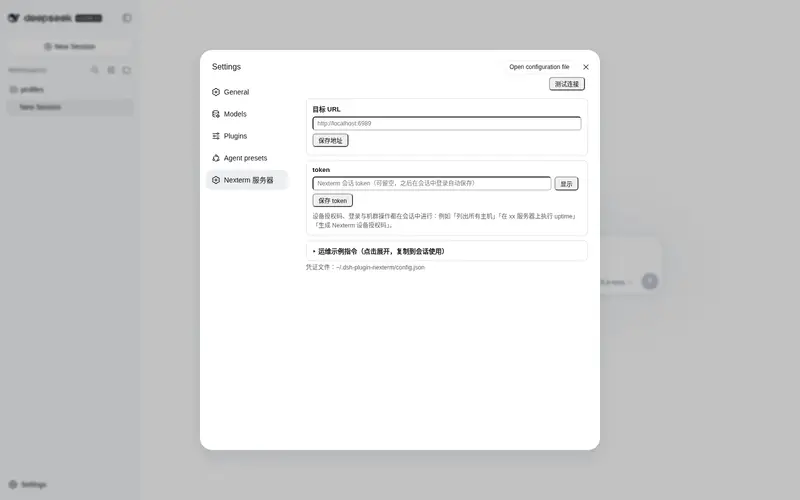
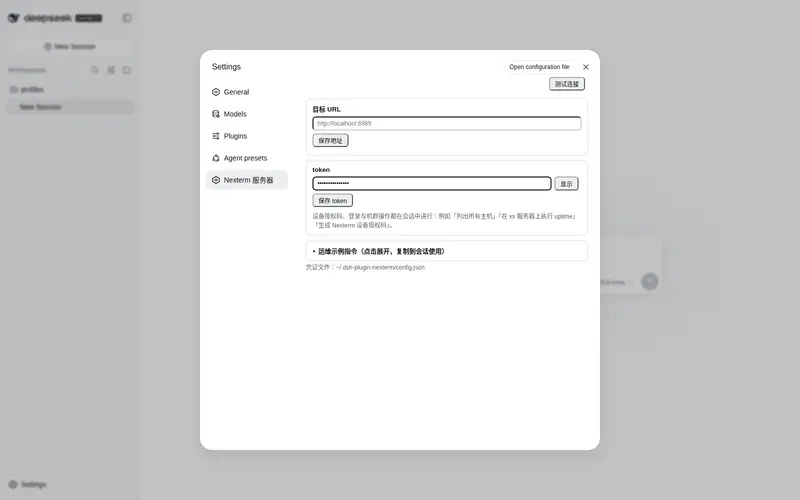
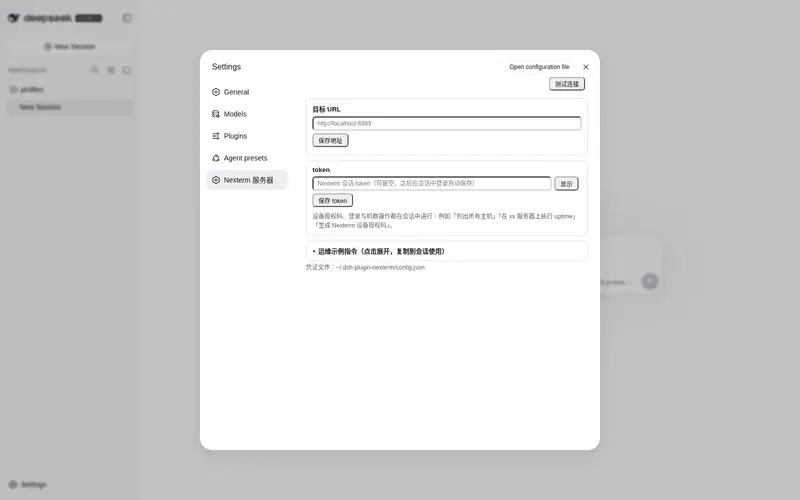
设置 → Nexterm 服务器—— 只有三样东西:目标 URL、默认 token、测试连接(只测 URL 可达性 + token 授权,秒级完成)。登录、设备授权码、机群操作全部在会话窗口用自然语言完成(如「列出所有主机」「生成 Nexterm 设备授权码」)
工作原理
- 标准 Cordis 插件包,
dsh plugin add一次安装、重启后仍生效,常驻~/.dsh/profiles/web/ - Host 半注册 6 个工具 + 一个同源 HTTP API(
/nexterm/v1/api,设置页用);Client 半经dsh.clientmanifest 自动发现并注册设置页 - 全部走 Nexterm REST API(
/api/entries/list、/api/connections/{id}/exec、/api/monitoring/{id}),凭证只需一个 Nexterm 会话 token - 凭证存于
~/.dsh-plugin-nexterm/config.json(原子写入,损坏自动回退默认值)
环境要求
-
DeepSeek Harness ≥ 0.1.0-rc.5(含
dsh plugin命令) - Node.js ≥ 22
- 一个 Nexterm 服务器(≥ 1.2.0,Docker 或裸机均可),DSH 所在机器能访问其 HTTP 端口
- 一个 Nexterm 账号(未开启 TOTP 用密码登录最简单;开启了 TOTP 推荐设备授权码方式)
安装
两种形态任选:持久化安装(推荐) 装一次永久生效、随 DSH 自动加载;动态试用 一条消息即装即用,但随 DSH 重启消失(适合先体验)。
方式一:持久化安装(推荐)
# 从 GitHub 直接安装到 web profile(headless 用 --profile headless)
dsh plugin --profile web add github:Samge0/dsh-plugin-nexterm

# 或从本地克隆安装(便于改代码调试)
git clone https://github.com/Samge0/dsh-plugin-nexterm.git
dsh plugin --profile web add file:F:/path/to/dsh-plugin-nexterm
💡 找不到
dsh命令? 源码方式运行的 Harness 需在源码仓库根目录加pnpm前缀:pnpm dsh plugin --profile web add github:Samge0/dsh-plugin-nexterm
然后重启 DSH。启动后新会话中 agent 自动获得 6 个 nexterm_* 工具,设置页出现 设置 → Nexterm 服务器。
卸载:dsh plugin --profile web remove dsh-plugin-nexterm,然后重启 DSH。
方式二:动态试用(免重启,会话级)
git clone https://github.com/Samge0/dsh-plugin-nexterm.git
cd dsh-plugin-nexterm
./install.ps1          # 校验环境,并把"安装提示词"复制到剪贴板
打开 DSH Web GUI(http://127.0.0.1:3080),新建会话,把剪贴板内容粘贴发送即可。agent 会读取 plugin/host.js 与 plugin/client.js,经 cordis_define/cordis_run 激活;首次激活可能弹出授权提示,确认即可。
动态形态说明:
- 是会话级的,DSH 重启后需重新发送提示词(要永久生效请用方式一)
- 网络与文件 IO 走 DSH subprocess 服务(spawn
node -e),需要当前会话预设支持动态插件(如「创造模式」;「标准模式」未暴露 cordis_* 工具) -
与持久化版不要同装在一个 DSH 实例:两形态注册相同的 6 个
nexterm_*工具名,后装的一方会报tool "nexterm_auth" is already registered。已装持久化版就无需动态版;想试动态版先dsh plugin --profile web remove dsh-plugin-nexterm并重启 - 凭证与持久化版互通(同一个
~/.dsh-plugin-nexterm/config.json),切换形态无需重新登录 - 卸载:对 agent 说 “彻底卸载 Nexterm 机群维护插件”(
cordis_undefine),或直接结束会话
默认值配置(免每次输入 URL / token)
插件只保存一组 url + token(~/.dsh-plugin-nexterm/config.json),设置页或 nexterm_auth 的 set_server / set_token 保存即替换。取值优先级(从高到低):
-
工具参数:任何
nexterm_*工具调用可带serverUrl/token,仅本次生效 -
环境变量(部署级默认,仅持久化形态——动态沙箱内没有
process全局,且含TOKEN的变量名不会传给子进程):NEXTERM_SERVER_URL/NEXTERM_SESSION_TOKEN -
DSH profile 配置(部署级默认,持久化形态):
~/.dsh/profiles/web/cordis.patch.yml里给插件行加config:
- id: nexterm-fleet
  config:
    serverUrl: http://192.168.1.10:6989
    sessionToken: <96位会话token>
- 本地 config.json:设置页保存的那一组(普通个人用户的常态)
说明:环境变量/profile 是给 headless 部署准备的默认值;个人使用直接在设置页保存即可,不需要配它们。登录、设备授权码成功后 token 自动写入 config.json。
nexterm_auth action=status会显示每项取值的来源。
使用
1. 连接 Nexterm
在会话里对 agent 说(推荐,授权码流程由 agent 动态引导):
- “用 nexterm_auth 连接 http://192.168.1.10:6989,用户名 admin 密码 xxx” (TOTP 账号把动态码一起给它)
- 或 “生成一个 Nexterm 设备授权码” → 把 code 输入 Nexterm Web UI 的 Connect Device → “轮询授权结果”
- 已有 token 的直接在
设置 → Nexterm 服务器里填上(或让 agentset_token),点「测试连接」秒级验证
2. 日常维护(对话式)
所有操作都在聊天窗口用自然语言完成。典型链路:nexterm_list(拿 ID)→ nexterm_exec(单机)或 nexterm_batch / nexterm_health_check(批量)。
巡检与健康
列出所有服务器
给全部服务器做一次快速健康检查
对 /local/temp/gn 文件夹下的服务器做完整巡检(磁盘、内存、负载、TOP 进程)
哪些服务器磁盘超过 80% 了?
检查所有服务器 nginx 服务是否在跑
批量看哪些服务器有安全更新
58 号服务器 CPU 和内存占用多少?
批量变更
把所有 SSH 服务器重启 nginx
批量更新 /web 文件夹下所有服务器的时区配置
给 56、58、63 号服务器追加一条 crontab
所有服务器批量修改 sshd 配置并重启 sshd(改前先备份)
批量清理 /var/log 下 30 天前的旧日志
排障与追踪
56 号服务器为什么这么卡?看下负载和 TOP 进程
在 58 号上跟踪 nginx 错误日志最近 100 行
dmesg 里有没有磁盘报错?(58 号)
查看 63 号服务器上 docker 容器的状态
这台机器上次重启是什么时候、现在运行多久了?
用户与安全
列出 56 号服务器上 uid>=1000 的用户
批量检查所有服务器的 SSH 是否禁用了 root 密码登录
检查哪些服务器有失败登录记录(lastb)
看看所有机器上有没有异常的 authorized_keys
长任务处理
在 56 号上后台执行数据库备份:nohup mysqldump ... > /root/backup.sql 2>&1 &
看看 56 号上 /root/backup.sql 备份完了没(cat 日志轮询)
批量拉取所有服务器的系统信息生成一份清单表格
提示:批量命令有单批 50 台上限和并发控制(默认 4,可调 1~10);某台失败不影响其他服务器,结果会逐台汇总。
3. 健康检查预设
| preset | 内容 |
|---|---|
quick |
hostname + uptime(最快,适合大机群连通性扫描) |
full |
主机 / 磁盘>80% 挂载点 / 内存 / TOP 进程 |
disk |
仅列出使用率 >80% 的挂载点 |
load |
负载 |
service |
systemd 服务状态 + 最近日志(需带服务名) |
updates |
可升级包列表(apt/yum 自动探测) |
判定阈值默认 load 5/10、disk 80%/90%,可通过参数覆盖。
常见问题
| 现象 | 处理 |
|---|---|
| 安装后工具/设置页没出现 | 确认重启过 DSH;dsh --profile web --dump-config 检查 nexterm-fleet 行存在 |
dsh plugin add 报 peer 冲突警告 |
通常不影响(peers 由 DSH 安装回退解析);确认 DSH ≥ 0.1.0-rc.5 |
提示找不到 dsh 命令 |
源码运行的 Harness 在源码仓库根目录用 pnpm dsh ...
|
Nexterm API 401 |
会话 token 过期,重新登录(nexterm_auth action=login 或 device_code_start) |
某台服务器 Failed to connect to SSH host
|
该服务器 SSH 不可达(状态 online 只代表 ping 通)或身份凭证失效——插件按台报错,不影响批次其他服务器 |
| 命令执行 ~30-40 秒后失败 | Nexterm 服务端有执行超时;长任务用 nohup cmd > ~/out.log 2>&1 & 后台执行,再 cat ~/out.log 轮询 |
monitoring 返回错误 |
该服务器未开启 Nexterm monitoring agent;改用 nexterm_health_check
|
与 nt CLI 的关系
本插件与官方 nt CLI 操作同一个 Nexterm 服务器,但相互独立:插件用独立的会话 token(存 ~/.dsh-plugin-nexterm/config.json),不影响 nt CLI 的配置(~/.config/nexterm / %APPDATA%\nexterm)。
开发与测试
git clone https://github.com/Samge0/dsh-plugin-nexterm.git
cd dsh-plugin-nexterm
node tests/smoke.cjs            # 结构冒烟 + 源级回归(无需任何依赖)
node tests/dynamic-host.mjs     # 动态形态:无 process 的 vm 沙箱 + 本地 stub 全链路(无需 Harness)

# Cordis 集成/守护测试需要 @deepseek-ai/cordis 与 @deepseek-ai/dsh-tools 可解析
# (peer 依赖不会自动安装;在仓库内建 junction/链接指向 deepseek-harness 的对应包即可):
#   node_modules/@deepseek-ai/cordis    -> <deepseek-harness>/vendor/cordis
#   node_modules/@deepseek-ai/dsh-tools -> <deepseek-harness>/packages/core/tools
node tests/guard-cooldown.mjs   # 危险命令守护 + 不可达冷却(含 stub fetch 全链路)
node tests/integration.mjs      # Cordis 上下文集成(工具注册/配置分层/设置页 API)

# 以下测试同样需要上面的 junction(live-chain 依赖 cordis):
NEXTERM_URL=http://... NEXTERM_TOKEN=... node tests/live-chain.mjs  # 真实机群全链路
License
MIT
相关截图
Frequently Asked QuestionsFAQ
Use the verified command dsh plugin --profile default add github:Samge0/dsh-plugin-nexterm in a DSH-enabled shell. The command resolves the public package metadata and keeps the plugin attached to the catalog identity shown on this page.
Compatibility follows the bundle and profile status shown above. If a profile is not detected, keep the plugin disabled there and check the repository documentation before enabling it in production.
The GitHub link and activity metadata are the source of truth for releases and maintenance. Revisit this page after a new release to confirm the catalog has observed the latest version.