SeverusZh/dsh-yolo-mode
dsh-yolo-mode - an LLM-powered auto-approval plugin for DeepSeek Harness sandbox escalations (built-in presets + custom permission levels, fail-closed)
Listed
3
Security
Bundle verified
Preview
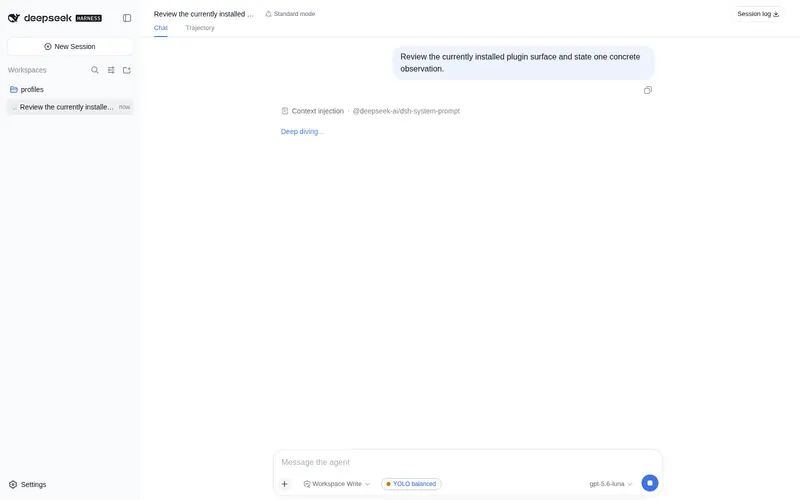
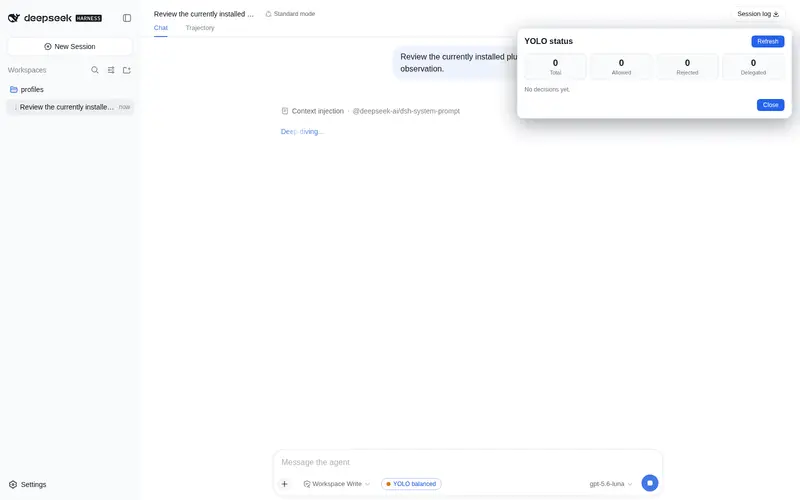
What it does
LLM auto-approval for sandbox escalation requests, with presets and a fail-closed fallback.
Best for
- Teams reducing repetitive manual decisions for sandbox escalation requests while retaining configurable policy.
- Workflows needing presets, per-tool rules, and JSONL audit records for approval decisions.
Not ideal for
- Environments requiring a human to approve every escalation rather than delegating decisions to an LLM or preset.
- Sessions whose approval policy is not `ask`, since the plugin only responds under that policy.
README
dsh-yolo-mode
DeepSeek Harness 插件:用大模型自动裁决沙箱升权申请(LLM-powered auto-approval)。
当会话处于可写沙箱模式、审批策略为 ask 时,dsh-yolo-mode 拦截 escalate sandbox to ... 升权申请,按你选择的预设或自定义权限层级由大模型裁决「放行 / 拒绝 / 转人工」。任何不确定或失败路径都不会放行(fail-closed)。


功能特性
-
LLM 自动裁决:在
workspace-write会话中,对danger-full-access/workspace-write升权申请调用大模型分级(allow / deny / unsure),确定时免去人工弹窗。 -
内置预设:
off/strict/balanced(默认)/permissive/yolo/custom,覆盖从「全部转人工」到「确定性全放行」的完整光谱。 -
自定义层级:
levels支持逐目标模式、逐工具(tools.<toolName>)的allow / judge / delegate / deny策略,及error/unsure回退。 -
每预设默认提示词:
judge.systemPrompt留空时按预设自动选用对应裁判提示词(strict 最保守、permissive 宽松、custom 按层级表)。 - 图形化配置:设置面板「YOLO 审批」页在线修改预设 / 生效模式 / 裁判模型(下拉选择)/ 层级表,保存即生效;输入栏状态 chip + 决策统计面板。
- 完整审计:每次裁决落 JSONL 日志,含工具、目标模式、当前模式、理由、决策与结果。
- fail-closed:超时、非法输出、模型不可用、并发溢出等一切异常路径都回退为「拒绝」或「转人工」。
安装
1. 安装插件包
# 从 npm
dsh plugin --profile web add dsh-yolo-mode

# 或从本地路径
dsh plugin --profile web add <项目绝对路径>
2.(可选)覆盖插件配置
dsh plugin add 会通过插件包自带的 cordis.patch.yml 自动挂载 yolo-mode 与
yolo-mode-bridge 两个入口,不需要再手动 insert。需要调整配置时,在
$DSH_HOME/profiles/web/cordis.patch.yml 里按 id 覆盖主条目即可:
- id: yolo-mode
  name: dsh-yolo-mode
  config:
    preset: balanced
    judge:
      provider: <provider>
      model: <model>
注意:不要再用
- insert:添加yolo-mode/yolo-mode-bridge,否则启动会报duplicate loader entry id: yolo-mode。
重启 DSH 并刷新浏览器后生效。
安装注意事项
- 推荐直接
dsh plugin --profile web add dsh-yolo-mode(npm 发布版已包含构建产物, peer 依赖由 DSH 的$DSH_HOME/profiles/node_modulesfallback 提供,开箱即用)。 - 本地
link:开发时,checkout 需位于$DSH_HOME/profiles/下(或仓库自带 node_modules),否则@deepseek-ai/*peer 依赖会因 Node 按真实路径解析而报ERR_MODULE_NOT_FOUND。
配置
插件行 config 全字段可选,未填按默认值:
| 字段 | 类型 | 默认值 | 说明 |
|---|---|---|---|
preset |
off\|strict\|balanced\|permissive\|yolo\|custom |
balanced |
使用的预设;custom 时以 levels 为准 |
modes |
string[] |
['workspace-write'] |
会话有效沙箱模式 ∈ 此列表时才介入(read-only / workspace-write / danger-full-access) |
levels |
object |
{} |
权限层级表;levels.tools.<toolName> 对任意预设逐工具覆盖 |
judge.provider |
string |
'' |
裁判模型 provider;空 = 未配置(judge 决策按错误回退) |
judge.model |
string |
'' |
裁判模型;与 provider 同非空才启用裁判 |
judge.systemPrompt |
string |
'' |
裁判 system prompt;空 = 按预设取默认 |
judge.timeoutMs |
number |
20000 |
单次裁判超时(毫秒) |
judge.maxTokens |
number |
256 |
裁判输出最大 token 数 |
judge.concurrency |
number |
2 |
并发裁判上限,溢出按错误回退 |
includeSubagents |
boolean |
true |
子代理会话是否同样裁决 |
auditFile |
string |
'' |
审计日志路径;空 = %TEMP%/dsh-yolo/judge.log
|
权限层级(levels)
levels:
  workspace-write: judge        # 目标模式 → 策略
  danger-full-access: judge
  error: delegate               # 裁判错误回退
  unsure: delegate              # 裁判不确定回退
  tools:
    pwsh: delegate              # 逐工具覆盖,优先级最高
    write: allow
策略取值 allow | judge | delegate | deny;优先级:levels.tools[toolName] → 基础行(custom 时为 levels[targetMode],其余预设为内置表)。
预设
| 预设 | workspace-write |
danger-full-access |
失败回退 | 不确定回退 | 说明 |
|---|---|---|---|---|---|
off |
delegate | delegate | delegate | delegate | 不介入,全部转人工 |
strict 严格 |
judge | delegate | rejected | delegate | 仅裁决 workspace-write;danger-full-access 恒转人工 |
balanced 均衡(默认) |
judge | judge | delegate | delegate | 裁决全部升级目标;失败 / 不确定转人工 |
permissive 宽松 |
judge | judge | delegate | allowed-once | 裁决全部目标;不确定视为允许(慎用) |
yolo |
allow | allow | — | — | 确定性全放行,零 LLM 调用 |
custom |
依 levels
|
依 levels
|
依 levels.error
|
依 levels.unsure
|
全字段开放 |
每预设默认裁判提示词(judge.systemPrompt 留空时自动选用):
| 预设 | 默认裁判立场 |
|---|---|
off / yolo
|
不调用裁判 |
strict |
最保守:danger-full-access 一律拒绝;仅最小范围 workspace-write 且理由极充分才允许 |
balanced |
通用审计:只依据事实、防回环、存疑即 deny/unsure |
permissive |
宽松:理由合理且范围可接受即倾向允许,仅明显破坏性 / 供应链风险拒绝 |
custom |
按 levels 层级表裁决,存疑按 levels.error / levels.unsure 回退 |
界面
-
输入栏 chip:显示
YOLO <preset>,点击弹出统计面板(总审批 / 放行 / 拒绝 / 转人工 + 最近 20 条决策)。 - 设置页:「YOLO 审批」页在线修改预设、生效沙箱模式、裁判模型(provider / model 下拉,取自 Harness 模型配置)、层级表(JSON);切换预设时自动预填充该预设的默认提示词与层级表。
安全
-
fail-closed:只有明确得到
allow才返回一次性allowed-once;其余一切路径拒绝或转人工。 -
防回环:裁判 prompt 与 agent 上下文隔离,防止模型借 Web 审批回环自批准
danger-full-access。 -
不改写策略:仅在
ask策略下作为应答者,不改变 DSH 的沙箱 / 审批词汇。 -
默认保守:默认预设
balanced(不确定转人工),不默认启用permissive/yolo。 -
审计:每次裁决落一行 JSONL,含
{time, sessionId, origin, toolName, callId?, targetMode, currentMode, justification, decision, outcome, reason?}。
开发
npm test        # node --test 全量测试
npm run build   # 构建客户端 bundle(rolldown)
许可
Frequently Asked QuestionsFAQ
Use the verified command dsh plugin --profile default add github:SeverusZh/dsh-yolo-mode in a DSH-enabled shell. The command resolves the public package metadata and keeps the plugin attached to the catalog identity shown on this page.
Compatibility follows the bundle and profile status shown above. If a profile is not detected, keep the plugin disabled there and check the repository documentation before enabling it in production.
The GitHub link and activity metadata are the source of truth for releases and maintenance. Revisit this page after a new release to confirm the catalog has observed the latest version.