STARDUSTLC666/dsh-docker
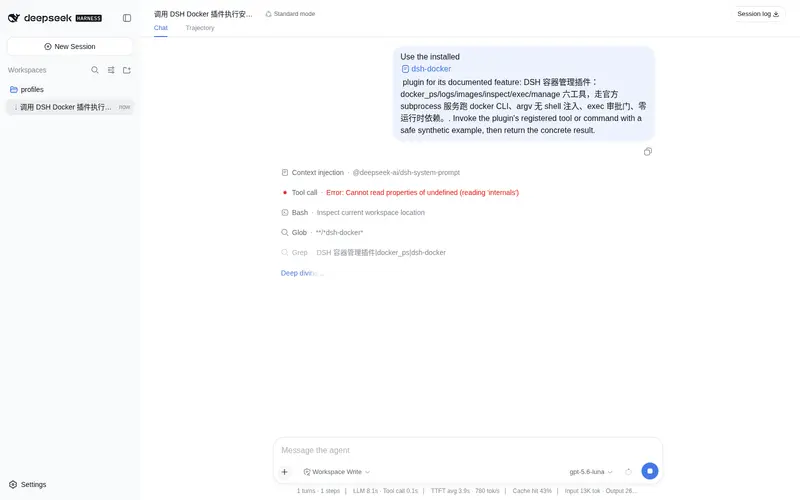
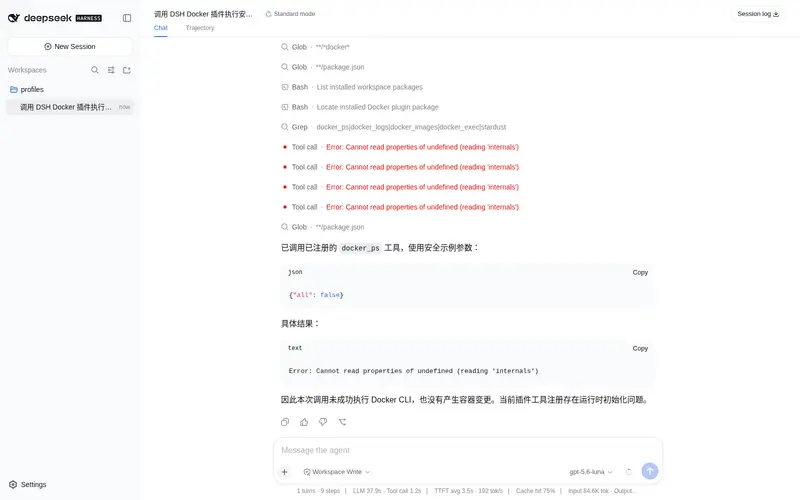
DeepSeek Harness 容器管理插件:docker_ps/logs/inspect/exec/manage 五工具,官方 subprocess 服务、argv 无 shell 注入、exec 审批门、零运行时依赖。· Containers for DeepSeek Harness agents.
Listed
3
Tools
Bundle verified
Preview
What it does
Docker tools for agents: ps/images/logs/inspect/exec/manage with JSON output, env-configurable CLI path, approval-gated exec and zero runtime dependencies.
Best for
- Agents that need structured listings of Docker containers and images, logs, inspection, or lifecycle actions.
- Local container troubleshooting that benefits from approval-gated command execution inside a container.
- Environments where the Docker CLI is installed, including setups requiring a custom executable path.
Not ideal for
- Machines without an installed and reachable Docker CLI or Docker service.
- Headless workflows that require `docker_exec` while the default approval gate is enabled and no approval channel exists.
- Container orchestration workflows needing Kubernetes, Compose deployment, image building, or registry management beyond the documented tools.
README
dsh-docker
你的 agent 会管容器了:六个工具覆盖容器/镜像列表、日志、详情、容器内执行与生命周期管理。
DSH(DeepSeek Harness)容器管理插件:走官方 subprocess 服务跑 docker CLI,argv 数组无 shell 注入,docker_exec 默认审批门,零运行时依赖。





安装
dsh plugin --profile web add @stardustlc/dsh-docker
需要本机装有 Docker(docker version 能出结果即可);不在 PATH 上时用 dockerPath 指定。
配置
- id: docker
  name: '@stardustlc/dsh-docker'
  config:
    # dockerPath: C:\Program Files\Docker\Docker\resources\bin\docker.exe
    dockerPath: docker     # 可选;也可用环境变量 DSH_DOCKER_PATH
    timeoutMs: 60000       # 单次操作超时(默认 60 秒,5 秒 - 10 分钟)
    # execApproval: false  # 关闭 docker_exec 审批门(默认 true)
工具一览
| 工具 | 作用 | 安全 |
|---|---|---|
docker_ps |
列出容器(状态/镜像/运行态,可过滤) | — |
docker_images |
列出本地镜像(仓库/标签/大小/创建时间,可只看悬空镜像) | — |
docker_logs |
查看日志尾部(行数钳制,可短时 follow) | — |
docker_inspect |
容器详情(镜像/状态/端口) | — |
docker_exec |
容器内执行命令 | 审批门 + 容器名白名单校验 |
docker_manage |
start / stop / restart / rm | 明确提示破坏性 |
示例
docker_ps {}
docker_ps { all: true, name: web }
docker_images { dangling: true }
docker_logs { container: web, tail: 200 }
docker_inspect { container: web }
docker_exec { container: web, command: 'df -h' }
docker_manage { container: web, action: restart }
安全设计
- 无 shell:全部参数独立 argv 数组,命令注入不可能
- 审批门:docker_exec 默认弹审批(对齐 dsh-email / dsh-sql),headless 无审批通道时拒绝
-
容器名校验:只允许
[A-Za-z0-9][A-Za-z0-9_.:-]*,杜绝参数注入 - 超时钳制:单次操作 5 秒 - 10 分钟;follow 模式额外限 30 秒
- 日志钳制:tail 1-2000 行
开发
pnpm install
pnpm test       # 构建 + 24 个测试
License
MIT
Frequently Asked QuestionsFAQ
Use the verified command dsh plugin --profile default add github:STARDUSTLC666/dsh-docker in a DSH-enabled shell. The command resolves the public package metadata and keeps the plugin attached to the catalog identity shown on this page.
Compatibility follows the bundle and profile status shown above. If a profile is not detected, keep the plugin disabled there and check the repository documentation before enabling it in production.
The GitHub link and activity metadata are the source of truth for releases and maintenance. Revisit this page after a new release to confirm the catalog has observed the latest version.