STARDUSTLC666/dsh-minimal-ptc
Minimal prompt x full PTC tools for DeepSeek Harness - aligned with the Project2 we/let's trajectory (Minimal 99/96).
Listed
1
Workflow
Bundle verified
Preview
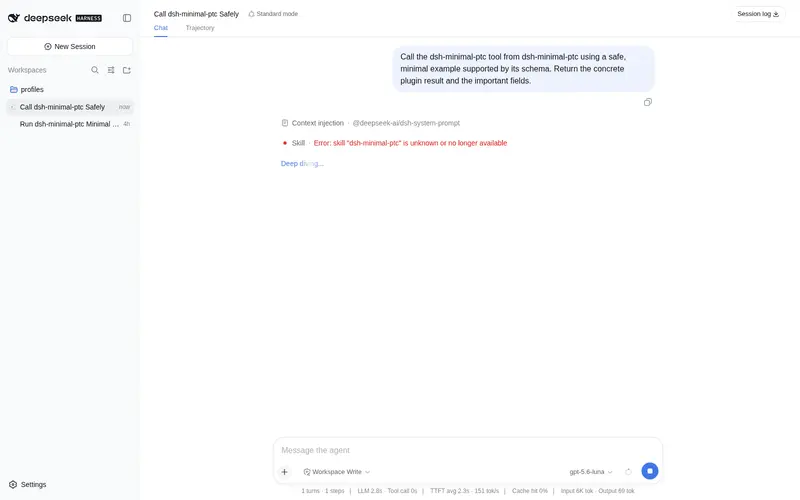
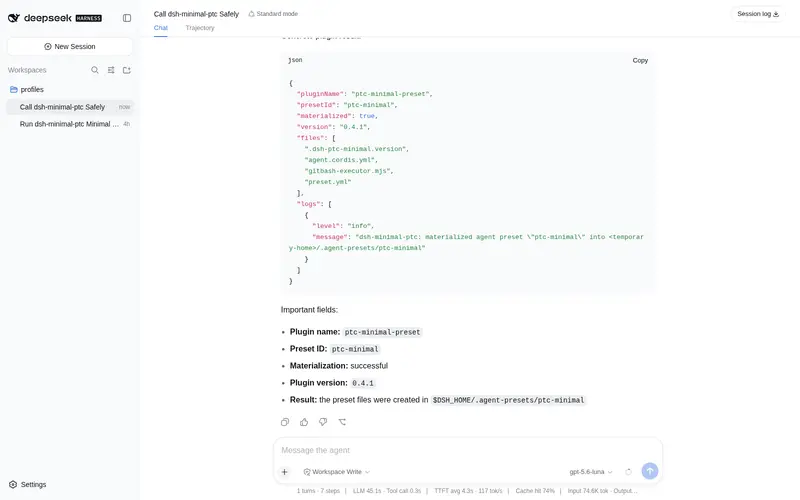
What it does
Minimal prompt x full PTC tools: one-line persona, Code Mode SDK, subagents, workflows, web search, and Windows Git Bash.
Best for
- DSH users who want a minimal-system-prompt coding-agent mode while retaining the full PTC tool set.
- Workflows that use Code Mode SDK orchestration, subagents, workflows, web search, and file or shell tools.
- Windows users who need the mode to discover and use Git Bash while retaining PowerShell as a fallback.
Not ideal for
- Users who prefer detailed system instructions, explicit behavioral constraints, or strongly prescribed response formatting.
- Environments that do not use DSH agent presets or have no need for the PTC tool set.
- Windows setups without an available Git Bash installation when Bash compatibility is required.
- Users expecting an existing unmarked custom preset directory to be overwritten; the materialization policy preserves it.
README
dsh-minimal-ptc
极简提示词 × PTC 全能力 —— 一个更”干净”的编码 Agent。 安装即获得新的 Agent 模式:极简 PTC 模式;Windows 自动启用 Git Bash,bash 工具与 RL 训练分布对齐。
卖点
-
对齐 RL 训练:系统提示词只有一句
You are a helpful software engineer assistant., 贴近 RL 微调时的简洁指令分布,没有长提示词带来的格式偏置与上下文噪音, 让模型按训练时的节奏干活。 - 工具完整:完整继承 PTC 模式的全部工具 —— Code Mode SDK 多步编排、 文件读写与检索、Shell、Skills、计划、目标、子代理、工作流,一个不少。
-
We / Let’s 思维链:Code Mode SDK 把”想”和”做”装进一个 TypeScript 程序,
多步操作先编排、再一次执行。这与 DeepSeek 官方跑分环境(Project2 V4.1b)中
Minimal 高分轨迹一致:99/96 的两跑以
we/let's为主,而不是 Standard/PTC 常见的let me/I长块。 -
Windows 保持 bash:预设内置 Git Bash executor(自动探测 GIT_BASH → Program Files\Git → LOCALAPPDATA\Git → PATH),
bash工具不再在 Windows 上被禁用;pwsh 仍保留为备用。
安装
-
把本包加入 web profile(
package.json):"dependencies": { "dsh-minimal-ptc": "^0.4.0" }, "dsh": { "profile": { "bundles": [..., "dsh-minimal-ptc"] } }本地开发也可以用 link:
"dsh-minimal-ptc": "link:E://deepseek//dsh-minimal-ptc"。 -
在 profile 目录执行
pnpm install。 -
重启 web profile 进程:宿主行会把内置预设物化到
$DSH_HOME/.agent-presets/ptc-minimal。 -
新建会话时选择 极简 PTC 模式。
Windows Git Bash 配置
预设内置的 Git Bash executor 可在 agent.cordis.yml 的 gitbash-executor 行覆盖:
| 配置 | 默认 | 说明 |
|---|---|---|
shellPath |
自动探测 | 固定 Git Bash 路径(如 C:\\Program Files\\Git\\bin\\bash.exe) |
timeoutMs |
120000 | 单次命令超时(毫秒) |
maxTimeoutMs |
600000 | 请求可要求的最大超时 |
maxOutputBytes |
64000 | 单次输出上限 |
maxSpillBytes |
67108864 | 输出溢出落盘上限 |
graceMs |
3000 | 超时后的宽限时间 |
自动探测顺序:GIT_BASH → Program Files\\Git → Program Files (x86)\\Git → LOCALAPPDATA\\Programs\\Git → PATH。
目录结构
dsh-minimal-ptc/
├── cordis.patch.yml              # 插入宿主行(物化预设)
├── lib/index.js                  # 宿主插件:物化 ptc-minimal 预设到用户预设根目录
└── presets/ptc-minimal/          # 内置 Agent 模式(极简提示词 + PTC 全能力)
    ├── agent.cordis.yml
    ├── gitbash-executor.mjs      # Windows Git Bash 探测与执行器(零依赖)
    └── preset.yml
说明
- 物化策略:目标目录不存在 → 写入全部文件并留版本标记;版本标记低于当前 版本 → 刷新;目录存在但无标记(用户自建)→ 不覆盖。
- 升级插件:改
version并同步lib/index.js里的VERSION常量即可刷新 用户根目录里的预设文件。
许可证
MIT
Frequently Asked QuestionsFAQ
Use the verified command dsh plugin --profile default add github:STARDUSTLC666/dsh-minimal-ptc in a DSH-enabled shell. The command resolves the public package metadata and keeps the plugin attached to the catalog identity shown on this page.
Compatibility follows the bundle and profile status shown above. If a profile is not detected, keep the plugin disabled there and check the repository documentation before enabling it in production.
The GitHub link and activity metadata are the source of truth for releases and maintenance. Revisit this page after a new release to confirm the catalog has observed the latest version.