superagents-lab/dsh-s1
Native s1 tools for the DeepSeek Harness (DSH): s1_search, s1_news, s1_crawl, s1_sitemap, s1_trending + bundled s1 skill
Listed
3
Browser
Bundle verified
Preview
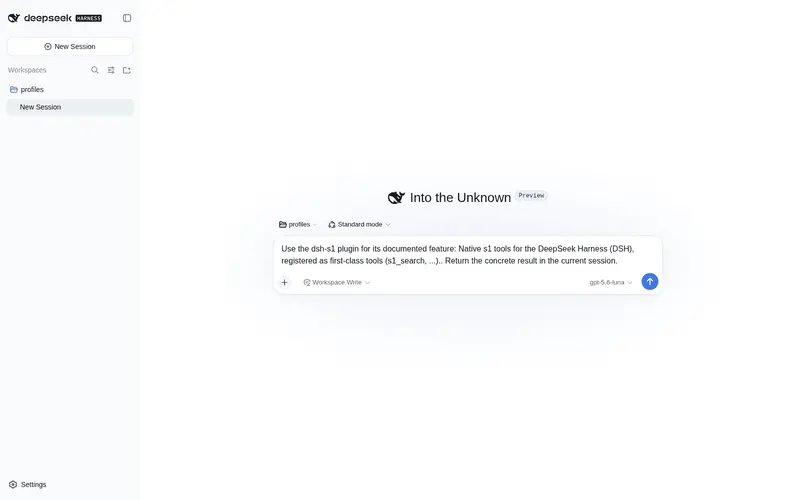
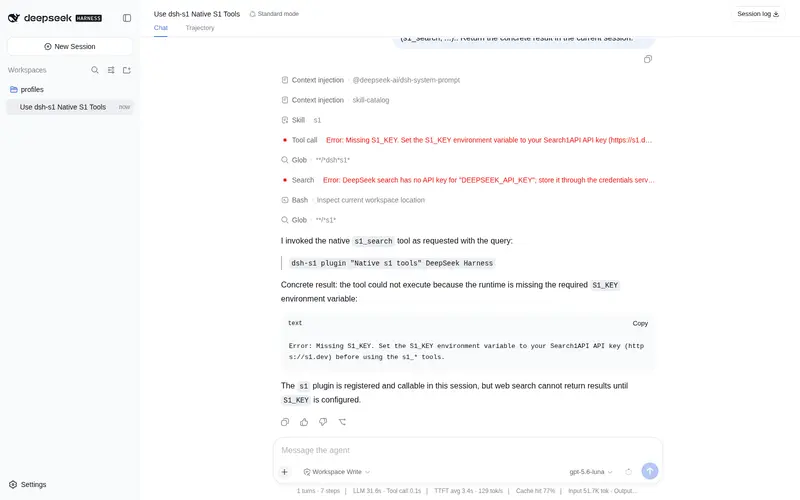
What it does
Native Search1API (s1) web research tools: search, news, page crawling, sitemap discovery, and trending topics as first-class `s1_*` tools, with a bundled s1 skill.
Best for
- DSH research workflows that need native tools for web search, news, page crawling, sitemap discovery, and trending topics.
- Agents that benefit from an included skill explaining tool selection, recency and source tuning, and follow-up crawling.
- Users who prefer in-process first-class s1_* tools over an MCP bridge or shelling out to the s1 CLI.
Not ideal for
- Environments without an S1_KEY; OAuth login and token refresh are not implemented in this plugin.
- Workflows requiring screenshots or asynchronous deep crawling, because s1_screenshot and s1_deepcrawl are not implemented.
- Simple offline or local-only tasks that do not need Search1API-backed web research.
README
dsh-s1

Native s1 tools for the DeepSeek Harness (DSH).
Unlike the MCP server (search1api-mcp, a generic bridge that surfaces as
mcp__search1api__*) or the CLI skill (which teaches the model to shell out to
s1), this package registers first-class DSH tools named s1_* — same
layer as read, bash, subagent, workflow. Calls run in-process against
the official @search1api/client SDK.
Tools
| Tool | Backed by | Status |
|---|---|---|
s1_search |
Search1API.search() |
✅ |
s1_news |
Search1API.news() |
✅ |
s1_crawl |
Search1API.crawl() |
✅ |
s1_sitemap |
Search1API.sitemap() |
✅ |
s1_trending |
Search1API.trending() |
✅ |
Not yet implemented: s1_screenshot (needs DSH attachment/image support) and
s1_deepcrawl (long-polling task).

Skill
The package also bundles a s1 skill (ctx.skills.register), which teaches the
model how to pick the right tool and tune parameters — quick lookup vs deep
research, source/recency signals, Chinese-query engine choice, and when to
follow a search result with s1_crawl. It is registered with the tools and can
be disabled independently via skill: false.
Architecture
@search1api/client  (official SDK, in-process)
        │ import
dsh-s1              (Cordis plugin: name/inject/apply)
        │ loaded by the `s1-tools` row in cordis.patch.yml
ctx.tools.register(defineTool({ name: "s1_search", ... }))
        │
DSH model sees `s1_search` as a native tool
The package is both the bundle (its dsh.bundle.patch → cordis.patch.yml)
and the plugin (its main entry exports name/inject/apply). The patch
inserts a single loader row that references the package itself:
- insert:
    - id: s1-tools
      name: 'dsh-s1'
Install into a DSH profile
First publish (or npm link / local path) the package, then:
dsh plugin --profile web add dsh-s1
For a local checkout, use a path spec (the plugin command anchors relative paths to your invoking directory):
cd /Volumes/More/Products/search1api/ecosystem/dsh-s1
npm run build                      # produce lib/index.js + lib/index.d.ts
cd ~/.dsh
dsh plugin --profile web add file:/Volumes/More/Products/search1api/ecosystem/dsh-s1
dsh plugin reconciles dsh.profile.bundles: because this package declares
dsh.bundle.patch, it is appended to the profile’s bundle stack automatically.
Authentication
The SDK reads its key lazily, so a missing key fails the tool call (not plugin activation). There is exactly one credential variable:
export S1_KEY=...
OAuth (roadmap — not implemented yet)
s1’s API accepts Authorization: Bearer <token> for both an API key
and an OAuth access token, so the transport layer is token-agnostic. The OAuth
flow (browser login, PKCE, token storage, refresh) currently lives only in
search1api-cli (s1 login + auth.ts); @search1api/client does not yet
expose it. The DSH plugin will support OAuth by reusing or sinking that flow,
rather than re-implementing it — tracked separately from this skeleton.
Config
| Key | Default | Description |
|---|---|---|
search |
true |
Register s1_search. |
news |
true |
Register s1_news. |
crawl |
true |
Register s1_crawl. |
sitemap |
true |
Register s1_sitemap. |
trending |
true |
Register s1_trending. |
skill |
true |
Register the bundled s1 skill. |
Development
npm install
npm run typecheck
npm run build
Frequently Asked QuestionsFAQ
Use the verified command dsh plugin --profile default add github:superagents-lab/dsh-s1 in a DSH-enabled shell. The command resolves the public package metadata and keeps the plugin attached to the catalog identity shown on this page.
Compatibility follows the bundle and profile status shown above. If a profile is not detected, keep the plugin disabled there and check the repository documentation before enabling it in production.
The GitHub link and activity metadata are the source of truth for releases and maintenance. Revisit this page after a new release to confirm the catalog has observed the latest version.