taxueseek/dsh-files
DeepSeek Harness dual-face plugin: session-isolated file upload with colorful composer cards + read_document tool (text/PDF/DOCX/XLSX) with content sniffing and LRU caching
Listed
12
Ui
Bundle verified
Preview
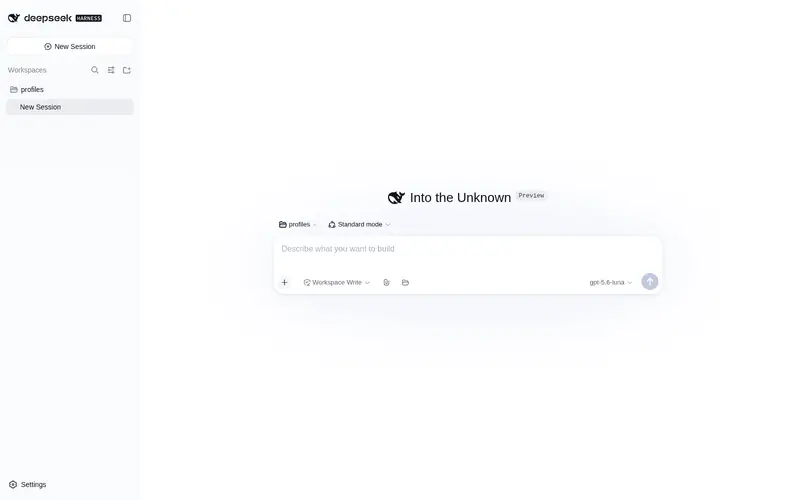
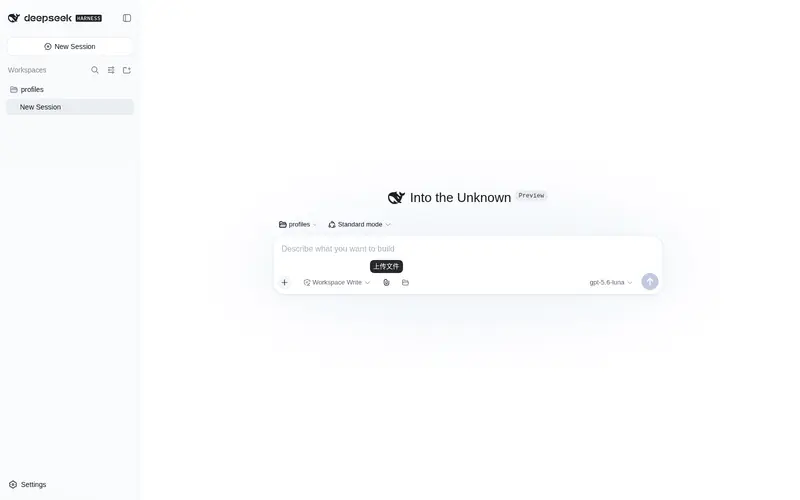
What it does
File upload with color-coded attachment cards (session-isolated storage, sha256 dedup, TTL sweep) plus a content-sniffing read_document tool for PDF/DOCX/XLSX/TXT.
Best for
- DSH web sessions that need drag-and-drop or composer-based file uploads with session-isolated storage.
- Agents that need to inspect text, PDF, DOCX, or XLSX content through one format-sniffing tool.
- Long-document workflows needing paged reads, explicit truncation, spreadsheet sheet selection, and parse caching.
- Multi-file sessions that benefit from SHA-256 deduplication, storage quotas, and TTL cleanup.
Not ideal for
- Scanned or image-only PDFs that require OCR; the plugin reports the missing text layer but does not extract image text.
- Document types outside the supported text, PDF, DOCX, and XLSX readers.
- Workflows requiring indefinite uploaded-file retention unless the configurable TTL cleanup is adjusted accordingly.
README

dsh-files
一个包,一行 cordis 配置。Web UI 多一个回形针,模型多一个读文档的工具。

DeepSeek Harness 双面插件(dual-face plugin)。两项能力:
-
上传:输入框工具栏回形针按钮,文件以浮动彩色卡片呈现,发送时自动把路径附入消息;按会话隔离存储到
<会话工作区>/.dsh-filess/<sessionId>/,TTL 定期清扫,sha256 内容去重 -
文档读取:
read_document工具读取文本 / PDF / DOCX / XLSX,内容嗅探判定真实格式(不信任扩展名),大小预检,LRU 解析缓存
功能
上传
- 会话隔离存储:文件落在发起会话自己的工作区
.dsh-filess/<sessionId>/下,agent 的 fs 后端一定能读到;会话之间互不可见 - 两种入口:输入框工具栏回形针按钮选择,或直接把文件拖到页面任意位置(拖拽悬停有遮罩提示);多文件横排
- 浮动彩色卡片:按字节嗅探的真实格式着色(PDF 红 / DOC 蓝 / XLS 绿 / TXT 灰),伪装文件(exe 改 .pdf)不按扩展名显示;文件名、大小、移除按钮
- 发送联动:卡片挂载后文件路径自动注入输入框,随消息发出
- 安全护栏:loopback host + same-origin + sec-fetch-site 三重校验;文件名消毒(控制字符、路径分隔、点段、前导点全部剥离,并按 UTF-8 字节截断,长中文名不触发 ENAMETOOLONG);未知会话 403;并发限流(默认 4)超限 429
- 生命周期管理:TTL 清扫(默认 7 天),空会话目录自动回收;可选会话存储配额(
maxUploadBytesPerSession,超限 507)
文档读取
- 内容嗅探:PDF 头 / ZIP 中央目录成员 / UTF-8 / UTF-16 BOM / GB18030,全部从字节判定,扩展名伪装(可执行文件、图片改成 .pdf)一律拒绝;上传侧同步嗅探,卡片显示真实格式
- 编码链:UTF-16 BOM → UTF-8(fatal)→ GB18030(fatal),中文 GBK 文件可直接读取
- 分页读取:行号 + offset/limit 分页,长文档按需翻页;窗口总字符预算(
maxOutputChars)超限时截断并显式标记剩余行数 - 行号策略按格式分化:text(代码/配置)带行号供精确定位;PDF/DOCX/XLSX 段落流不带行号(省 token)
- XLSX sheet 级读取:
sheet参数指定工作表时返回该 sheet 全量(不受行截断限制),其余 sheet 走合并读取(默认前 5 个),截断显式标记;list_sheets参数先列出全部 sheet 名(不读单元格),越界报错附带可用 sheet 列表 - 扫描件明示:无文本层的 PDF(扫描件/纯图片)返回显式提示而非空串,模型不会误判为空文件
- 解析缓存:LRU 双约束(条目数 + 字节预算),键为
(targetKey, fileVersion, format, sheet, listSheets),文件改动自动失效 - 大小预检:
stat先查,超限直接报FS_TOO_LARGE,不读字节 - 协作取消:解析期间监听执行信号,用户取消/会话关闭立即中止
- 输出呈现:工具结果通过
presentationMeta投影为card: 'read',Web UI 复用官方读文件卡片(行号/高亮/滚动),模型侧只收紧凑行文本
安全
- 解析依赖全部为无已知漏洞的维护中库:
pdfjs-dist(Mozilla 官方)、mammoth、read-excel-file(纯只读) - ZIP 中央目录探测不展开任何成员,成员数与成员名长度均有上限,恶意归档安全拒绝
- 文件读取走
ctx.fs,继承会话沙箱与 fs 观察策略,与内置 read 工具同权 - 上传内容不做格式白名单强制(默认全允许),由会话沙箱兜底
安装
dsh plugin --profile web add dsh-files
# 重启 dsh web
配置
- id: upload-toolkit
  name: 'dsh-files'
  config:
    maxFileBytes: 25165824        # 单次文档读取字节上限
    readLimit: 800                # 单次返回行数上限(默认 800,翻页成本低)
    sheetRowLimit: 200            # 每个 sheet 保留行数
    maxSheets: 5                  # 每个工作簿读取的 sheet 数
    cacheEntries: 16              # 解析缓存条目数
    cacheMaxBytes: 67108864       # 解析缓存字节预算
    maxOutputChars: 50000         # 单次输出窗口总字符预算(超限截断并标记)
    uploadMaxBytes: 25165824      # 单次上传字节上限
    allowedExtensions: []         # 上传扩展名白名单(空 = 全部允许)
    uploadTtlMs: 604800000        # 上传文件保留时长(7 天)
    sweepIntervalMs: 3600000      # 清扫间隔
    maxConcurrentUploads: 4       # 并发上传数
    maxUploadBytesPerSession: 0   # 每会话存储配额(0 = 不限)
    uploadDir: /abs/path          # 无 sessions 服务时的回退上传根目录
开发
pnpm install
pnpm test          # node --test 单元测试(57 项)
pnpm build         # esbuild 打包客户端 bundle
npx tsc --noEmit   # 类型检查
许可
MIT
Frequently Asked QuestionsFAQ
Use the verified command dsh plugin --profile default add github:taxueseek/dsh-files in a DSH-enabled shell. The command resolves the public package metadata and keeps the plugin attached to the catalog identity shown on this page.
Compatibility follows the bundle and profile status shown above. If a profile is not detected, keep the plugin disabled there and check the repository documentation before enabling it in production.
The GitHub link and activity metadata are the source of truth for releases and maintenance. Revisit this page after a new release to confirm the catalog has observed the latest version.