TecFancy/dsh-auth-gate
Login gate for the DeepSeek Harness (dsh) web surface: password or shared-token authentication, session cookies, rate limiting, and a user-management CLI. | DeepSeek Harness (dsh) 网页版登录门插件:账号口令或共享令牌认证、会话 cookie、登录限速,附用户管理 CLI。
Listed
2
Security
Bundle verified
Preview
What it does
Login gate for the dsh web surface: password or shared-token authentication, session cookies, rate limiting, and a user-management CLI (dsh.bundle manifest since 0.4.1, one-command `dsh plugin add` mounting).
Best for
- Public or shared DSH web deployments that need authentication across pages, APIs, and WebSocket connections.
- Teams wanting individual administrator passwords, hashed credential storage, session cookies, and login throttling.
- Scripted clients that can authenticate with a shared Bearer token.
- Operators who want CLI-based user management and fail-closed behavior for broken configuration.
Not ideal for
- Protecting non-web DSH surfaces or replacing operating-system and configuration-file security; the plugin only gates the web surface.
- Deployments requiring immediate revocation of existing sessions when a user is disabled; disabling only blocks new logins.
- Plain-HTTP deployments that leave cookieSecure enabled, because browsers will reject the secure session cookie.
- Reverse-proxy setups needing per-client login throttling without additional proxy-aware handling; rate limits see the proxy address.
README
dsh-auth-gate
| English | 简体中文 |
A login door for your DeepSeek Harness (dsh) web instance. Put it in front of a public dsh deployment and nobody can reach your agents, your chat sessions, or your LLM credentials without signing in first.
What it does
-
Everything needs a login. Every page, API call, and WebSocket connection
is checked. Visitors without a valid session are sent to a simple login page
(or rejected with
401for API/script requests). -
Two ways to sign in (pick one in the configuration):
- Password (recommended): each admin gets a username and password.
- Token: one shared secret token for the whole instance.
-
Works for browsers and scripts. Browsers use the login page; scripts and
curl can pass
Authorization: Bearer <token>and skip the page entirely. - Safe by default. Passwords are stored hashed, logins are rate-limited (repeated wrong attempts temporarily lock the address), session cookies are secure, and any missing or broken configuration blocks access instead of silently opening the door.
-
A small command-line tool for managing users:
dsh-auth user add admin --password-stdin   # add a user
dsh-auth user list                          # list users
dsh-auth user disable admin                 # block a user's future logins
Quick start
# 1. Install the plugin from npm into your dsh profile.
#    Since 0.4.1 the package declares a `dsh.bundle` manifest, so `dsh plugin add`
#    also registers the mount (dsh.profile.bundles) automatically:
dsh plugin --profile web add dsh-auth-gate

# 2. Create an admin account
printf '%s\n' 'choose-a-strong-password' | dsh-auth user add admin --password-stdin

# 3. Turn on password login: override the plugin config in $DSH_HOME/cordis.patch.yml
#    (a ready-to-use config-override template ships in deploy/cordis.patch.yml;
#    see Configuration below — the mount itself needs no manual patch row)

# 4. Restart dsh. Open your site — you will be asked to sign in.
See it in action
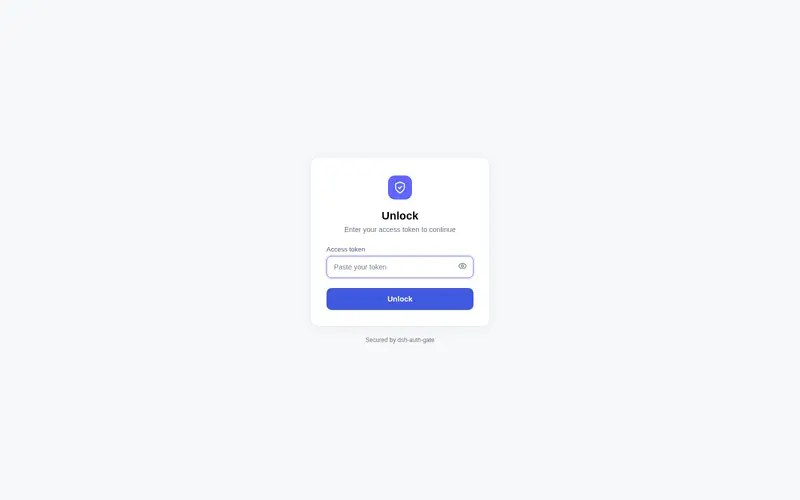
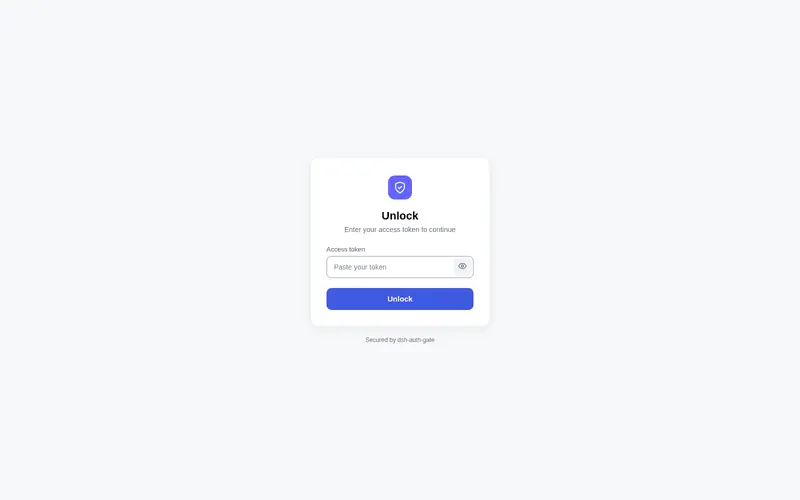
Visitors without a session are sent to the login page:

After signing in, they land on your instance:

A Sign out icon button sits at the top-right: inside a session, at the right of the Session log button in the session header; on the new-session page (no session open), at the window’s top-right corner. Icon-only, with a theme-aware hover background (light/dark follow the active theme), matching the header’s other icon buttons.
New-session page (no input/response yet):

Real conversation (session header, right of the Session log):

Configuration
The bundle mount (id dsh-auth-gate, inserted by dsh plugin add) uses the
default config: mode: "token" backed by the DSH_AUTH_TOKEN environment
variable. To change it, override the config in $DSH_HOME/cordis.patch.yml
(or the profile’s cordis.patch.yml — a ready-to-use override template ships
in deploy/cordis.patch.yml). The override targets the mounted row by id
(no insert — adding one would double-mount the plugin):
- id: dsh-auth-gate
  config:
    mode: "password" # "password" (recommended) or "token"
    cookieSecure: true # keep true when you use https
| Option | Default | What it does |
|---|---|---|
mode |
"token" |
"password" = username/password login; "token" = one shared secret |
sessionTtl |
604800 |
How long a login lasts (seconds) before you must sign in again |
cookieName |
dsh_auth |
Name of the session cookie (rarely needs changing) |
tokenRef |
"DSH_AUTH_TOKEN" |
Token mode only: which environment variable holds the shared secret |
cookieSecure |
true |
Set to false only if you are testing over plain http |
usersFile |
"" |
Password mode: where your user list lives. Defaults to $DSH_HOME/auth/users.yaml
|
Deployment
-
Reverse-proxy deployment guide — Caddy/nginx
setups, the browser-trust fence gotcha (Settings-page
403s behind a proxy, and why auth alone doesn’t fix them), and the recommended semi-shell topology. -
docs/deployment.md— ops checklist, acceptance steps (A–I) and troubleshooting. Chinese version:docs/deployment_zh.md.
Requirements
- Node ≥ 22.19 and pnpm on the server.
- The dsh
webprofile running (dsh --profile web). - If
cookieSecureistrue, your site must be served over https (browsers refuse secure cookies on plain http).
License
Notes & limitations
- Disabling a user only stops new logins; already-signed-in sessions stay valid until they expire.
- Login rate limiting resets when the server restarts.
- Behind a reverse proxy, rate limiting counts by the proxy’s address.
- Sign out from the GUI: a Sign out icon button sits at the top-right — in
the session header right of the Session log button inside a session, and at
the window’s top-right on the new-session page (client half, requires the
web app’s client bundle — dsh 0.1.0-rc.6+); the direct
/auth/logout?next=/URL always works as a fallback. - The plugin only protects dsh’s web surface. It is not a replacement for
server-level security: keep the server OS user locked down and the config
files private (
.credentials.yamlandauth/users.yamlare created with0600permissions).
Frequently Asked QuestionsFAQ
Use the verified command dsh plugin --profile default add github:TecFancy/dsh-auth-gate in a DSH-enabled shell. The command resolves the public package metadata and keeps the plugin attached to the catalog identity shown on this page.
Compatibility follows the bundle and profile status shown above. If a profile is not detected, keep the plugin disabled there and check the repository documentation before enabling it in production.
The GitHub link and activity metadata are the source of truth for releases and maintenance. Revisit this page after a new release to confirm the catalog has observed the latest version.