TecFancy/dsh-mobile
DSH web shell mobile adapter plugin: overlay sidebar/details drawers, responsive composer and settings below 768px, zero desktop regression. DSH Web 移动端适配插件:抽屉浮层化、输入栏与设置页响应式适配,桌面零回归。
Listed
0
Ui
Bundle verified
Preview
What it does
Mobile adapter for the DSH web shell: overlay sidebar/details drawers, responsive composer and settings below 768px, zero desktop regression.
Best for
- Phone users running the DSH web shell below 768px who need usable sidebar and details drawers.
- Mobile sessions where composer controls currently overlap or settings need a full-width stacked layout.
- Installations that want a client-only mobile fix without forking the shell or changing desktop behavior.
Not ideal for
- Tablet layouts from 768px through 1023px, which intentionally retain the stock shell behavior.
- Desktop viewports, where the plugin is deliberately inert and adds no functional change.
- Headless or server-only deployments with no DSH web interface.
- Environments that do not meet the documented Node 22 and compatible DSH installation requirements.
README
dsh-mobile
| English | 简体中文 |
A mobile adapter for the DeepSeek Harness (DSH) web shell. The stock
shell is desktop-first: below 1024px the sidebar only collapses to a rail, and
on phones the expanded drawer squeezes the main column to ~110px, composer
buttons overlap, and the settings dialog shrinks to a sliver. dsh-mobile
adds the missing phone tier (< 768px) as a client plugin — no shell fork, no
desktop changes.


Features
- Overlay sidebar drawer — opening the sidebar on a phone floats it over the content with a scrim instead of squeezing the main column to 110px; tapping outside closes it.
- Overlay details panel — the tool-details panel opens as a right-side overlay and never squeezes the conversation.
- Non-overlapping composer — the mode buttons and the model selector wrap onto separate rows instead of covering each other.
- Re-flowed settings dialog — the dialog stacks vertically with a horizontally scrollable tab bar; the content column gets full width.
- Zero desktop regression — every rule hangs under a narrow-viewport marker; viewports ≥ 1024px behave exactly like the stock shell.
Screenshots
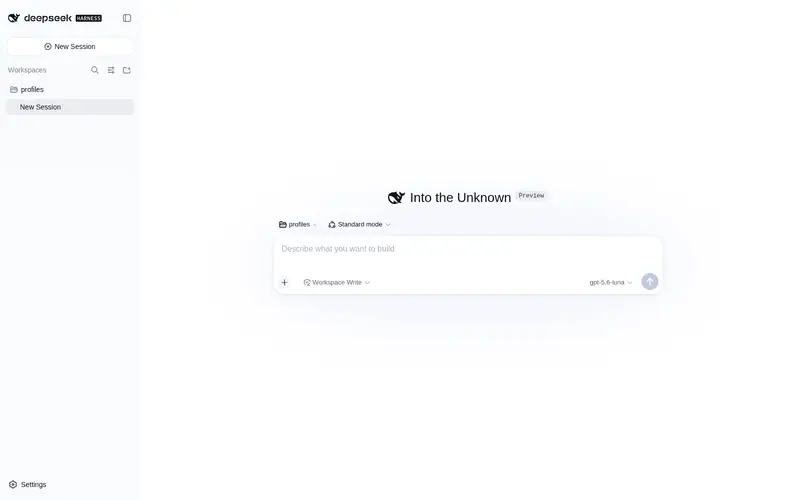
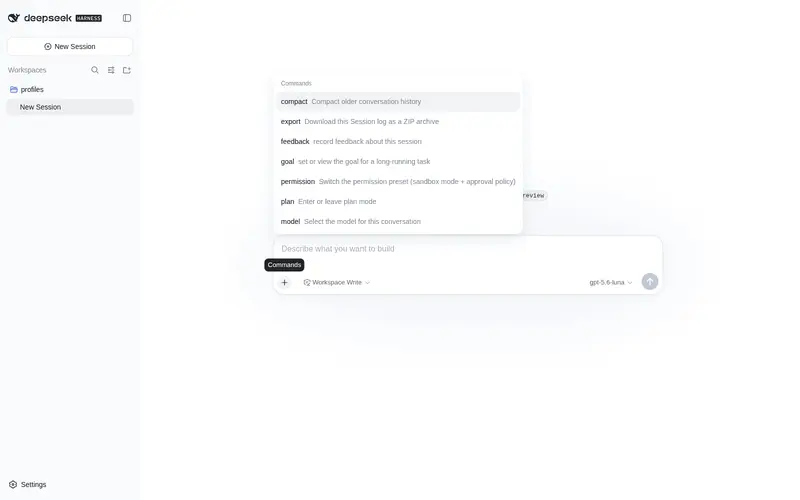
Verified on Ubuntu 24.04 (x86_64) with DSH 0.1.0-rc.6, iPhone-15 viewport
(390×844). Screenshots show the English UI.
New-session screen on a phone (hero + composer with a workspace selected, laid out for the narrow viewport):

Sidebar drawer: before (stock shell) vs after
| Before — content squeezed to 110px | After — overlay drawer + scrim |
|---|---|
 |
 |
Settings dialog on a phone (vertical layout, full-width content):

Desktop ≥ 1024px — untouched:

Install
Requires Node ≥ 22 and a DSH installation (dsh CLI). Install into your
profile and restart dsh web:
dsh plugin --profile web add @tecfancy/dsh-mobile
# restart: dsh web
Note: if your npm registry is a mirror (e.g.
registry.npmmirror.com), brand-new packages can lag behind the official registry for a while — add--registry=https://registry.npmjs.org/if the install reports 404.
The plugin activates automatically on narrow viewports (< 768px) and stays
inert on desktop. Removing it is one command: dsh plugin --profile web remove
@tecfancy/dsh-mobile.
How it works
- A JS breakpoint layer marks narrow viewports as
body[data-dsh-mobile]. - A state bridge mirrors the shell’s layout state onto
body[data-dsh-drawer]/body[data-dsh-details]. - A stylesheet (anchored on the shell’s stable
[data-slot]hooks) turns the sidebar/details columns into fixed overlays on phones, re-flows the composer and the settings dialog, and never runs outside the mobile tier.
No shell source is modified, no server component is required, and the plugin
coexists with other shell-level plugins (verified with dsh-better-sidebar).
Compatibility
- DSH
0.1.0-rc.6(tested on macOS and Ubuntu 24.04; full viewport matrix: 360 / 390 / 430 / 768 / 1440). - The 768–1023px tablet range keeps the stock shell behavior (by design).
-
prefers-reduced-motionis honored.
License
MIT
Frequently Asked QuestionsFAQ
Use the verified command dsh plugin --profile default add github:TecFancy/dsh-mobile in a DSH-enabled shell. The command resolves the public package metadata and keeps the plugin attached to the catalog identity shown on this page.
Compatibility follows the bundle and profile status shown above. If a profile is not detected, keep the plugin disabled there and check the repository documentation before enabling it in production.
The GitHub link and activity metadata are the source of truth for releases and maintenance. Revisit this page after a new release to confirm the catalog has observed the latest version.