tuogusa/dsh-plugin-toggle
DeepSeek Harness 插件开关/删除管理器(host + client 一体包)
Listed
1
Market
Bundle verified
Preview
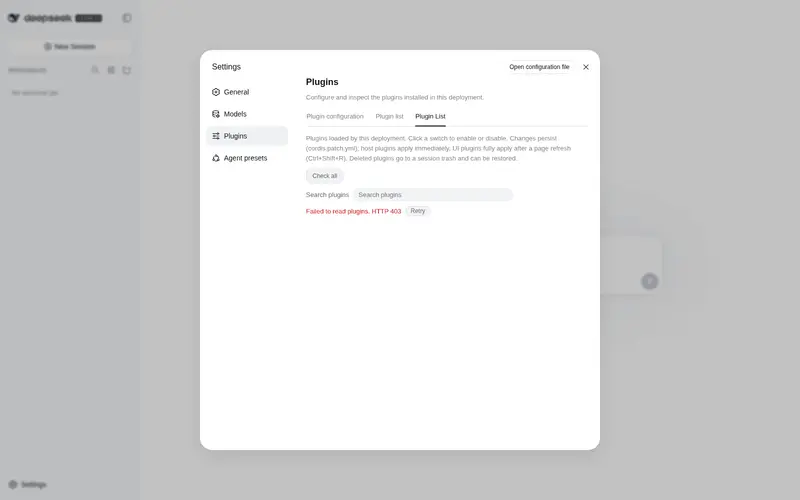
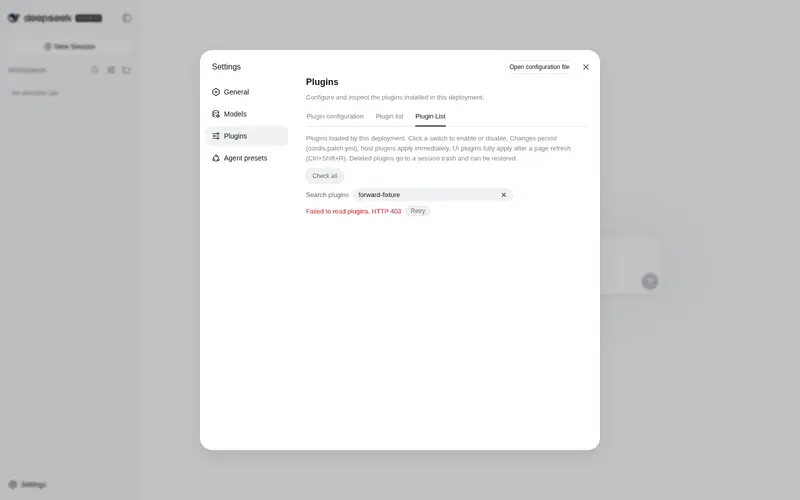
What it does
Toggle or delete plugins from the Web settings panel, with runtime enable and disable persisted to the profile.
Best for
- DSH Web users who want runtime plugin enable and disable controls persisted to the active profile.
- Administrators who need to remove disabled user plugins or whole plugin bundles from the settings panel.
- Users who value session-scoped undo after deletion and consolidated npm update checks.
Not ideal for
- Non-Web DSH profiles; compatibility is documented for the web profile.
- Users expecting automatic update detection for git, link:, or file: dependencies; only npm registry dependencies support it.
- Workflows requiring deletion of active plugins, built-in plugins, or protected core components.
- Users who need deletion undo to survive a DSH restart; snapshots are held only for the current session.
README
dsh-plugin-toggle
DeepSeek Harness (DSH) 插件开关/删除管理器(host + client 一体包)。
功能
- 设置 → 插件 → 插件列表:列出当前 profile 已加载的全部插件
- 一键启用/停用(运行时即时生效,并持久化到
cordis.patch.yml) - 删除已停用的用户插件(从 profile 依赖与配置中移除)
- 会话级撤回:删除时先记录快照,当前会话内可一键恢复;也支持“彻底删除”和查看最近删除列表
- 版本检测:显示已安装版本;支持“全部检查”,弹窗汇总可更新插件列表
- 支持 bundle 整组开关/删除(识别
dsh.bundle.patch声明的整组插件)
安装
dsh plugin --profile web add github:tuogusa/dsh-plugin-toggle
兼容 Profile:web(DSH Web GUI)。
然后按 dsh 引导添加 pnpm-workspace.yaml 的 allowBuilds 条目(git 依赖的 prepare 脚本需要放行),重启 DSH 并 Ctrl+Shift+R 刷新浏览器。
更新
# 方式一:CLI 更新(推荐)
dsh plugin --profile web update dsh-plugin-toggle

# 方式二:重新从 GitHub 源安装/更新
dsh plugin --profile web add github:tuogusa/dsh-plugin-toggle
说明:
dsh plugin是 pnpm 的前置转发器,update会按当前依赖声明重新解析该包;通过github:tuogusa/dsh-plugin-toggle安装时,会更新到仓库默认分支的最新提交。本插件自带的版本检测 UI 目前只对 npm registry 依赖提供“一键更新”,git 依赖会标记为“暂不支持自动检测”,但你可以用上面的 CLI 命令手动更新。
结构
-
lib/index.js— 主机侧:/api/plugin-toggle、/api/plugin-delete、/api/plugin-trash、/api/plugin-undo、/api/plugin-purge、/api/plugin-versions、/api/plugin-check-updates、/api/plugin-update、/api/plugin-bundles -
lib/client.js— 浏览器侧:设置 → 插件 → 插件列表标签页(settings.plugins.tab分区) -
test/delete-undo.test.mjs— 删除/撤回/版本检测等验证测试(npm test)
删除/撤回 API
-
POST /api/plugin-delete{ id }→ 移入会话回收站,返回{ undoId } -
GET /api/plugin-trash→ 当前会话可撤回的删除列表 -
POST /api/plugin-undo{ id }→ 按删除前快照恢复插件(保持停用状态) -
POST /api/plugin-purge{ id }→ 彻底丢弃撤回记录,之后不能再撤回
删除快照保存在内存中;DSH 重启后自动清空,保证“仅当前会话可撤回”。
bundle 插件的删除会立即从
package.json/dsh.profile.bundles移除;由于 bundle 层在 DSH 启动时静态组合,当前会话内相关 loader 行会保持disabled,刷新/重启后彻底不再加载。UI 上已删除的插件会从主列表隐藏,只出现在“最近删除”中,避免两边同时显示。
版本检测 API
-
GET /api/plugin-versions→ 返回所有依赖插件的已安装版本与依赖类型 -
POST /api/plugin-check-updates{}→ 检查所有依赖插件是否有新版本,返回可更新列表 -
POST /api/plugin-update{ moduleName }→ 将指定 npm 依赖更新到最新版本
当前版本检测支持:
- npm registry 依赖:查询 npm 最新版本并比较,可在弹窗中直接点击“更新”执行更新
-
link:/file:本地开发依赖:标记为“本地开发版”,不触发网络,不提供更新 - git 依赖:暂时标记为“暂不支持自动检测”,不提供更新
UI 提供“全部检查”按钮,检查完成后弹窗汇总可更新插件数量与列表;每个可更新插件旁都有“更新”按钮,点击后直接更新该插件。
安全
- 端点仅接受 loopback 或受信 Host 的请求
- 核心组件(
PROTECTED名单)拒绝开关/删除 - 仅「已停用」的插件可删除;内置(
@deepseek-ai/*)插件只能停用
License
MIT
Frequently Asked QuestionsFAQ
Use the verified command dsh plugin --profile default add github:tuogusa/dsh-plugin-toggle in a DSH-enabled shell. The command resolves the public package metadata and keeps the plugin attached to the catalog identity shown on this page.
Compatibility follows the bundle and profile status shown above. If a profile is not detected, keep the plugin disabled there and check the repository documentation before enabling it in production.
The GitHub link and activity metadata are the source of truth for releases and maintenance. Revisit this page after a new release to confirm the catalog has observed the latest version.