Viger1/dsh-pilot
✋ Hands for your DeepSeek Harness agent — autonomous browser operation by accessibility refs, with a permission model that follows your dsh session.
Listed
0
Browser
Bundle verified
Preview
What it does
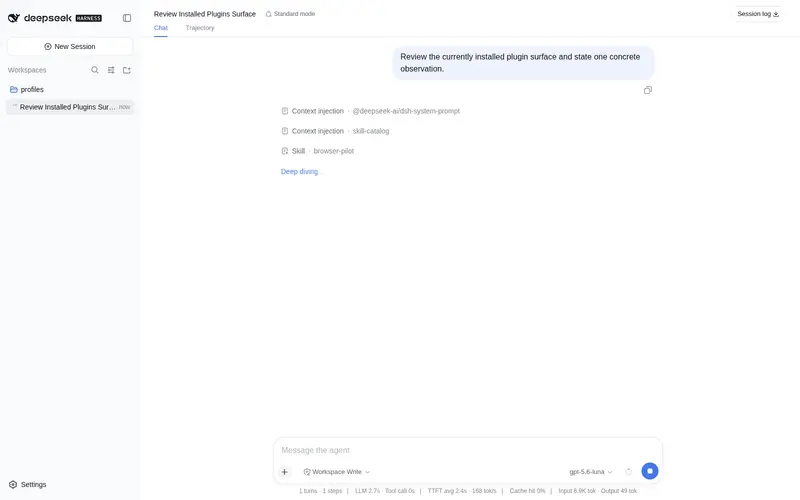
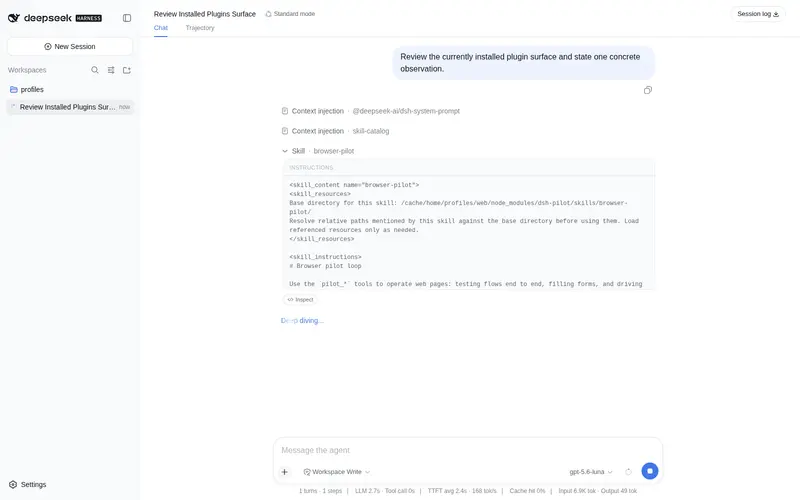
Browser operation by accessibility refs: navigate, snapshot the page as a ref tree, act on elements, and wait for conditions; the origin policy follows the session approval stance and is enforced by request interception.
Best for
- Agents completing browser workflows such as navigation, form entry, selection, uploads, and condition-based waits.
- Sessions that need browser origin permissions to follow DSH approval settings and cover redirects, link clicks, and history navigation.
- Text-oriented automation that can identify elements reliably through accessibility snapshots and refs.
Not ideal for
- Pages whose essential controls are inaccessible through the accessibility tree, such as canvas-only interfaces.
- Unattended browsing to previously unapproved external origins, because sessions without an approval channel fail closed.
- Environments without Node 22.19 or later and a supported Chrome, Edge, or installed Playwright Chromium browser.
README
dsh-pilot
| English | 中文 |
Browser automation whose permission model is the dsh session’s, enforced at the network layer.
Plenty of plugins let a dsh agent drive a browser, and most of them read the page as an accessibility tree — that part is the ecosystem norm, not a feature. What none of them do is answer where the agent is allowed to go with anything sturdier than a check at the tool-call entry point, which by construction cannot stop a redirect, an in-page link click, or a back/forward move.
dsh-pilot answers it twice: the policy is read from the session’s own approval stance rather than invented by the plugin, and it is enforced by request interception on the browser context, so every main-frame navigation passes it however it started.
What it looks like
Real, unedited runs from a headless dsh agent (DeepSeek-V4-Pro):
Form flow, fully autonomous. This is what pilot_snapshot actually returns for a registration page — the agent’s entire view of it:
- heading "用户注册" [level=1] [ref=e2]
- generic [ref=e3]:
  - text: 用户名
  - textbox "用户名" [ref=e5]
  - text: 邮箱
  - textbox "邮箱" [ref=e7]
  - text: 套餐
  - combobox "套餐" [ref=e9]:
    - option "免费版" [selected]
    - option "专业版"
  - checkbox "同意服务条款" [ref=e11]
  - button "提交注册" [ref=e12]
  - button "重置" [ref=e13]
From there: fill e5 and e7, select 专业版 on e9, check e11, click e12, pilot_wait for the success text (hit in 5ms), screenshot, close. Zero console errors, zero selectors written, no vision model in the loop.
Permissions that follow the session — the same agent asked to open https://example.com:
- under the default
workspace-writesession: refused — the approval chain answeredunavailableand the agent was told exactly what config to request; - under
danger-full-access(the user opted out of prompts): opens silently, no gate in the way.
That is the design: the plugin never invents a second permission system. It reads the dsh session’s own durable permission events and behaves accordingly — and because the decision lives in a request interceptor rather than a pre-execute hook, a page that redirects or links its way somewhere else does not slip past it.
Install
dsh plugin --profile web add dsh-pilot
Uses your installed Google Chrome / Microsoft Edge automatically; otherwise run npx playwright install chromium once and set browserChannels: [chromium]. Requires Node ^22.19 || >=24.
Tools
| Tool | What it does |
|---|---|
pilot_navigate |
goto / back / forward / reload, tabs. The single origin-gated entry; decisions are enforced at the network layer (redirects, link-outs, history moves included). |
pilot_snapshot |
The page as an accessibility tree with [ref=e12] markers bound to concrete elements — shadow DOM and same-origin iframes (f1e3) included. |
pilot_act |
click / type / press / hover / select / check / uncheck / upload by ref. Reports console errors it caused and whether it navigated. |
pilot_wait |
Wait for a selector, text, URL fragment, or network idle — returns satisfied: false instead of blind-retry loops. |
pilot_screenshot |
Viewport or full-page PNG into the workspace, for the human. |
pilot_close |
Close tabs when done. |
Refs come from playwright’s engine-bound accessibility snapshots, so snapshot order can never misdirect an action, and stale refs are refused with instructions to re-snapshot. This mechanism is standard practice across agent browser tooling rather than something this plugin invented — see Known limitations for the maintenance cost it carries.
The permission model
-
localhostalways works — frontend testing needs no setup. -
allowedOriginspre-authorizes known-good origins/hostnames. -
Anything else follows the dsh session (
newOriginPolicy: auto, the default):- session approval policy
ask→ a standard dsh approval card asks the user once per origin; - session under
danger-full-access(approval policynever) → silent allow — a user who opted into full access is not re-gated by a plugin; - no approval channel (unattended automation) → fail closed.
- session approval policy
-
Network-layer fence: the decision is enforced by request interception on the browser context, so redirects, in-page link clicks, and back/forward cannot drift past the entry gate. Popups (
window.open,target=_blank) are closed on arrival. -
Credential hygiene, independent of permission mode: typing/pressing into password fields is refused unless the deployment sets
allowPasswordFields: true— dsh itself never lets credential literals reach model context, and neither does this plugin. Uploads are restricted to workspace files; downloads land indownloadDir. - Page content is data, not instructions — the bundled skill drills this in.
Configuration
- id: pilot
  name: dsh-pilot
  config:
    headless: true
    browserChannels: [chrome, msedge, chromium]
    viewportWidth: 1280
    viewportHeight: 800
    navigationTimeoutMs: 15000
    actionTimeoutMs: 5000
    waitMaxMs: 60000
    snapshotMaxChars: 24000
    maxTabs: 8
    allowedOrigins: []
    newOriginPolicy: auto       # auto | ask | deny | allow
    allowPasswordFields: false
    profileDir: ''              # set a path to keep logged-in state (understand the risk)
    screenshotDir: .dsh-pilot
    downloadDir: .dsh-pilot/downloads
    maxConsoleMessages: 100
    registerSkill: true
profileDir opt-in gives the agent a persistent browser profile — everything logged in inside that profile becomes operable by the agent. Leave empty for a fresh isolated context per run.
Known limitations
- Approved origins accumulate for the plugin instance’s lifetime and are shared across sessions of one dsh process (one shared browser context).
- Canvas-rendered content has no accessibility semantics;
pilot_screenshotshows it to the human, and screenshot→vision-model routing is on the roadmap. - Headless rendering differs from a desktop browser (pointer lock, some GPU paths, OS dialogs).
-
Part of the ref mechanism is Playwright-internal.
ariaSnapshot({ mode: 'ai' })is public and documented, but thearia-ref=selector engine that turns a ref back into a locator is not, and the relatedLocator.ariaRef()was removed in Playwright 1.60.playwright-coreis therefore pinned to~1.62.0and each minor bump is re-validated against shadow-DOM and iframe cases. Treat this as an ongoing maintenance cost, not a settled foundation. -
The name is not unique. guo6x/dsh-pilot is a different, older plugin in the same space, installed via
github:guo6x/dsh-pilot. This one is the npm packagedsh-pilot. Check which you have before filing an issue against either.
Family
| Plugin | What it gives your agent |
|---|---|
| dsh-preview | 👁 Eyes — verify what it builds: open, read, screenshot, self-check |
| dsh-pilot (this repo) | ✋ Hands — operate any page by accessibility refs, with a native permission model |
| dsh-review | 🔍 Judgement — find defects, then try to refute each one before reporting it |
| dsh-design | 🎨 Taste — constrain the choices, then measure whether the result kept them |
Each installs independently and they coexist. Design rationale and milestones: DESIGN.md.
Development
git clone https://github.com/Viger1/dsh-pilot.git && cd dsh-pilot
corepack pnpm install
corepack pnpm run build
dsh plugin --profile web add /absolute/path/to/dsh-pilot
License
Frequently Asked QuestionsFAQ
Use the verified command dsh plugin --profile default add github:Viger1/dsh-pilot in a DSH-enabled shell. The command resolves the public package metadata and keeps the plugin attached to the catalog identity shown on this page.
Compatibility follows the bundle and profile status shown above. If a profile is not detected, keep the plugin disabled there and check the repository documentation before enabling it in production.
The GitHub link and activity metadata are the source of truth for releases and maintenance. Revisit this page after a new release to confirm the catalog has observed the latest version.