virggle/dsh-shutdown-after-task
Shut down Windows after DeepSeek Harness tasks complete — button-armed, cancellable countdown. 任务完成后自动关机(按钮开启,倒计时可取消)。Zero-dependency DSH plugin.
Listed
1
Workflow
Bundle verified
Preview
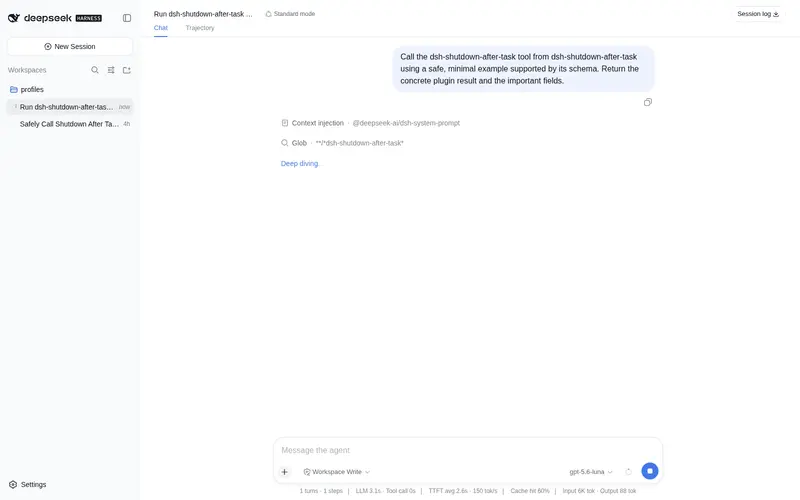
What it does
Shut down Windows automatically after DeepSeek Harness tasks complete — a floating arm button plus a cancellable countdown banner (shutdown /a), zero runtime dependencies.
Best for
- Windows users running long migrations, generation jobs, or overnight DSH tasks who want the machine to shut down afterward.
- Multi-session workflows that should wait until all root sessions are idle before starting a cancellable countdown.
- Users who want shutdown to occur only after a successful task batch and remain manually armed by default.
Not ideal for
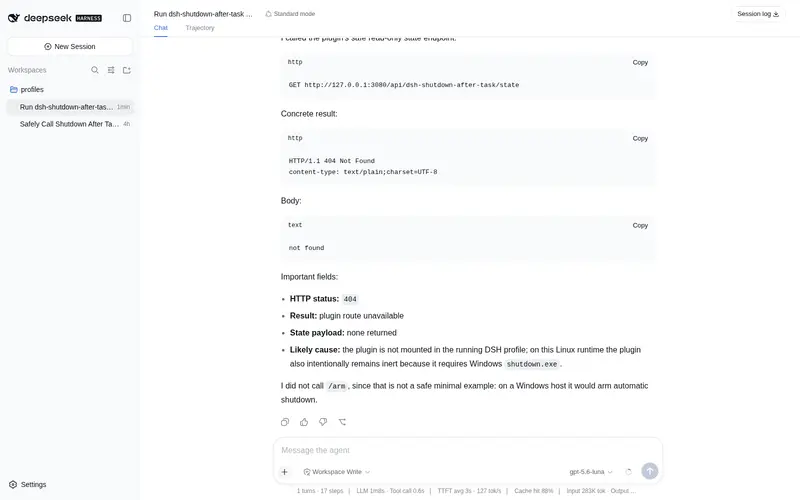
- macOS or Linux systems, because the plugin only invokes Windows shutdown.exe and remains inactive elsewhere.
- Workflows that require shutdown mode to survive a DSH restart, because armed state is held only in memory.
- Queues where an idle root session may still have pending inbox messages, because idle status can trigger the countdown.
README
dsh-shutdown-after-task
任务完成后自动关机 —— DeepSeek Harness 插件(零依赖,Windows)。
跑长任务(批量迁移、模型生成、过夜任务)时,点一下右下角的「任务完成后关机」按钮, 任务成功完成后电脑自动关机;倒计时期间可一键取消。
功能
- 右下角浮动文本按钮:点击切换「任务完成后关机」模式(默认关闭,绝不自动武装)
-
可取消倒计时:任务完成 → 60 秒倒计时横幅(实时剩余秒数)+「取消关机」按钮
(
POST /cancel→shutdown /a)——不依赖系统层那个无法取消的通知 - 新任务打断:倒计时期间任一会话开始新任务 → 自动撤消关机,模式保持开启
- 取消即退出:点「取消关机」= 取消本次关机 + 退出模式(下个任务不再触发)
- 仅成功时关机:本批次有会话出错则不关机,横幅提示原因,模式保持开启
- 多会话判定:全部 root 会话空闲才算任务完成(子代理并入其 root 统计)
安装
dsh plugin --profile web add github:<owner>/dsh-shutdown-after-task
重启 DSH 后生效:右下角出现按钮。若按钮未出现,刷新页面(Ctrl+R)。
也支持本地路径 / tarball 安装:
dsh plugin --profile web add ./dsh-shutdown-after-task
使用
- 点右下角「任务完成后关机」→ 按钮变黄(已开启)
- 正常跑任务
- 全部会话空闲且无错误 → 右下角弹出倒计时横幅
- 倒计时内点「取消关机」→ 本次关机取消、模式退出;不点则到点关机
配置
编辑 profile 的 cordis.patch.yml(或设置 > 插件配置):
- id: dsh-shutdown-after-task
  config:
    countdownSec: 60      # 倒计时秒数(10–600,默认 60)
    marginSec: 5          # 系统 shutdown /t 额外余量(0–60,默认 5)
    onlyOnSuccess: true   # 仅成功时关机(false = 完成即关,含出错)
行为细节
| 项 | 说明 |
|---|---|
| 触发时机 | 模式开启后,全部 root 会话从 running 回到 idle |
| 成功判定 | 本批次无 agent/error(仅 onlyOnSuccess: true 时) |
| 倒计时 |
countdownSec 秒,GUI 横幅实时显示,可点「取消关机」 |
| 系统指令 | 倒计时开始时执行 shutdown /s /t <countdownSec + marginSec>
|
| 取消方式 | GUI 取消按钮(退出模式)/ 倒计时内发新消息(保持模式) |
| 状态查询 | GET http://127.0.0.1:<port>/api/dsh-shutdown-after-task/state |
运行日志
$DSH_HOME/dsh-shutdown-after-task.log(挂载、武装、触发、取消全记录)。
工作原理
- 纯配置层 cordis 插件:
webServer.tapIndex把 UI 脚本注入每次 index 响应, 宿主 HTTP 路由提供状态与操作——无需 client bundle、无需构建 - 事件依据
agent/status/agent/error(见@deepseek-ai/dsh-agentruntime-types) - 卸载时自动注销路由与注入(fiber disposer)
已知限制
-
仅 Windows:执行
shutdown.exe;其他平台插件保持惰性并记日志 - 模式状态在内存中:DSH 重启后默认关闭,需重新点按钮
- root 会话 idle 但 inbox 有排队消息时也会触发(按「全部 root 空闲」判定)
- 页面需刷新一次才出现按钮(脚本随 index 响应注入)
卸载
dsh plugin --profile web remove dsh-shutdown-after-task
致谢与参考
- 事件挂接参考 yang040709/dsh-win-toast-notify(MIT)
- 插件结构参考 keyiadiannao/dsh-power-button(MIT)
License
MIT
Frequently Asked QuestionsFAQ
Use the verified command dsh plugin --profile default add github:virggle/dsh-shutdown-after-task in a DSH-enabled shell. The command resolves the public package metadata and keeps the plugin attached to the catalog identity shown on this page.
Compatibility follows the bundle and profile status shown above. If a profile is not detected, keep the plugin disabled there and check the repository documentation before enabling it in production.
The GitHub link and activity metadata are the source of truth for releases and maintenance. Revisit this page after a new release to confirm the catalog has observed the latest version.