Walvez/dsh-codex-sync
One-stop bidirectional sync between OpenAI Codex and DeepSeek Harness (dsh): first-class skills, session import, workspace attach, MCP auto-mirror + Codex-side reverse MCP installer.
Listed
3
Tools
Bundle verified
Preview
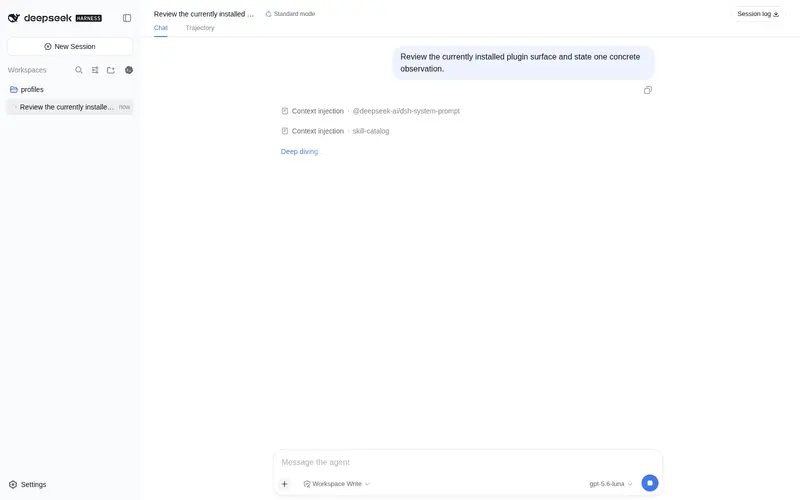
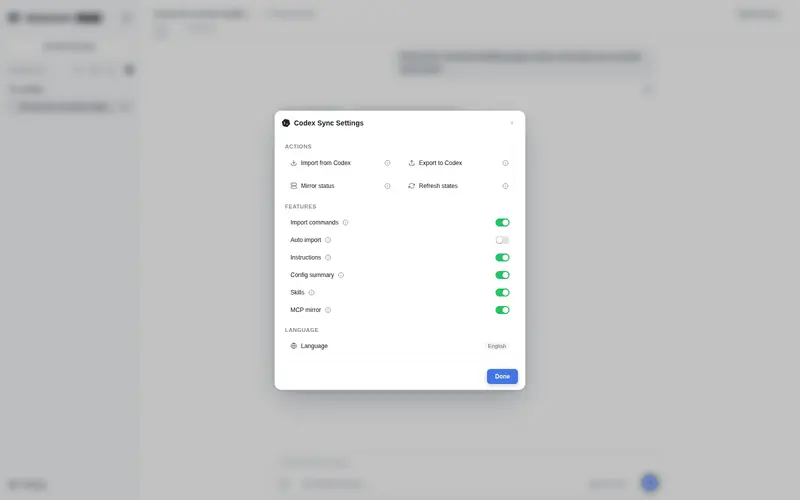
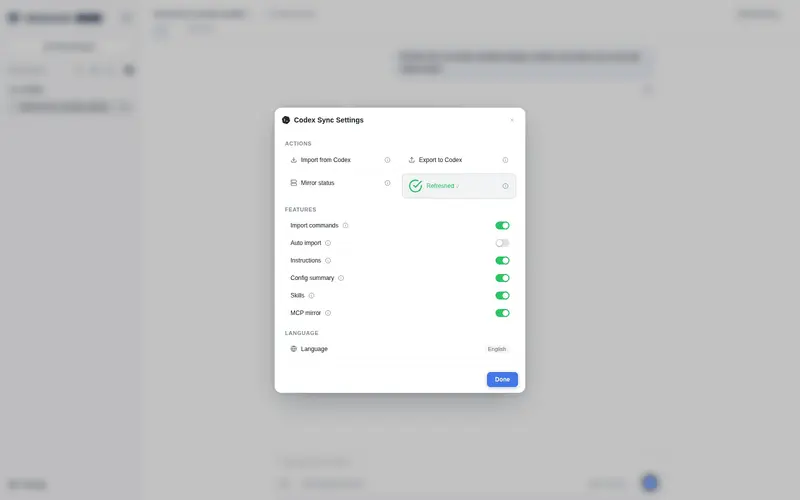
What it does
One-stop bidirectional sync between OpenAI Codex and DeepSeek Harness: first-class skills from ~/.codex/skills, codex session import with workspace attach, live MCP auto-mirror of codex's mcp_servers, and a Codex-side reverse MCP installer.
Best for
- Users operating both OpenAI Codex and DSH who want Codex skills available as first-class DSH skills.
- Teams migrating Codex session history into DSH with resumable conversations and workspace attachment.
- Setups that want Codex MCP server configuration mirrored into DSH and kept synchronized.
- Users who need a reverse MCP bridge exposing DSH plugin operations to Codex.
Not ideal for
- Single-tool workflows that do not need cross-platform skills, sessions, instructions, or MCP synchronization.
- Profiles where the plugin would be mounted through both a bundle and an insert entry; mixed mounting causes a duplicate loader ID failure.
- Users expecting every Codex MCP server to mirror automatically; disabled, denied, nonportable, and reverse-bridge entries are skipped.
- Imports that must include individual session files above the configured size cap; oversized files are skipped.
README
dsh-codex-sync
一站式双向同步插件:OpenAI Codex ⇄ DeepSeek Harness (dsh)
把 Codex 的技能、指令、配置、会话历史、MCP 服务器,全部同步进 DSH;再一键给 Codex 装上反向 MCP 桥——一个插件,双向闭环。
┌─────────────────────┐          方向 A: dsh 能力 → Codex           ┌─────────────────────┐
│  DeepSeek Harness   │   ┌──────────────────────────────────────┐  │   OpenAI Codex      │
│                     │   │  [mcp_servers.dsh-plugins]           │  │                     │
│  技能: ~/.codex/skills ──→ 一等公民 dsh 技能 (skill 工具可加载全文)   │                     │
│  指令: instructions.md ──→ 注入系统提示词(实时读文件)                │                     │
│  会话: 历史会话导入(可续聊)   ←───────────────────────────────────  │                     │
│  MCP: 自动镜像 codex 的 mcp_servers ──→ 同一批 MCP 服务器            │  dsh_plugin_* 15 个工具 │
│                     │   ◄── codex-install 写入的配置 ────────────  │  (搜索/检查/安装 dsh 插件)│
└─────────────────────┘          方向 B: codex 配置 → dsh           └─────────────────────┘
四大功能
1. 技能桥接(自动)
~/.codex/skills/*/SKILL.md 注册为 一等公民的 DSH 技能(ctx.skills provider):
- 完整 SKILL.md 正文可被
skill工具加载,技能目录作为 resourceBase(脚本/附件可解析) - 名称自动规范为 kebab-case;权重低于 DSH 自带技能,同名不冲突
- 新技能放入目录 → 重启 DSH 即出现
2. 指令与配置注入(自动,实时)
-
~/.codex/instructions.md(无则AGENTS.md)→ 注入系统提示词 -
~/.codex/config.toml的 model/model_provider → 摘要注入 - 每次组提示词实时读文件:改完下一条对话即生效,无需重启
3. 历史会话导入(半自动/全自动,幂等)
/import-codex [--limit N] [--project 子串] [--since ISO|ms]   # 增量导入
/import-all                                                  # 同 /import-codex(当前仅 codex 源)
/attach-workspaces                                           # 全量补挂工作区
/mcp-status                                                  # 镜像状态(每服务器一行+原因)
/auto-import [on|off]                                        # 自动导入开关(持久化,无参=查询)
- 会话写入
ctx.sessionPersistence,GUI 立即可见、可继续对话 - 幂等:已导入的 id 自动跳过,重复执行只补新增
- 自动挂 workspace:按 cwd 建/挂工作区,一次导入全量归位,不漏
-
679MB 崩溃修复:单文件 >
maxSessionBytes(默认 256MiB)直接跳过并提示,避免 Node 字符串上限崩溃中断整个导入(实战中 679MB 的 Surge 会话踩过) -
autoImport(默认关;菜单开关/
/auto-import持久化到~/.dsh/codex-sync.json,覆盖配置默认值):开启后第一个 startup 会话时自动增量导入;/mcp-status显示当前真值 -
composer 同步设置菜单:
同步设置 ▾下拉 = 立即导入 / 自动导入开·关 / 查看镜像状态;打开菜单不产生对话卡片(徽章镜像自本浏览器最近一次切换),导入/镜像/切换结果都以对话卡片展示 -
控制块剥离(0.6.1):导入时 codex 注入的系统块(
<recommended_plugins>、<environment_context>、AGENTS.md 指令包装等)自动剔除,对话开头和标题只保留真实内容
4. 双向 MCP
方向 B(自动镜像,核心亮点):以 ~/.codex/config.toml 的 [mcp_servers.*] 为唯一事实源,
DSH 自动挂载其中可移植的服务器,并监听文件实时同步增删改:
- stdio 条目 →
transport: stdio(command/args/env/cwd,${VAR}自动插值) - url 条目 →
transport: streamable-http(bearer_token_env_var自动转Authorization头) -
enabled = false跳过;dsh-plugins(反向桥)硬排除防递归;显式mcpServers配置优先 - 失败优雅降级(
failOnStartupError: false),不拖垮插件
方向 A(一键安装):
dsh-codex-sync codex-install   # 克隆+构建反向 MCP 服务器并写入 ~/.codex/config.toml
# 重启 Codex → 获得 dsh_plugin_search / dsh_plugin_install 等 15 个工具
安装
DSH 侧
两种挂载方式二选一,不能混用(混用 = loader 启动即报 duplicate loader entry id: codex-sync):
# 方式一: insert 行挂载(本机生产实测, 推荐)
#   1. package.json dependencies 加 "dsh-codex-sync": "github:Walvez/dsh-codex-sync"
#      (或 npm install dsh-codex-sync)
#   2. profile 的 cordis.patch.yml insert 列表加一行(见下方/示例文件)
#   3. 重启 dsh web

# 方式二: 市场/bundle 方式(一行装齐)
dsh plugin --profile web add dsh-codex-sync   # 会写进 dsh.profile.bundles
# 注意: 若 profile 里已有 insert 行, 市场更新再次 add 会同时出现两处 -> 报错,
#       删掉 insert 行(或从 bundles 移除)二选一
生产实测 insert 行(含 MCP 镜像排除项):
- insert:
    - id: codex-sync
      name: dsh-codex-sync
      config:
        maxSkills: 30
        mcpMirrorDeny:
          - node_repl
        mcpMirrorSilent:
          - exa
完整注释版见 examples/web-profile.cordis.patch.yml。
Codex 侧
npx dsh-codex-sync codex-install        # 或本地: node bin/dsh-codex-sync.js codex-install
dsh-codex-sync doctor                   # 体检: 技能/会话/cloudflare 握手/反向桥状态
配置参考
| 配置项 | 默认 | 说明 |
|---|---|---|
codexHome |
~/.codex |
Codex 配置目录 |
enableSkills |
true |
注册一等公民技能 |
enableInstructions |
true |
注入 instructions.md / AGENTS.md |
enableConfig |
true |
注入 config.toml 摘要 |
enableImport |
true |
注册 /import-codex 等命令 |
maxSkills |
100 |
最多注册的技能数 |
maxSessionBytes |
268435456 (256MiB) |
导入大小保护 |
mcpServers |
{} |
显式 MCP 服务器(dsh-mcp-client 配置) |
mcpMirror |
true |
自动镜像 codex 的 mcp_servers |
mcpMirrorDeny |
[] |
额外不镜像的服务器名(dsh-plugins 恒排除) |
mcpMirrorOnly |
未设置 | 设置后只镜像这些名字 |
mcpMirrorSilent |
[] |
静音名单:这些 stdio 服务器以 sh -c '… 2>/dev/null' 启动,屏蔽子进程 stderr 噪音(如 exa 的 mcp-remote 流量日志);协议走 stdin/stdout,安全 |
autoImport |
false |
启动自动增量导入(第一个 startup 会话时);菜单开关//auto-import 持久化到 ~/.dsh/codex-sync.json,覆盖此默认值;/mcp-status 显示当前真值 |
本地测试
npm test
-
test/host.smoke.mjs— 宿主冒烟:命令注册、CommandInvocation 参数解析、/auto-import 持久化、镜像状态(含静音/排除/禁用原因) -
test/client.render.mjs— client bundle 加载 + 真实 React SSR 渲染冒烟 -
test/codex-reader.test.mjs— codex rollout 解析:系统控制块剥离 + 标题取第一条真实用户消息 - 发布流程:先本地
npm test全绿 → 用户实测验收 → 推送 GitHub → 再发布 npm(避免线上反复更新)
自动 vs 手动
| 功能 | 同步方式 | 触发 |
|---|---|---|
| 技能 → DSH | 自动 | 插件启动扫描;重启后新技能出现 |
| 指令/配置 → DSH | 自动·实时 | 改文件即生效,无需重启 |
| 会话 → DSH | 半自动·幂等(可全自动) |
/import-codex 增量;autoImport 开启后启动自动导入 |
| workspace 归属 | 自动 | 导入后全量补挂 |
| MCP 镜像(方向 B) | 自动·实时 | 启动挂载 + 监听 config.toml 增删改 |
| 反向桥(方向 A) | 一次性安装 |
codex-install + 重启 Codex |
实战避坑(本项目的血泪史)
-
patch 语法:
cordis.patch.yml顶层- id:是”覆盖既有行”,新插件必须放- insert:列表里 -
inject 声明:
ctx.systemPrompt必须写进inject: ['systemPrompt'],否则 cordis 启动即崩 - 同步文本提供者:systemPrompt section 的 text 提供者必须是同步函数
-
超大会话文件:>512MB 单文件会让
readFileSync抛字符串上限错误,导入前先 size 检查 -
Cloudflare MCP token:
insufficient_scope= token 缺Account → Account Settings → Read(=account:read);编辑 token 权限不换密钥,改完重启即生效 -
workspace.json 并发写:由运行中的服务器进程持有,补挂操作必须在 GUI 内跑(
/attach-workspaces),外部脚本会覆盖丢数据 -
duplicate loader entry id(2026-08 实踩):插件市场更新会把 dsh-codex-sync 写进
dsh.profile.bundles,而 profile 的cordis.patch.yml里已有 insert 行 → 两个id: codex-sync,loader 启动即崩。修复:bundles 与 insert 行只留一处(本机选择 insert 行,市场 bundle 保留 dshmarket)
致谢与许可
MIT License。本项目整合并改造了以下 MIT 开源作品,均保留版权声明(见 NOTICE):
- dsh-plugin-codex-bridge (c) YYTbit — 桥接思路与修复笔记
- dsh-import-agents (c) Chang-Tong / dongzhangust — 会话解析/转换/工作区挂载
- deepseek-harness-plugin-mcp (c) bobleer — Codex 侧反向 MCP 服务器
路线图
-
autoImport启动自动增量导入(v0.4.0,菜单开关持久化) -
/mcp-status命令查看镜像状态(v0.4.0,含每服务器原因 + autoImport 真值) - npm 发布(v0.1.0–v0.6.1,awesome-dsh-plugin 市场在售)
- opencode / pi / claude-code 会话源(复用 dsh-import-agents 的 reader)
- 发布自动化(版本 bump + PTY 发布一条命令,当前仍按 RELEASE.md 手动走)
Frequently Asked QuestionsFAQ
Use the verified command dsh plugin --profile default add github:Walvez/dsh-codex-sync in a DSH-enabled shell. The command resolves the public package metadata and keeps the plugin attached to the catalog identity shown on this page.
Compatibility follows the bundle and profile status shown above. If a profile is not detected, keep the plugin disabled there and check the repository documentation before enabling it in production.
The GitHub link and activity metadata are the source of truth for releases and maintenance. Revisit this page after a new release to confirm the catalog has observed the latest version.