weisiren000/dsh-remote-ssh-ops
DeepSeek Harness SSH 远程运维插件,支持远程命令、文件管理、JumpServer 与 keyboard-interactive 认证
Listed
1
Tools
Bundle verified
Preview
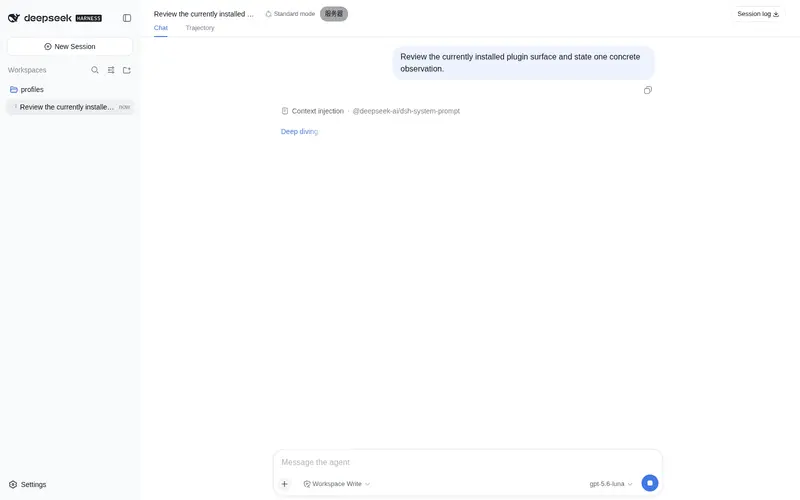
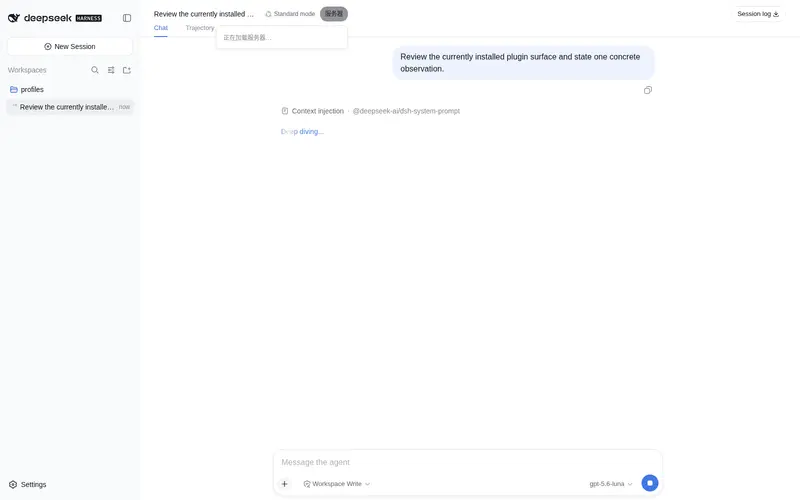
What it does
SSH remote ops for DSH: pair servers over SSH or a one-time-code remote-hostd, then run commands, manage background jobs, and read or write remote files with reviewable changes (host_pair/host_bash/host_jobs/host_read_file/host_write_file/host_review_changes).
Best for
- Operators who need DSH to execute commands on explicitly selected remote servers.
- Remote maintenance workflows involving background jobs and log inspection.
- Teams that need to browse, read, and version-check writes to remote files with reviewable changes.
- Environments using SSH direct connections, JumpServer or keyboard-interactive authentication, or a paired `remote-hostd`.
Not ideal for
- Local workspace inspection, which should use DSH's local tools instead of `host_*` tools.
- Tasks where the user has not explicitly requested a remote host operation.
- Advanced pairing when `remote-hostd` cannot be deployed on the target machine.
- Exposing `remote-hostd` beyond loopback without TLS, except in a temporary isolated network explicitly accepting insecure transport.
README
dsh-remote-ssh-ops
dsh-remote-ssh-ops 是 DeepSeek Harness 的 SSH 远程运维插件。它为 DSH 增加 SSH 直连、remote-hostd 配对、远程命令执行、远程文件读写、任务管理和远程工作台。
插件不会替代 DSH 的本地工具:检查当前本地工作区时,应使用 DSH 自带的本地工具;只有用户明确要求远程、服务器或指定主机操作时,才使用 host_* 工具。
工作方式
- SSH 直连:在 DSH 设置中填写服务器、端口、用户名和首次登录密码。首次连接确认 SSH 指纹后,插件保存本机专用密钥,后续不再保存或使用密码。
-
高级配对:远端运行
remote-hostd,本地输入地址和一次性配对码。适合已经部署 hostd 的机器。 - 远程工作台:会话标题栏的“服务器”入口用于浏览远程文件、运行远程命令和审阅远程文件变更。
界面预览

安装
从 GitHub 安装(推荐)
安装当前稳定版本:
dsh plugin --profile web add github:weisiren000/dsh-remote-ssh-ops#v0.0.11
DSH 会自动把插件安装到 Web profile,并将 dsh-remote-ssh-ops 注册到 dsh.profile.bundles。不需要克隆仓库、手动安装依赖、构建客户端或修改 profile 的 package.json。
如果系统没有全局 dsh 命令,可以通过 npx 执行:
npx @deepseek-ai/dsh plugin --profile web add github:weisiren000/dsh-remote-ssh-ops#v0.0.11
安装命令需要本机可以使用 Git 和 pnpm。使用 npx 时还需要 Node.js。
启动或重启 DSH Web
关闭旧的 DSH Web 进程,然后重新启动:
dsh web
使用 npx 的启动方式:
npx @deepseek-ai/dsh web
启动后进入“设置 → 插件 → 远程主机”。看到远程主机面板,说明插件已加载。
升级
发布新版本后,重新执行安装命令并替换 TAG:
dsh plugin --profile web add github:weisiren000/dsh-remote-ssh-ops#vX.Y.Z
随后重启 DSH Web。
卸载
dsh plugin --profile web remove dsh-remote-ssh-ops
没有全局 dsh 命令时:
npx @deepseek-ai/dsh plugin --profile web remove dsh-remote-ssh-ops
连接远程机器
SSH 直连(推荐)
在远程主机面板填写服务器、SSH 端口、用户名和首次登录密码,点击“连接主机”。首次连接显示服务器指纹时,只有确认指纹属于你的服务器才继续。
高级配对
在远端启动 remote-hostd,复制终端打印的一次性配对码,然后在面板切换到“高级配对”并填写地址和配对码。
验证安装
Invoke-WebRequest 'http://127.0.0.1:3080/remote-ssh-ops/v1/hosts' | Select-Object StatusCode
预期状态码为 200。然后在对话中明确说“列出远程主机”或“在指定服务器执行命令”验证 host_* 工具;检查本地代码时不要用远程请求作为验证。
远端安装 remote-hostd
remote-hostd 只在使用“高级配对”时需要。它把自己的工作目录作为远程工作区,因此启动前应先切换到要开放的项目目录。
本机回环监听(已有反向代理或只允许本机访问):
cd /path/to/remote-project
node /path/to/dsh-remote-ssh-ops/src/hostd/cli.js --listen 127.0.0.1:7680
直接对局域网或公网提供服务时必须使用 TLS:
cd /path/to/remote-project
node /path/to/dsh-remote-ssh-ops/src/hostd/cli.js \
  --listen 0.0.0.0:7680 \
  --tls-cert /path/to/fullchain.pem \
  --tls-key /path/to/privkey.pem
只有在临时隔离网络中,才使用不安全的明文监听:
node /path/to/dsh-remote-ssh-ops/src/hostd/cli.js --listen 0.0.0.0:7680 --allow-insecure
终端会打印监听地址和配对码。不要把配对码提交到代码仓库或写入公开日志。
模型工具
-
host_pair:配对一个远程主机。 -
host_list:列出已配对主机和在线状态。 -
host_use:切换当前远程目标。 -
host_bash:在远程主机执行前台或后台命令。 -
host_jobs/host_job_log:查询远程任务和日志。 -
host_list_files/host_read_file:浏览、读取远程文件。 -
host_write_file:按版本校验写入远程文件并创建待审阅变更。 -
host_review_changes:查看或处理远程文件变更。
所有远程工具都是显式远程能力。用户没有明确指定远程操作时,Agent 不应调用它们。
Frequently Asked QuestionsFAQ
Use the verified command dsh plugin --profile default add github:weisiren000/dsh-remote-ssh-ops in a DSH-enabled shell. The command resolves the public package metadata and keeps the plugin attached to the catalog identity shown on this page.
Compatibility follows the bundle and profile status shown above. If a profile is not detected, keep the plugin disabled there and check the repository documentation before enabling it in production.
The GitHub link and activity metadata are the source of truth for releases and maintenance. Revisit this page after a new release to confirm the catalog has observed the latest version.