yangyongzhen/dsh-article-publish
Publish articles from DeepSeek Harness to CSDN / Juejin / CNBlog. dsh plugin.
Listed
4
Workflow
Bundle verified
Preview
What it does
Publish articles to CSDN / Juejin / CNBlog directly from the session, no external server.
Best for
- Authors publishing Markdown articles to CSDN, Juejin, or CNBlog directly from a DSH session.
- Workflows that need to create or update CSDN articles, or create and publish Juejin drafts.
- Users who want a lightweight technology-news fetcher as article source material.
- Deployments that prefer built-in publishing logic without an MCP server or extra process.
Not ideal for
- Publishing platforms other than CSDN, Juejin, and CNBlog.
- Users who cannot provide the required platform login cookies and CNBlog token details.
- Workflows requiring configurable CSDN or Juejin categories and tags; they are fixed to the backend category.
- Scenarios where copying browser session cookies into plugin configuration is unacceptable.
README
dsh-article-publish
DeepSeek Harness 文章发布插件:agent 在会话里写完文章,直接调用工具发布到 CSDN / 掘金 / 博客园,还能拉取科技资讯当素材。无外部依赖——发布逻辑直接实现(API 参考 mcp-server-article),不需要 MCP server、不需要额外进程。
功能
| dsh 工具 | 说明 |
|---|---|
publish_article |
发布/更新文章到 CSDN / 掘金 / 博客园,返回文章链接 |
fetch_news |
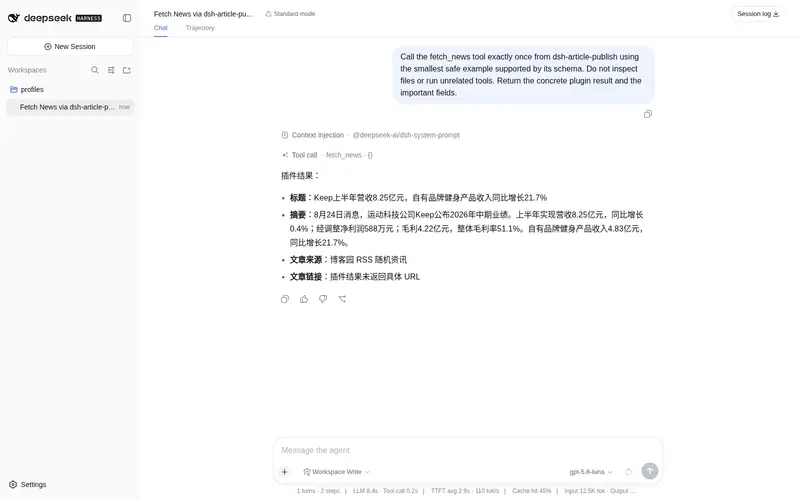
获取一条科技资讯(博客园 RSS 随机一篇),当素材 |
publish_article 参数:platform(csdn |
juejin | cnblog)、title、content(Markdown)、可选 description(csdn/juejin,为空自动截取前 100 字)、可选 articleId(csdn,传入则原地更新)。 |
平台实现要点(已内置,无需额外服务):
- CSDN:阿里云网关 HMAC-SHA256 签名请求(x-ca-* headers),外链图片自动转存到 CSDN 图床(csdnimg.cn),转存失败的 gitcode 图片回退 wsrv.nl 代理
- 掘金:创建草稿 → 发布(两步)
- 博客园:cookie + x-xsrf-token
安装
dsh plugin --profile <web|tui|headless> add file:/path/to/dsh-article-publish
# 或
dsh plugin --profile <web|tui|headless> add https://gitcode.com/qq8864/dsh-article-publish.git
配置(登录凭据)
发布需要各平台登录 Cookie。三种配置方式,优先级从高到低:
1. profile 配置(cordis.patch.yml)
- id: article-publish
  config:
    enabled: true
    csdnCookie: ''          # CSDN 登录 Cookie
    juejinCookie: ''        # 掘金登录 Cookie
    cnblogCookie: ''        # 博客园 Cookie
    cnblogToken: ''         # 博客园 x-xsrf-token
    cnblogUsername: ''      # 博客园用户名(拼文章链接用)
2. 环境变量(推荐,不进仓库)
export CSDN_COOKIE='...'
export JUEJIN_COOKIE='...'
export CNBLOG_COOKIE='...'
export CNBLOG_TOKEN='...'
export CNBLOG_USERNAME='...'
3. 缺省时报错提示
Cookie 为空时工具返回友好错误,明确告诉你要配哪个。
怎么拿 Cookie:浏览器登录平台后,DevTools → Application → Cookies 复制对应域名的 Cookie;或复用 mcp-server-article get-cookies(Rust 工具,可从调试端口 Chrome 导出)作为辅助获取手段。
使用示例
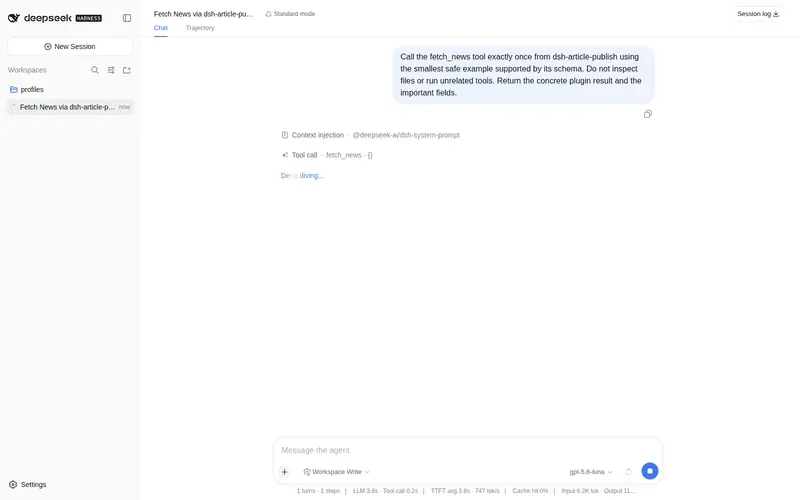
调用 fetch_news 获取一条科技资讯,写一篇 300 字短文,然后调用 publish_article 发布到 CSDN。
开发与验证
pnpm install
pnpm run build        # tsc -> lib/
node test/publish.test.mjs   # fetch 拦截单测:验证三平台请求构造(签名/body/两步顺序/xsrf),不发真实请求
端到端(headless,无 Cookie 时验证工具链路与错误传播):
dsh plugin --profile headless add file:./
dsh --profile headless --patch ./test/test-patch.yml \
  "调用 publish_article 工具把《测试文章》发布到掘金"
已知说明
-
@deepseek-ai/dsh-tools声明为 peerDependency:运行时从 dsh 闭包解析,避免双副本导致的 symbol 不匹配(agent-loop 调度器崩溃)。安装若提示 peer 缺失警告可忽略。 - CSDN 标签固定为”后端”、掘金分类/标签固定为”后端”(与 mcp-server-article 行为一致),后续可加配置。
Frequently Asked QuestionsFAQ
Use the verified command dsh plugin --profile default add github:yangyongzhen/dsh-article-publish in a DSH-enabled shell. The command resolves the public package metadata and keeps the plugin attached to the catalog identity shown on this page.
Compatibility follows the bundle and profile status shown above. If a profile is not detected, keep the plugin disabled there and check the repository documentation before enabling it in production.
The GitHub link and activity metadata are the source of truth for releases and maintenance. Revisit this page after a new release to confirm the catalog has observed the latest version.