YiRan0/dsh-mobile-glass
DSH Web mobile adaptation plugin: liquid glass UI, reveal drawer, drag gestures, mobile composer/header fixes. Desktop untouched.
Listed
0
Ui
Bundle verified
Preview
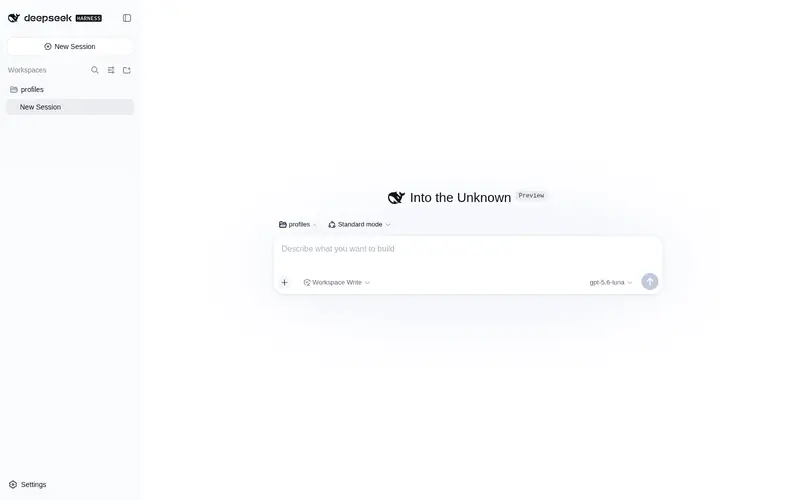
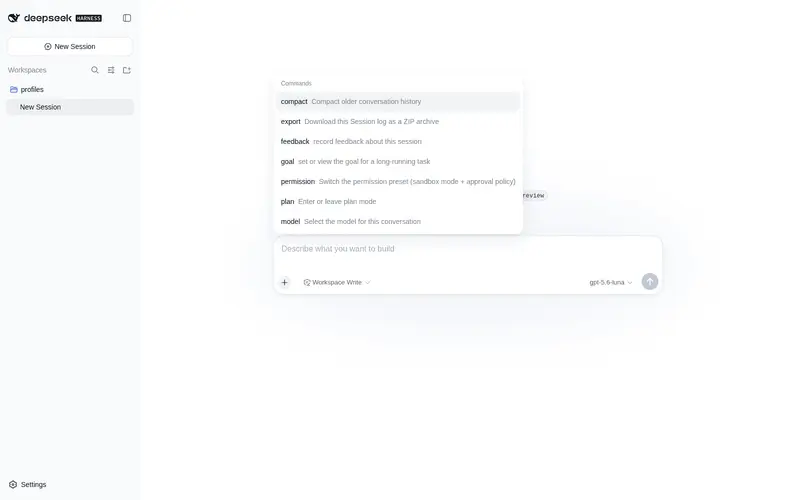
What it does
Mobile adaptation for the DSH Web UI on narrow screens: reveal drawer with the chat layer on top, drag gestures, bottom-sheet settings panel, composer and header fixes, zero desktop impact.
Best for
- People using DSH Web on phones or tablets with screens up to 1023px wide.
- Touch-first workflows that need a draggable reveal drawer and mobile-sized composer and settings controls.
- Users who want to install DSH Web as a home-screen PWA with cached static assets.
Not ideal for
- Desktop-only users gain no interface changes at widths of 1024px or more.
- Workflows requiring offline sessions; the offline fallback does not make server-held session data available.
- Users unwilling to manage a persistent Service Worker after uninstall, since it must be manually unregistered or cleared.
- Touch workflows where occasional real-device drag jitter is unacceptable.
README
dsh-mobile-glass
DSH Web 移动端适配插件(≤1023px,桌面端 ≥1024px 零影响):聊天页在上/侧栏在下的 reveal 抽屉、拖动手势、设置面板底部卡片上滑、composer 与 header 修复。
功能
- 无底部导航,顶部悬浮玻璃汉堡 ☰ 打开侧栏抽屉(抽屉打开时 ☰ 跟随聊天层右移)。
- 侧栏作为底层 static(永不参与动画),聊天列
translateX右移(reveal)。 - 拖动手势:
setPointerCapture+ rAF 节流 + 方向锁定 + 速度/位移吸附;命中横向可滚动元素(宽表格/代码块)时让位原生横向滚动。 - 用户消息右侧气泡、悬浮圆角自适应输入框:未聚焦为居中紧凑胶囊(不挡聊天),聚焦展开全宽、输入区抬升至约 2.5 行,失焦平滑缩回;输入内容增多时输入区自动增高、完整显示;盾牌/下拉与模型选择器同一行、发送键最右,宽高均 0.32s 平滑过渡。
- 设置面板底部卡片上滑覆盖(
VOzbGW_overlay/panel),导航收成图标栏。 - 头部清理:隐藏 session-log、tabs 与标题对齐、隐藏侧栏自带 toggle、better-sidebar 按钮与 ☰ 对齐。
- PWA:插件自带 Service Worker + 增强 Manifest(Host 侧,零修改 DSH vendor)。
截图
| 移动端主界面 | 侧栏抽屉 |
|---|---|
 |
 |
| 悬浮输入框 | 设置底部卡片 |
|---|---|
 |
 |
| 桌面端(零影响) |
|---|
 |
安装
dsh plugin --profile web add github:YiRan0/dsh-mobile-glass
安装后重启 dsh web 即可生效。
使用
安装后自动适配移动端,无需额外配置。
PWA(Service Worker + Manifest)
插件 Host 侧通过 webServer 精确路由提供(不修改 DSH 任何 vendor 文件,升级不受影响):
| 路由 | 内容 |
|---|---|
/sw.js |
插件内置 Service Worker(Cache-Control: no-cache,版本更新即时生效) |
/manifest.webmanifest |
增强 Manifest(standalone、主题色、PNG 图标),遮蔽 dist 自带那份 |
/pwa/icon-{192,512,180}.png |
应用图标(assets/pwa/,immutable 缓存) |
首页由 index tap 注入 SW 注册脚本 + apple-touch-icon + theme-color,手机浏览器可”添加到主屏幕”独立运行。
缓存策略
-
/plugins/*?rev=(rev = bundle 内容 SHA-1)与/assets/*(哈希文件名):cache-first + 后台更新——内容寻址 URL,升级/热更新后 rev 变化自动取新,不会吃到陈旧 bundle;解决 DSH 插件体系下每次刷新全量重下(当前约 26MB)的问题,公网链路二次访问秒开。 - 导航:network-first,失败显示内置离线页(不做离线会话——数据在服务器)。
-
/api/*、/plugins/events(SSE/HMR):完全旁路,绝不缓存。 - SW
install时解析首页预缓存插件与静态资源(跳过 >5MB 单文件,超大插件按需缓存)。
维护约定
- 修改缓存策略后 bump
src/pwa.ts的SW_VERSION,浏览器自动更新并清旧缓存。 - 卸载插件后,已注册的 SW 会保留(路由消失但注册在浏览器侧),需手动清除一次:DevTools → Application → Service Workers → Unregister(或清除站点数据)。
已知问题
- 真机拖拽偶发抖动(疑为侧栏
backdrop-filter实时模糊);will-change实验已回退。动画只作用在聊天列。
许可
MIT
Frequently Asked QuestionsFAQ
Use the verified command dsh plugin --profile default add github:YiRan0/dsh-mobile-glass in a DSH-enabled shell. The command resolves the public package metadata and keeps the plugin attached to the catalog identity shown on this page.
Compatibility follows the bundle and profile status shown above. If a profile is not detected, keep the plugin disabled there and check the repository documentation before enabling it in production.
The GitHub link and activity metadata are the source of truth for releases and maintenance. Revisit this page after a new release to confirm the catalog has observed the latest version.