ylwl1997/noatmark-dsh-plugin
NoAtMark text hygiene as a DeepSeek Harness (dsh) plugin — sanitize untrusted text, scan invisible characters, clean LLM formatting, and escape CSV injection.
Listed
1
Security
Bundle verified
Preview
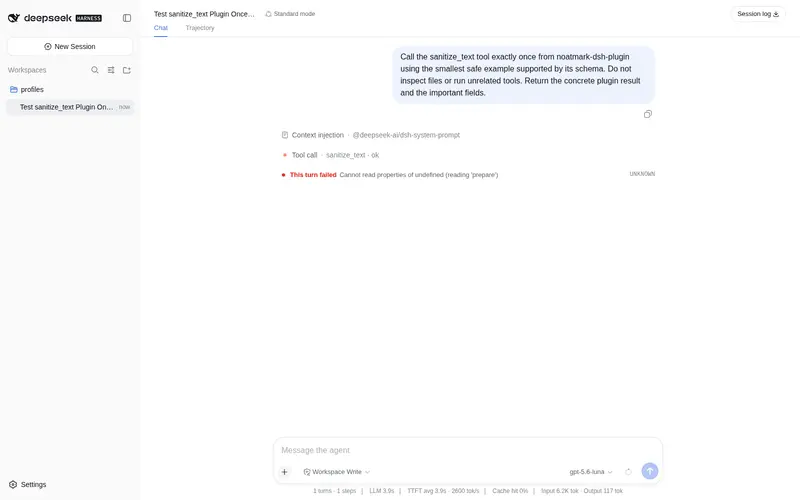
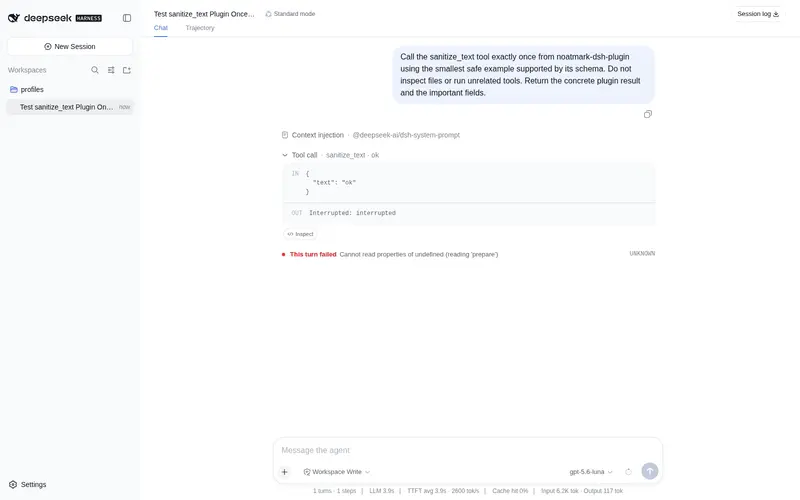
What it does
Text hygiene as a dsh plugin: sanitize untrusted text, scan invisible characters, clean LLM formatting, and escape CSV formula injection.
Best for
- Agents handling pasted or otherwise untrusted text that may contain invisible characters or injection signals.
- Repositories that need exact positions and code points for hidden-character inspection.
- Workflows cleaning LLM formatting without intentionally changing meaning.
- CSV export pipelines that need OWASP-style formula-prefix escaping.
Not ideal for
- Workflows that do not ingest, inspect, format, or export text will gain little.
- Tasks requiring semantic rewriting or factual validation; format cleaning explicitly leaves meaning untouched.
- CSV protections beyond formula-prefix escaping are outside the documented tool behavior.
README
noatmark-dsh-plugin

NoAtMark text hygiene as a DeepSeek Harness (dsh) plugin.
Everything-is-a-plugin: this plugin gives your dsh agent four text-hygiene tools, backed by the same deterministic engines behind noatmark.com.
Tools
| Tool | What it does |
|---|---|
sanitize_text |
Strip invisible/zero-width characters and flag prompt-injection + hidden-text signals. |
scan_text |
Report invisible characters (with code points + positions), injection patterns, and hidden text. |
clean_format |
Clean LLM formatting artifacts (blank lines, stray fences, trailing spaces) — meaning untouched. |
sanitize_csv |
Escape CSV formula injection (OWASP): = + - @ prefixes get a leading quote. |
All processing is deterministic and local — no data leaves your machine.
Install
Add this plugin to your dsh Web UI. If you’re running from a source checkout, use a cordis.yml patch:
- insert:
    - id: noatmark
      name: noatmark-dsh-plugin
or point at the source directly (absolute path):
- insert:
    - id: noatmark
      name: '/path/to/noatmark-dsh-plugin/src/index.ts'
Start dsh with the patch:
npx @deepseek-ai/dsh web --patch ./cordis.yml
Usage
In a dsh session, ask the agent to use a tool, e.g.:
Sanitize this pasted text before you summarize it.
Scan this file for invisible characters.
Clean the formatting of this AI output.
Escape this CSV before saving it.
Development
pnpm install
pnpm build   # tsc -> dist/
Resources
- Web tools: https://noatmark.com/
- NoAtMark SDK (npm/PyPI):
noatmark-text-hygiene - DeepSeek Harness: https://github.com/deepseek-ai/deepseek-harness
- Official docs: https://deepseek-harness.github.io/deepseek-harness/
MIT
Frequently Asked QuestionsFAQ
Use the verified command dsh plugin --profile default add github:ylwl1997/noatmark-dsh-plugin in a DSH-enabled shell. The command resolves the public package metadata and keeps the plugin attached to the catalog identity shown on this page.
Compatibility follows the bundle and profile status shown above. If a profile is not detected, keep the plugin disabled there and check the repository documentation before enabling it in production.
The GitHub link and activity metadata are the source of truth for releases and maintenance. Revisit this page after a new release to confirm the catalog has observed the latest version.