zaiwenJ/dsh-cdp-browser
Zero-spawn CDP browser control plugin for DeepSeek Harness: screenshots, pixel assertions, page JS — no vision model, no per-use approval
Listed
0
Browser
Bundle verified
Preview
What it does
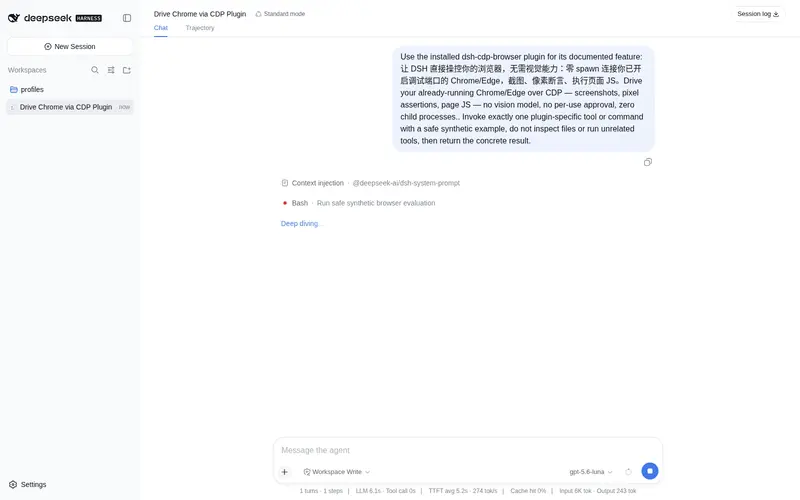
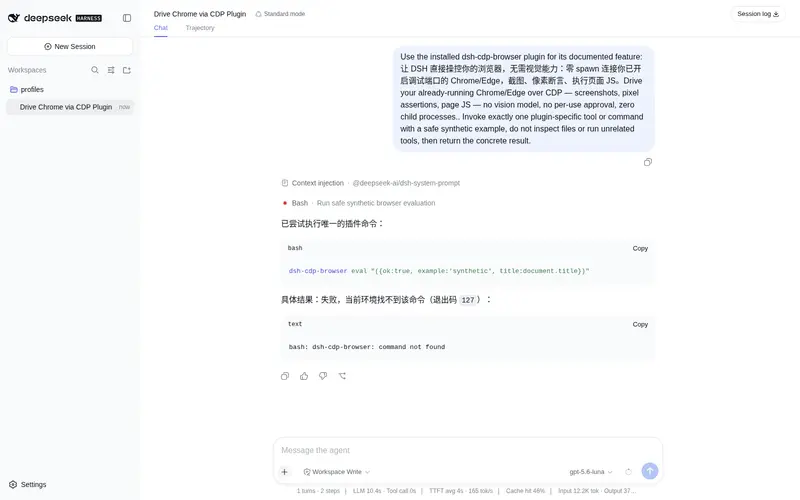
CDP bridge to an already-running Chrome/Edge for DSH: screenshots, pixel assertions, DOM/CSS checks, and page JS evaluation over HTTP + WebSocket, with zero child processes, zero npm dependencies, and zero per-use approval.
Best for
- DSH developers who already run a CDP-enabled Chrome or Edge and need repeatable browser checks.
- Visual regression workflows using screenshots and deterministic pixel or CSS assertions without a vision model.
- DOM inspection and page JavaScript evaluation in sandboxed environments where spawning browser processes is unavailable.
- Tooling that benefits from a dependency-free CDP library reusable outside DSH.
Not ideal for
- Users expecting the plugin to launch and manage a browser; Chrome or Edge must already be started with remote debugging enabled.
- Environments below Node 22, which lack the required built-in runtime capabilities.
- Workflows that cannot expose or connect to a CDP HTTP/WebSocket endpoint.
- Exploratory visual review that requires semantic image understanding rather than scripted pixel, CSS, DOM, or JavaScript checks.
README
dsh-cdp-browser
Zero-spawn browser automation + pixel-level visual verification as a DeepSeek
Harness plugin. Drives an already-running Chrome/Edge over CDP using Node
built-ins only: global fetch + global WebSocket (Node ≥ 22) + zlib PNG
decode. No child_process, no npm dependencies, no per-use approval.
Why zero-spawn
Plugins that spawn an engine and pipe its stdio (e.g. modlens) collide with the harness sandbox’s pipe ban (EPERM/EINVAL) on every call. Connecting to a browser the user started themselves is plain network I/O — allowed in confined mode. The one manual step (launching the browser) happens outside the harness, so the model never needs approval again for visual checks.
Setup (once)
- Install into the profile (done via
dsh plugin --profile web add file:<path>). -
Start your browser with CDP (the provided
edge-debug.cmddoes this):msedge.exe --remote-debugging-port=9222 --remote-allow-origins=* --user-data-dir=<dir> <url> - Restart the Web GUI. The
cdp_*tools appear in the next session.
Tools
| Tool | What it does |
|---|---|
cdp_status |
List tabs/targets of the CDP browser + browser version |
cdp_open |
Open (or reuse) a tab for a url; returns target id |
cdp_eval |
Evaluate JS in a page (awaitPromise, returnByValue) |
cdp_shot |
Navigate + PNG screenshot, saved to an absolute path |
cdp_assert |
Scripted interaction + deterministic checks (pixel / css / dom / js) with a pass/fail report |
cdp_assert check shapes
checks: [
  { type: 'pixel', x: 0.5, y: 0.96, color: '#245edb', tolerance: 16 },  // relative coords 0..1 or absolute px
  { type: 'css', selector: '#taskbar', property: 'background-color', equals: 'rgb(36, 94, 219)' },
  { type: 'css', selector: '.xp-window', property: 'border-radius', matches: '^\\d+px' },
  { type: 'dom', selector: '.xp-desk-icon', text: 'My Computer' },
  { type: 'js', expression: 'window.__XP.selfTest()', equals: { ok: true } },
]
// every check accepts click: '#start-btn' | { selector } | { x, y } and waitMs
Development
node plugins/dsh-cdp-browser/test/e2e.mjs # needs dev server + CDP Edge, starts nothing
Determinism notes (learned from the XP app’s first plugin e2e):
-
Reload the page per test run. A long-lived tab accumulates state across
scripted sweeps (windows, dialogs, menus) and can wedge
openApp; a freshnavigate+skipBootper suite is deterministic.probe-apps.mjsbisects per-app hangs when an app regresses. -
Synthetic clicks toggle state.
el.click()runs the real handlers — clicking a toggle twice flips it twice. One click per assertion. -
Gradient surfaces need stop-aware sampling. Sample where a gradient stop
dominates (flat zones or edges), not mid-gradient blends, or use
tolerance-aware
nearColoragainst computed-style values.
The package exposes ./cdp (targets, openTarget, withPage, Cdp,
decodePng, samplePixel, nearColor, runChecks, savePng) for reuse
outside the harness.
Frequently Asked QuestionsFAQ
Use the verified command dsh plugin --profile default add github:zaiwenJ/dsh-cdp-browser in a DSH-enabled shell. The command resolves the public package metadata and keeps the plugin attached to the catalog identity shown on this page.
Compatibility follows the bundle and profile status shown above. If a profile is not detected, keep the plugin disabled there and check the repository documentation before enabling it in production.
The GitHub link and activity metadata are the source of truth for releases and maintenance. Revisit this page after a new release to confirm the catalog has observed the latest version.