zhengjy01/dsh-notify
System-level desktop notifications for DeepSeek Harness: turn-completion / workflow-end banners and a modal approval alert (macOS osascript, Linux notify-send)
Listed
0
Notify
Bundle verified
Preview
What it does
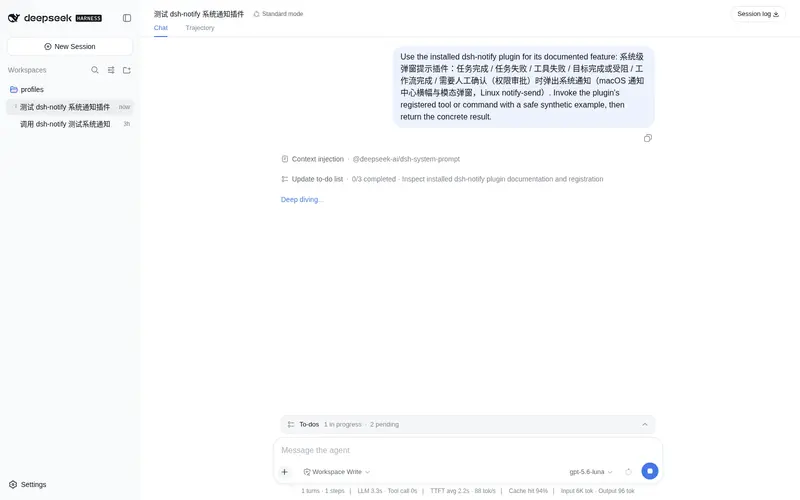
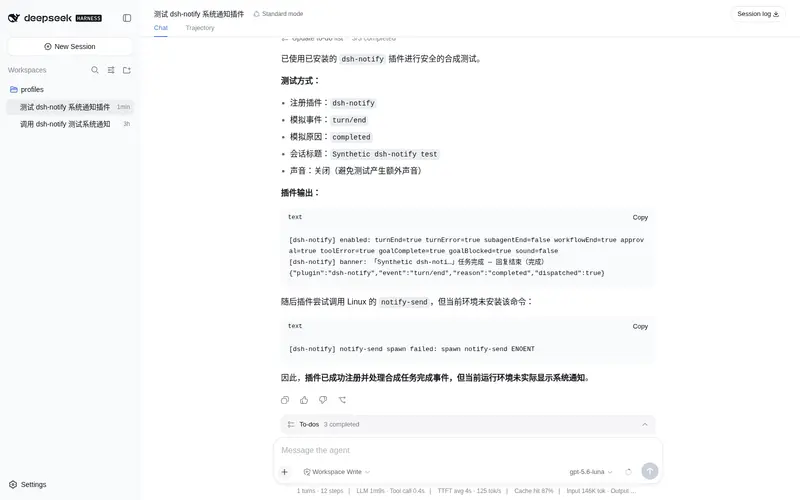
System-level desktop notifications: turn-completion and workflow-end banners, plus a modal alert when an approval is needed (macOS osascript / Linux notify-send).
Best for
- Users who want desktop alerts when a main DSH task, goal, or workflow finishes.
- Workflows where failures, blocked goals, or approval requests need prominent notification.
- macOS or Linux desktop setups where the browser is not always in view.
Not ideal for
- Other operating systems where the plugin only logs and cannot show native notifications.
- Users who work entirely inside the DSH page and gain little from system-level banners.
- Users expecting subagent completion alerts by default; that trigger is disabled unless configured.
README
dsh-notify
English 中文
DSH server-side plugin: pops operating-system-level notifications to alert you to important events happening in DSH, so you don’t need to keep staring at the browser page.
Notification triggers
| Event | Popup type | Default |
|---|---|---|
Main session task reply finished (turn/end completed, non-subagent session) |
System banner “Session name · Task finished” | On |
Main session task failed (turn/end reason=error) |
Modal popup “Session name · Task failed” + sound | On |
Main session task interrupted (turn/end reason=aborted / max-tokens / blocked) |
System banner “Session name · Task interrupted” | On |
Single tool call failed (tools/result isError) |
System banner “Session name · Tool failed” | On |
Goal completed (goal/changed phase=complete) |
System banner “Session name · Goal completed” | On |
Goal blocked (goal/changed phase=blocked) |
Modal popup “Session name · Goal blocked” | On |
Workflow run finished (tool-workflow/run-end) |
System banner “Session name · Workflow finished” | On |
Manual approval needed: tool permission request (approval/asked) |
Modal popup “Session name · Approval needed” + sound | On |
Permission request auto-rejected (policy is never) |
System banner “Session name · Permission request (auto-rejected)” | On (follows the item above) |
Subagent (background subtask) turn ended (turn/end, subagent session) |
System banner “Session name · Subtask finished” | Off |
Notes:
-
Titles carry the session name: every popup title uses the corresponding session’s name (taken from the session’s
session/titleevent), truncated automatically when too long (18 characters + …); when there is no title, it falls back to the first 8 characters of the session ID. -
Tool-failure throttling: within the same session, two tool-failure notifications are separated by at least 60 seconds by default (
toolErrorCooldownMs); you can also usetoolErrorAllowlistto only notify for critical tools (e.g.["bash", "ssh_exec"]). - Severity levels: real failures (errors), blocked goals, and manual approval requests → modal popup (must be clicked to dismiss) with a sound; completions, interruptions, auto-rejections, etc. → notification-center banner (non-intrusive).
-
macOS: modals use
osascript display alert ... as critical, banners usedisplay notification; Linux: unifiednotify-send, with-u critical(urgent level, stays until clicked) for modal scenarios; other platforms: logs only. - When the approval policy is
ask, an approval request pops a modal dialog reminding you to approve it in the DSH UI; when the policy isnever, requests are auto-rejected and only a banner tells you it was auto-rejected, without popping a modal to disturb you. - Popups run detached from the process and do not block the DSH server.
Installation
Standard DSH plugin package installation (any one of the following); after installing, restart dsh web for it to take effect:
# Local development (link mode, pointing at this repository path)
dsh plugin --profile web add link:/Users/zhengjunyao/Documents/DSH-test/dsh-notify

# After publishing to GitHub (the repository must have the dsh-plugin topic)
dsh plugin --profile web add github:<your-account>/dsh-notify
Alternative: the repository ships with scripts/install.mjs (copies the package to ~/.dsh/profiles/node_modules/dsh-notify), but the standard method above is recommended.
Configuration
The plugin’s cordis.patch.yml provides default configuration; after installing, you can override it at the profile’s patch layer (e.g. ~/.dsh/profiles/web/cordis.patch.yml):
- patch:
    - id: notify
      config:
        notifyTurnEnd: true      # main session task finished banner
        notifyTurnError: true    # main session task failed: error→modal popup, aborted/over-limit/blocked→banner
        notifySubagentEnd: false # subtask finished banner (off by default to avoid noise)
        notifyWorkflowEnd: true  # workflow finished banner
        notifyApproval: true     # approval-needed popup / auto-rejected banner
        notifyToolError: true    # single tool call failed banner (per-session cooldown + optional allowlist against noise)
        toolErrorAllowlist: []   # only notify for these tool names, empty = all (e.g. ["bash", "ssh_exec"])
        toolErrorCooldownMs: 60000 # minimum interval between two tool-failure notifications in the same session (ms)
        notifyGoalComplete: true # goal completed banner
        notifyGoalBlocked: true  # goal blocked modal popup
        sound: true              # play a sound on popup
After changing the configuration, restart dsh web as well.
Manual verification
You can verify that popups work without restarting:
osascript -e 'display notification "测试" with title "DSH" sound name "Glass"'
osascript -e 'display alert "DSH" message "测试" as critical'
Publishing to the community
- Push this repository to your GitHub (remember to change the
repository.urlinpackage.jsonto the actual address). - Add the
dsh-plugintopic in the repository settings → Topics, so DSH users around the world can find it and install it with one command. - (Optional) Register it in community marketplaces/lists, e.g. dsh-market, awesome-dsh-plugin.
- (Optional) The official plugin scaffolding is still under discussion; you can leave feedback at deepseek-ai/deepseek-harness Discussion #1629 to help push forward an official publishing channel.
Frequently Asked QuestionsFAQ
Use the verified command dsh plugin --profile default add github:zhengjy01/dsh-notify in a DSH-enabled shell. The command resolves the public package metadata and keeps the plugin attached to the catalog identity shown on this page.
Compatibility follows the bundle and profile status shown above. If a profile is not detected, keep the plugin disabled there and check the repository documentation before enabling it in production.
The GitHub link and activity metadata are the source of truth for releases and maintenance. Revisit this page after a new release to confirm the catalog has observed the latest version.