ztl34245881-commits/dsh-task-planner
Task planning with experience muscle-memory for DeepSeek Harness: condition-reflex recall + LLM capability matching + auto-persisted lessons
Listed
4
Workflow
Bundle verified
Preview
What it does
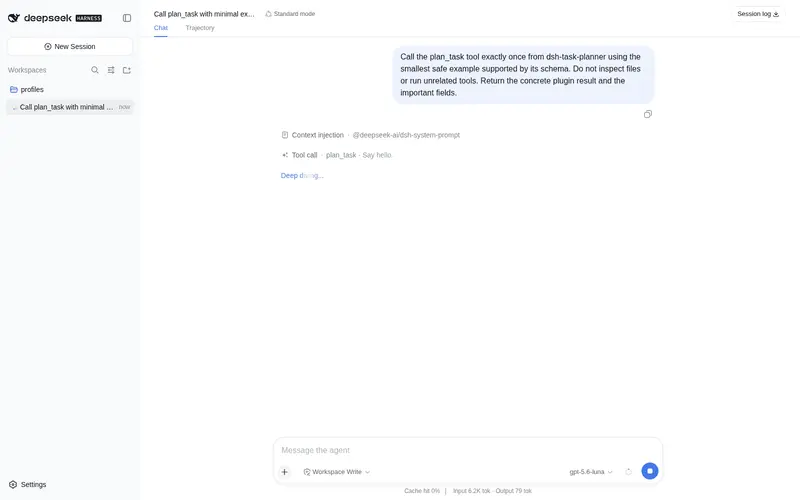
Task planning with experience muscle-memory: condition-reflex recall of past solutions, LLM capability matching, and auto-persisted lessons.
Best for
- Teams planning complex or recurring tasks where prior solutions can usefully inform the next plan.
- Agents that need task steps matched to an optional catalog of available skills and plugins.
- Users who want draft and verified lessons persisted as human-editable Markdown for later recall.
Not ideal for
- Simple one-off tasks where planning, recall, and lesson persistence add more process than value.
- Environments missing the documented `llm`, `shell`, or `tools` services.
- Workflows that prohibit persistent task records, since planning automatically drafts a lesson.
- Uses requiring deterministic rule-based plans; capability selection and reuse decisions are LLM-driven.
README
dsh-task-planner
Task planning with experience muscle-memory for DeepSeek Harness (dsh).
Give a task → the agent recalls past similar solutions (condition reflex), evaluates whether they fit, and produces a dynamic plan matched against its capabilities — never hard-coded combos. Every plan auto-drafts a lesson into the experience library; when the task closes, the agent updates the outcome. The more you work, the smarter the reflex.
Features
- 🧠 Experience library (
task_memory save/recall/list): persistent lessons as plain Markdown with signature keywords. Recall uses a 2–3-char sliding-window tokenizer, so “weekly report” still hits a “daily report” lesson. - ⚡ Condition-reflex planning (
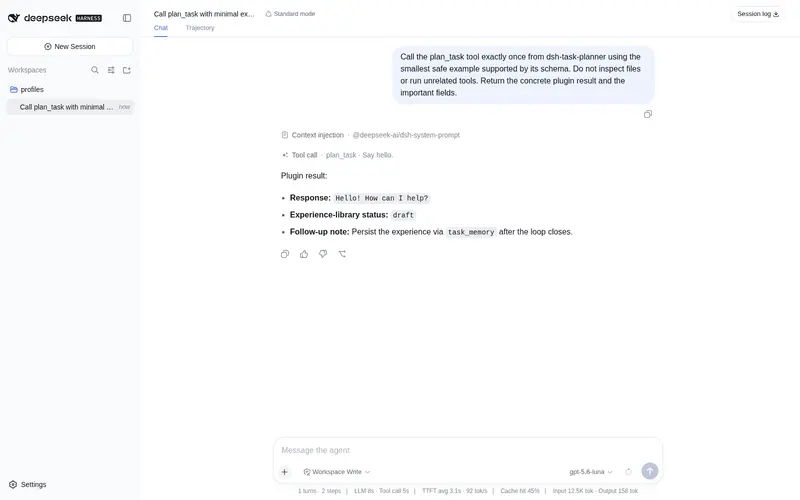
plan_task): recall → LLM evaluates fit (reuse & improve, or explain why not and plan fresh) → decomposed steps with capability matching → risks → next actions. - 🤖 LLM-driven, not rule-driven: the model decides what to use per task; the plugin only supplies context (past experiences + optional capability catalog).
- ✍️ De-AI deliverable standard: any textual output step (docs/sheets/slides/copy/scripts) must include a humanize-then-review pass before delivery.
- 🗂️ Auto-persist:
plan_taskdrafts the lesson automatically (status:draft); the agent marks itverifiedwith the outcome at loop close. - 🔒 Zero keys, zero absolute paths: everything is configurable; the experience library lives in
~/.dsh/planner-lessonsby default.
Install
dsh plugin --profile web add github:<your-user>/dsh-task-planner
or copy the repo and add it as a local bundle:
dsh plugin --profile web add /path/to/dsh-task-planner
Config (optional, in your profile’s cordis.patch.yml)
- id: dsh-task-planner
  name: dsh-task-planner
  config:
    lessonsDir: /path/to/your/lessons   # default: ~/.dsh/planner-lessons
    capabilityFile: /path/to/capability-map.md  # optional catalog fed to the LLM
Point capabilityFile at a markdown catalog of your skills/plugins (e.g. an awesome list) and plan_task will match each step against it.
Usage
-
plan_task { task, goal?, constraints? }— plan before starting complex work. -
task_memory save { task, plan, outcome }— persist a lesson (auto-called by plan_task for the draft). -
task_memory recall { task }— condition-reflex lookup. -
task_memory list— show all lessons.
Lesson lifecycle
-
plan_taskwrites a draft lesson (status: draft) automatically. - When the task closes, the agent updates it with the outcome (
status: verified). - A lesson reused successfully 3× → promote to a formal skill. A lesson rejected 2× → mark obsolete.
Notes
- Requires the
llm,shell,toolsservices (all present in the standard harness). - The model call uses the harness default model (
agentDefaultModel); reasoning models need a generousmaxTokens(8k is used internally). - Lessons are plain Markdown — human-editable, greppable, portable.
License
MIT
Frequently Asked QuestionsFAQ
Use the verified command dsh plugin --profile default add github:ztl34245881-commits/dsh-task-planner in a DSH-enabled shell. The command resolves the public package metadata and keeps the plugin attached to the catalog identity shown on this page.
Compatibility follows the bundle and profile status shown above. If a profile is not detected, keep the plugin disabled there and check the repository documentation before enabling it in production.
The GitHub link and activity metadata are the source of truth for releases and maintenance. Revisit this page after a new release to confirm the catalog has observed the latest version.