AcidGr/dsh-web-lan-access
DeepSeek Harness (dsh) Web plugin
已收录
19
Remote
Bundle 已验证
预览
功能介绍
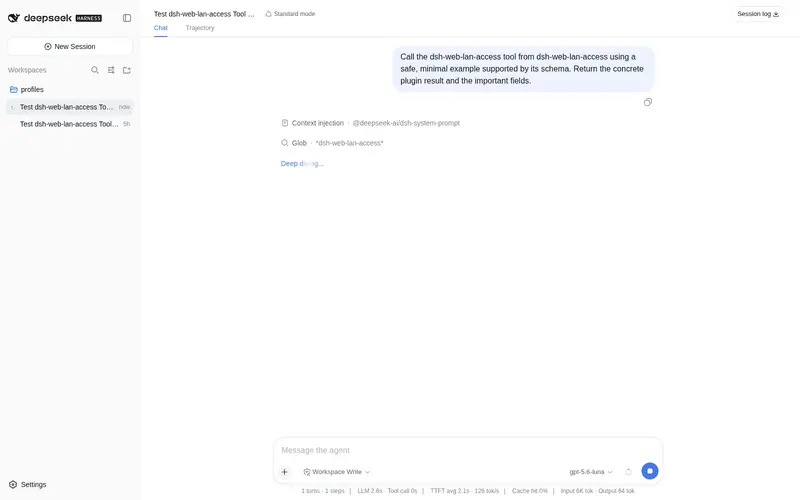
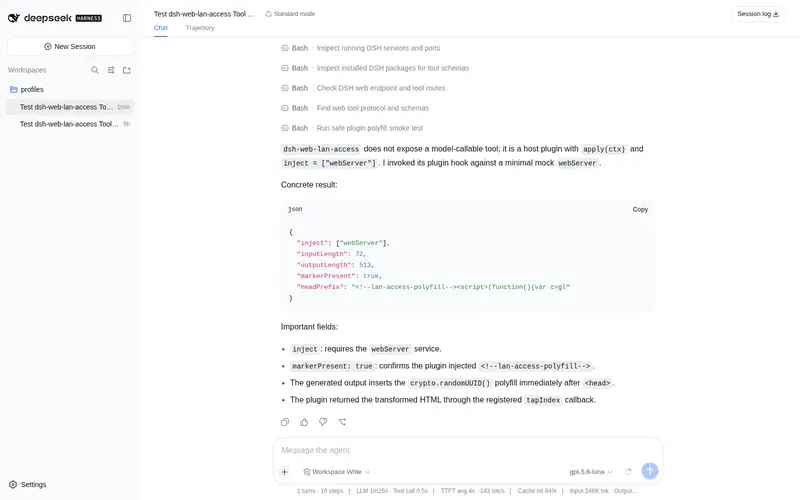
Web UI 局域网/远程访问:为纯 HTTP 非安全上下文注入 crypto.randomUUID polyfill,局域网/Tailscale IP 直连时前端不再崩溃。
适合
- 通过纯 HTTP 局域网或 Tailscale IP 地址直连 DSH Web 的用户。
- 因非安全来源缺少 crypto.randomUUID 而导致 Web UI 无法启动的部署。
- 需要让 Web 服务器监听非回环地址的可信网络部署。
不适合
- 没有防火墙、Tailscale 或认证反向代理的公网或不可信网络;监听 0.0.0.0 并不会增加登录认证。
- 已经通过 HTTPS 提供服务的部署;此时 crypto.randomUUID 可用,polyfill 价值有限。
- 希望在未修改的 Harness 上远程管理仅限回环访问的设置、凭证或模型发现 API 的场景。
- 无法把每个实际 Host 值逐一加入 trustedHosts 的主机名访问场景。
README
dsh-web-lan-access

| English | 简体中文 |
LAN / remote access support for the DeepSeek Harness Web UI.
The problem
The Web UI calls crypto.randomUUID() in boot-critical paths (RPC id minting, message ids, draft attachments). That Web API exists only in secure contexts (HTTPS, or http://localhost / http://127.0.0.1). When the UI is served over plain HTTP from a non-loopback address — a LAN IP, a Tailscale IP, or a hostname — crypto.randomUUID is undefined, every RPC throws, and sessions and models never render.
The fix
A host-side plugin that uses the webserver’s official index-tap extension point (webServer.tapIndex) to inject a small polyfill (RFC 4122 v4 built on crypto.getRandomValues, which is available on insecure origins) as the first script in <head>, before the boot manifest and the shell entry. On secure origins the polyfill is a no-op.
- No product source modified; fully reversible
- Version-independent (it only transforms the served
index.html) - Platform-independent (Linux / macOS / Windows / Android)
Install
Bundle install (recommended)
Installed from npm:
dsh plugin --profile web add dsh-web-lan-access
(No npm / local development — point pnpm at the repo instead:
dsh plugin --profile web add github:AcidGr/dsh-web-lan-access
)
Restart dsh web, then hard-refresh the browser.
Manual install (no pnpm / offline)
PROFILE="$DSH_HOME/profiles/web"                 # adjust DSH_HOME and profile name
mkdir -p "$PROFILE/plugins" "$PROFILE/node_modules/@dsh-profile"
cp -r dsh-web-lan-access "$PROFILE/plugins/lan-access"
ln -sfn ../../plugins/lan-access "$PROFILE/node_modules/@dsh-profile/lan-access"
# append to $PROFILE/cordis.patch.yml:
#   - insert:
#       - id: lan-access
#         name: '@dsh-profile/lan-access'
Usage
The plugin is self-contained: its bundle patch sets the webserver bind host to 0.0.0.0 directly (the CLI flag --host 0.0.0.0 is hard-rejected for safety on newer harness versions, but the webserver config still accepts it — so no source changes and no --host flag are needed; the CLI --port flag still works).
-
Install the plugin, then start normally — without
--host:dsh --profile web --port 3080When bound to
0.0.0.0, the harness automatically adds every local non-internal IPv4 to the/apitrust fence (resolveLanTrust) — LAN IP access needs no extra config.If you prefer NOT to let the plugin take over the bind host (e.g. you want loopback + a port forward), keep the
webserverrow override out of your tree and instead forward a port (socat / rinetd / Tailscale serve) from127.0.0.1:3080, adding the forwarded address totrustedHostsmanually. -
Domains / remote (e.g. Tailscale) — add your own authorities to
trustedHosts:- id: web-runtime config: trustedHosts: - <short-name> # e.g. myhost — MUST be listed separately! - <name>.tailXXXX.ts.net # full domain - 100.x.x.x # tailnet IP⚠️ The fence compares the
Hostheader literally: a MagicDNS short name (http://myhost:3080) is not the full domain — list the short name on its own line, or every/apicall returns 403 (page shell loads, sessions/models absent).
Known limitation: privileged API methods
On unmodified harness builds, a small set of sensitive API methods (settings.*, credentials.*, llm.discoverModels) is pinned to loopback regardless of trustedHosts (isTrustedApiRequest(request, []) in packages/client/connection/src/index.ts). From a remote origin those calls return 403: chat/sessions/models still work, but the Settings pages (including the plugin-config cards) and credentials UI show empty/errors. The polyfill cannot change that — it is a product-side policy. A one-line upstream change (isTrustedApiRequest(request, trustedHosts)) makes them follow the deployment’s trusted hosts; until then, edit that line locally or manage those settings from http://127.0.0.1:3080.
Verify
curl http://127.0.0.1:3080/ | grep lan-access-polyfill # must match
Then open http://<server-ip>:3080 from another device — sessions and models must load.
Security warning
Binding 0.0.0.0 makes the agent reachable without authentication by anyone on the same network (/api is an origin fence, not a login). On a server with a public IP this means the whole internet. Use only on trusted networks, restrict with a firewall (e.g. ufw allow from 192.168.0.0/16), or expose through Tailscale / an authenticated reverse proxy instead. A TLS reverse proxy also removes the need for this polyfill entirely.
Rollback
- Bundle install:
dsh plugin --profile web remove dsh-web-lan-access - Manual install: delete the
lan-accessinsert block fromcordis.patch.yml; optionally start without--host 0.0.0.0
License
MIT
常见问题常见问题
在启用了 DSH 的终端中执行已验证命令 dsh plugin --profile default add github:AcidGr/dsh-web-lan-access。命令会解析公开 package 元数据,并保持插件与本页展示的目录身份一致。
兼容性以页面上展示的 bundle 与 profile 状态为准。如果某个 profile 尚未检测到,请先保持禁用,并在生产启用前阅读仓库文档。
GitHub 链接和 activity 元数据是 release 与维护状态的来源。新版本发布后重新查看本页,确认目录已经观察到最新版本。