AngLi1997/dsh-plugin-sync
Deepseek Harness 插件同步
Bundle 已验证
MIT
JavaScript
未知
Bundle 已验证
已收录
1
Tools
Bundle 已验证
★ 1
在 GitHub 查看
预览
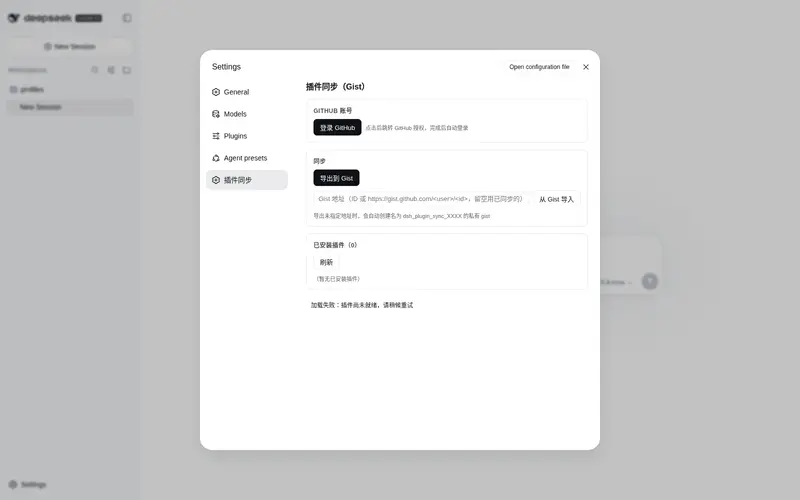
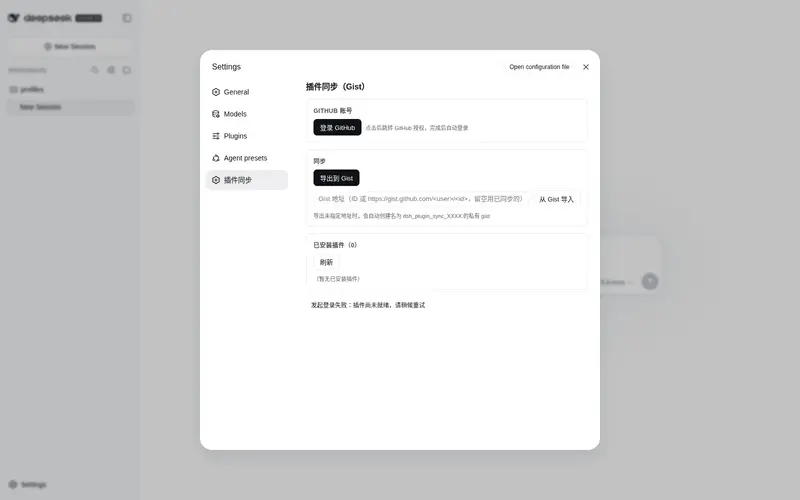
功能介绍
将已安装的 DeepSeek Harness 插件清单同步到 GitHub Gist(OAuth 登录、一键导出/导入并自动安装依赖)。
适合
- 希望在不同机器或 Profile 间复现同一套 DSH 插件配置的用户。
- 需要把 Profile 依赖、Bundle 条目和 Cordis 补丁配置备份到私有 Gist 的团队。
- 偏好 OAuth 设备登录和一键导入并安装依赖的用户。
不适合
- 离线或不使用 GitHub 的环境,因为同步依赖 GitHub OAuth 与 Gist。
- 需要备份插件数据、工作区文件或导出清单字段之外设置的场景。
- 不允许导入时自动改写 Profile 文件并执行 pnpm install 的流程。
README
dsh-plugin-sync


把 DeepSeek Harness 已安装的插件清单同步到 GitHub Gist 的 DSH 插件。
- GitHub OAuth 设备流快捷登录(无需手动粘贴 token)
-
导出:将
profiles/<profile>/package.json的dependencies+dsh.profile.bundles+cordis.patch.yml打包为dsh-plugins.json上传到 Gist -
导入:从 Gist 读取插件清单,写回
package.json/cordis.patch.yml并自动执行pnpm install,提示重启 Harness 生效 - 未指定 Gist 地址时,自动创建名为
dsh_plugin_sync_XXXX(4 位随机字符)的私有 Gist
安装
dsh plugin --profile web add dsh-plugin-sync
或手动编辑 profile 的 package.json:
{
  "dependencies": {
    "dsh-plugin-sync": "^1.0.0"
  },
  "dsh": {
    "profile": {
      "bundles": ["dsh-plugin-sync"]
    }
  }
}
然后 pnpm install 并重启 Harness。安装后可在 dsh-market 中查看。
使用
- 打开设置 →「插件同步」
- 点「登录 GitHub」,按提示跳转 GitHub 授权(仅需
gist权限) - 点「导出到 Gist」上传插件清单;「从 Gist 导入」填写 Gist 地址后自动安装并提示重启
构建
npm install
npm run build   # esbuild 产出 lib/index.js(host)+ lib/client.js(client bundle)
@deepseek-ai/* 与 react 保持外部依赖(由 profile 的 node_modules / app 模块系统提供),zod 打包进产物。
License
MIT
常见问题常见问题
在启用了 DSH 的终端中执行已验证命令 dsh plugin --profile default add github:AngLi1997/dsh-plugin-sync。命令会解析公开 package 元数据,并保持插件与本页展示的目录身份一致。
兼容性以页面上展示的 bundle 与 profile 状态为准。如果某个 profile 尚未检测到,请先保持禁用,并在生产启用前阅读仓库文档。
GitHub 链接和 activity 元数据是 release 与维护状态的来源。新版本发布后重新查看本页,确认目录已经观察到最新版本。