awesome-dsh-plugin/dsh-find-plugin
Find DSH plugins inside the agent — live GitHub dsh-plugin topic search, star-ranked / 会话内搜索发现 DSH 插件
已收录
52
Market
Bundle 已验证
预览
功能介绍
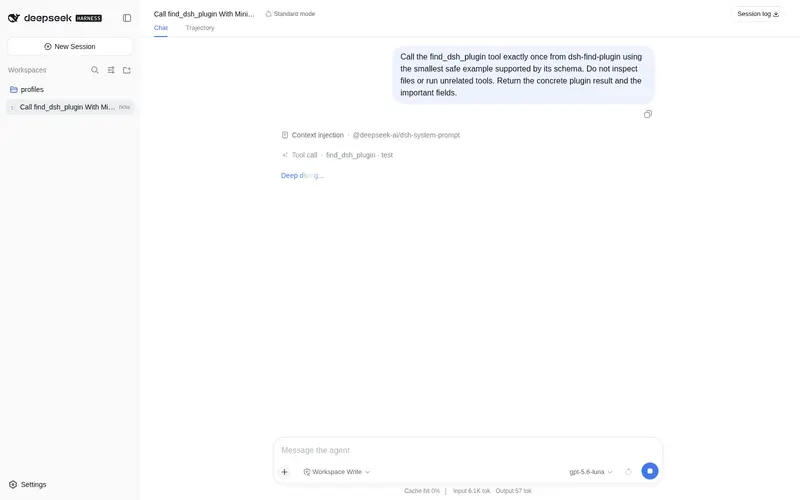
会话内直接找插件:按关键词/分类搜索本精选 registry,返回描述与可直接执行的安装命令。
适合
- 希望用自然语言描述需求来发现插件的 DSH 用户。
- 需要按关键词或分类获得描述、仓库链接和安装命令的智能体。
- 希望不离开会话就浏览 GitHub dsh-plugin 生态的用户。
不适合
- 已经明确知道所需插件、不需要发现流程的用户。
- 离线或网络受限环境,因为发现功能使用 GitHub 实时仓库搜索。
- 需要安全审计或兼容性验证的工作流;结果只是第三方代码的发现元数据,并非审计结论。
README
dsh-find-plugin 
| English | 中文 |
A plugin that finds plugins — think /find-skills from skills.sh, for DSH.
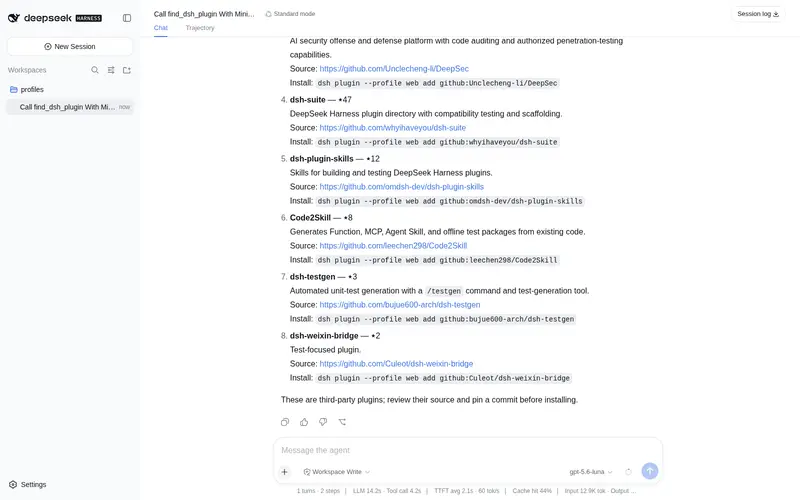
Tell your agent what you want (“notify me on WeChat when a task finishes”), and it searches the DSH plugin ecosystem on GitHub for you — top results by stars, each with a one-line description and an install command.
Install
# from npm (prebuilt, recommended)
dsh plugin --profile web add dsh-find-plugin

# or from GitHub
dsh plugin --profile web add github:awesome-dsh-plugin/dsh-find-plugin
Usage
Restart dsh web after installing, then just talk to the agent — it calls
find_dsh_plugin on its own whenever plugin discovery helps:
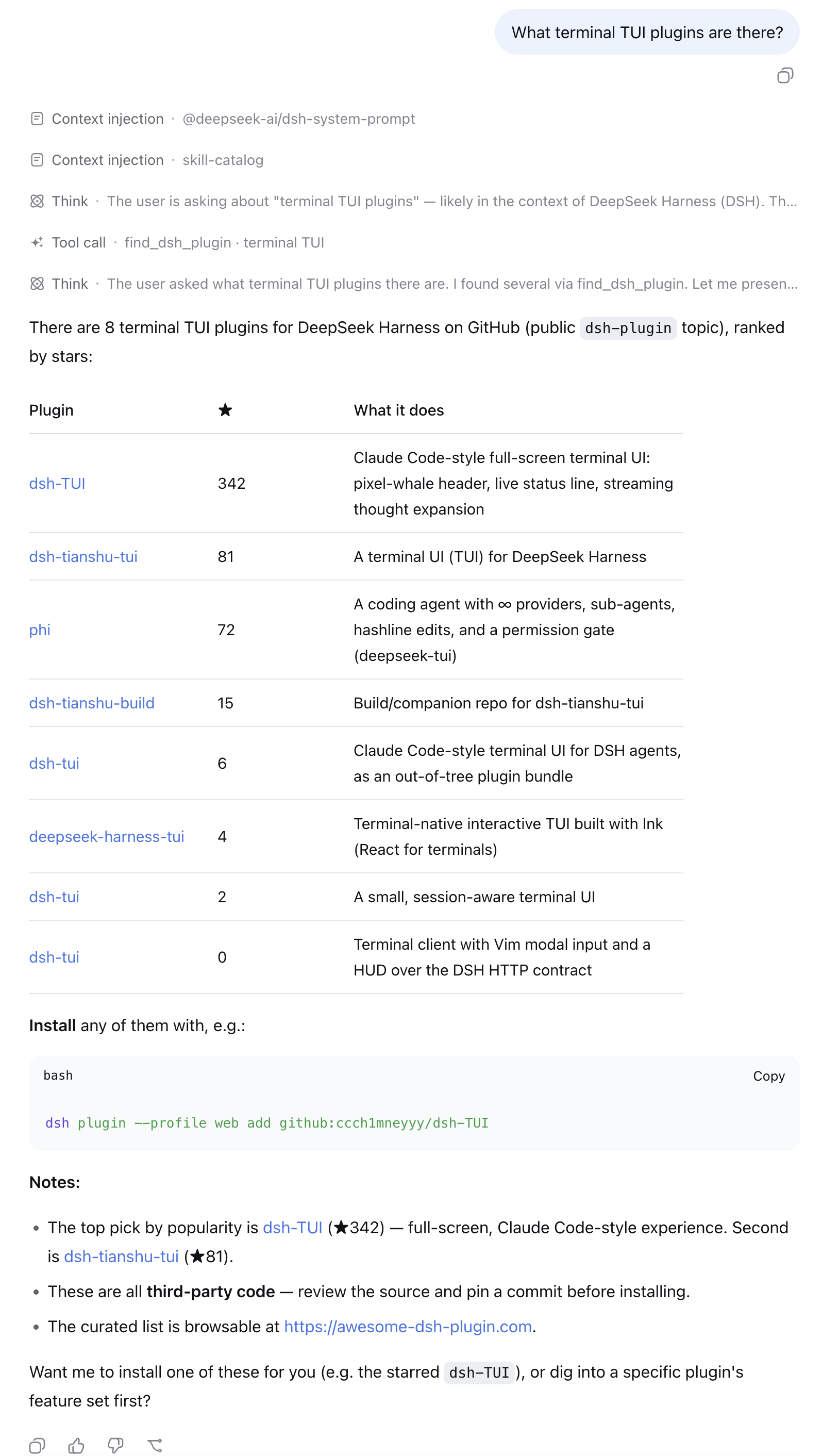
- “What terminal TUI plugins are there?”
- “I want to get a WeChat notification when a task finishes — any plugin for that?”
- “Find me something for reviewing git diffs inside DSH.”
Each result comes back with stars, a description, the repo link, and a
ready-to-run dsh plugin add command — ask the agent to install one and
it can run the command for you.
How it works
- Live GitHub repository search scoped to the official
dsh-plugintopic, re-ranked by stars (5-minute per-query cache, anonymous API). - When a result is also listed on
awesome-dsh-plugin, its hand-written
bilingual description from
plugins.jsonreplaces the GitHub one (thelangparameter picks the language) — ranking is untouched. - Every result comes with a ready-to-run
dsh plugin addcommand. Plugins are third-party code — review the source and pin a commit.
License
MIT © awesome-dsh-plugin
常见问题常见问题
在启用了 DSH 的终端中执行已验证命令 dsh plugin --profile default add github:awesome-dsh-plugin/dsh-find-plugin。命令会解析公开 package 元数据,并保持插件与本页展示的目录身份一致。
兼容性以页面上展示的 bundle 与 profile 状态为准。如果某个 profile 尚未检测到,请先保持禁用,并在生产启用前阅读仓库文档。
GitHub 链接和 activity 元数据是 release 与维护状态的来源。新版本发布后重新查看本页,确认目录已经观察到最新版本。