d-dev0101/open-sea-skin
WebGPU ocean skin for DeepSeek Harness, Chrome and Edge — native plugin, static installer, and new-tab extension.
已收录
1
Theme
Bundle 已验证
预览
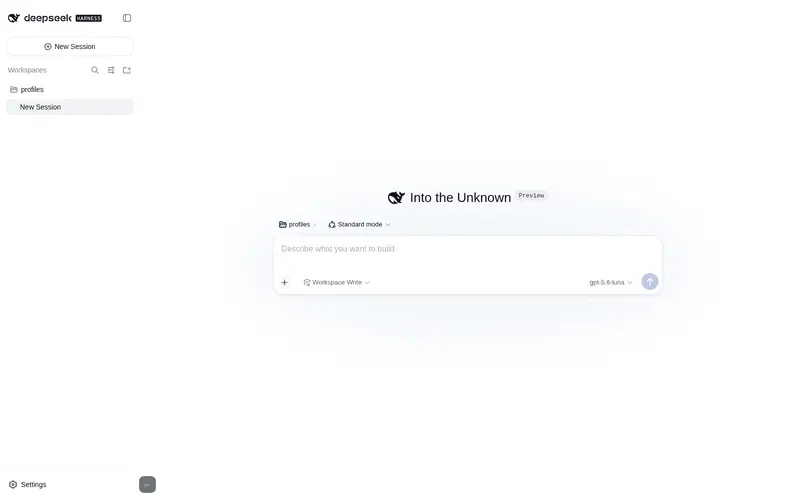
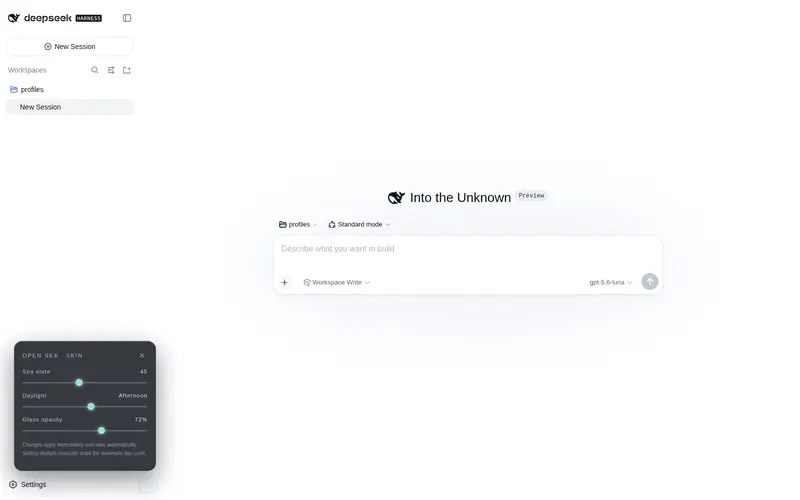
功能介绍
实时 WebGPU 海洋皮肤,可快捷调节波浪、日光、玻璃不透明度与自动昼夜循环。
适合
- 希望使用动态海洋背景,并可调节波浪、日光、玻璃不透明度及自动昼夜循环的 DeepSeek Harness 用户。
- 在 Chrome 或 Edge 中运行本地 Harness 页面,并希望通过扩展换肤且不影响其他本地站点的用户。
- 希望使用不收集数据、无需远程主机权限的本地视觉定制方案的用户。
不适合
- 不支持 WebGPU 的浏览器或设备。
- 需要通用浏览器新标签页主题或为 DeepSeek Harness 以外网站换肤的用户。
- 不愿在每次 Harness 升级后重新应用更新的静态构建用户。
README
Open Sea Skin
Interactive website · 中文 · Architecture · Release guide
A self-contained WebGPU ocean skin for DeepSeek Harness. It keeps the original five-wave Gerstner/TSL look, adds a translucent Harness theme, and is available as a one-line DSH plugin, Harness-only Chrome/Edge extension, one-command static installer, or native Harness source integration.

Recommended — install as a DSH plugin
Install the complete local-only ocean runtime and lower-left quick controls directly from GitHub:
dsh plugin --profile web add 'github:d-dev0101/open-sea-skin#v1.2.1'
Restart dsh web, then use Skin settings at the lower left to adjust wave
size, daylight, 40% glass opacity, and the automatic day/night cycle. Remove it
with:
dsh plugin --profile web remove open-sea-skin
This package is tested with DeepSeek Harness 0.1.0-rc.6. Use the source
integration below only when you also want the controls embedded inside the
native General settings page. See the DSH installation and troubleshooting
guide for verification and recovery details.
Gallery
Every animation below is recorded from the native DeepSeek Harness integration at 40% glass opacity. The overview baseline is wave size 56 and daylight Afternoon (55).
1 — Dark Harness overview

2 — Light Harness overview

3 — Adjusting wave size
Daylight stays at Afternoon (55) while the wave control moves from moderate to calm, through high sea, and back to the baseline of 56.

4 — Daylight to sunset
Wave size stays at 56 while daylight moves smoothly from Midday to Dusk.

Install option 1 — Chrome or Edge extension
- Download and unzip the latest
open-sea-skin-extension-*.ziprelease, or clone this repository. - Open
chrome://extensions(Edge:edge://extensions) and enable Developer mode. - Select Load unpacked and choose this repository’s
extension/folder. - Open DeepSeek Harness on
127.0.0.1orlocalhost, then reload it once.
The extension does not replace Chrome or Edge’s new-tab page, change the
browser homepage, or interfere with an existing new-tab extension. It verifies
the Harness title, root, and server-injected boot marker before changing a page,
so other local development sites also remain untouched. Use the toolbar popup
to disable the Harness skin. The lower-left wave button opens sea-state,
daylight, and glass-opacity controls. Values are saved with
chrome.storage.sync.
Install option 2 — Harness static build (no source compilation)
Run this from any directory. It downloads the pinned v1.2.1 source archive
to a temporary directory, runs the installer, and removes the download when it
finishes. Stop Harness before running it, then start dsh web again, keep
that terminal process running, and reload the browser:
curl -fsSL https://raw.githubusercontent.com/d-dev0101/open-sea-skin/main/install.sh | bash
The script finds a built/installed Harness frontend, makes a local backup, copies the self-contained assets, and injects one marked loader block. If automatic detection cannot find the frontend, pass it explicitly:
curl -fsSL https://raw.githubusercontent.com/d-dev0101/open-sea-skin/main/install.sh | bash -s -- --dist /absolute/path/to/apps/web/dist
Re-run the bootstrap with --update after every Harness upgrade:
curl -fsSL https://raw.githubusercontent.com/d-dev0101/open-sea-skin/main/install.sh | bash -s -- --update
Remove only Open Sea’s marker and assets with:
curl -fsSL https://raw.githubusercontent.com/d-dev0101/open-sea-skin/main/install.sh | bash -s -- --uninstall
The command is safe to copy while your terminal is in ~; it does not assume
that this repository already exists locally. You can inspect the bootstrap
script before running it. See
native-dist/README.md for clone-based installation,
detection, and recovery details.
If the browser says Failed to load plugins immediately after installation
or removal, first confirm that dsh web is still running. The static installer
changes files only; it does not start or keep the Harness server alive.
Native Harness source plugin
For a first-class General-settings row and layout slot, integrate the package into a Harness source checkout:
git clone https://github.com/deepseek-ai/deepseek-harness.git
bash harness-plugin/install-into-harness.sh /absolute/path/to/deepseek-harness
cd /absolute/path/to/deepseek-harness
corepack pnpm install
corepack pnpm run build
corepack pnpm dsh web
Use the native Skin settings action at the lower left for fast adjustments,
or open Settings → General → Open Sea Skin for every option. Both surfaces
use Harness settings, locale, slots, and reversible theme-token APIs; neither
depends on CSS-module hashes. The integration is tested against Harness commit
47f943859bef (2026-08-13) and deliberately stops if upstream anchors have
changed. More details are in harness-plugin/README.md.
What is included
- WebGPU + three.js 0.178.0 + TSL, five Gerstner waves, analytic normals, FBM detail, Fresnel sky reflection, sun glitter, foam, fog, sky/cloud band, bloom, and ACES tone mapping.
- A local-only runtime: three.js and Geist are vendored; the extension and installers make no CDN or analytics requests.
- 256×256 mesh (160×160 in low/reduced-motion mode), DPR cap 1.5, adaptive render scale 0.5–1.0, 60/30/20 FPS caps, hidden-tab pause, distance-based shader work skips, reduced skin bloom, and automatic low-end detection.
- Twelve-minute daylight cycle; manual daylight adjustment pins the selected time until automatic cycling is re-enabled.
- Shared host controller for the extension and static installer, with only the
persistence adapter changing (
chrome.storageversuslocalStorage). - Duplicate-render prevention across all installation methods, bilingual UI,
keyboard focus trapping, Escape close, ARIA labels, and
prefers-reduced-motionsupport. - A corrected layout stacking model: Settings stays above the conversation composer at wide aspect ratios, while the ocean remains behind every column.
site/ preserves the original CDN-backed showcase byte-for-byte. The optimized
self-contained runtime has its canonical source in shared/; npm run build
produces the three installable copies.
Development and verification
Node.js 20+ is required for repository checks:
npm run build
npm run check
npm run package:extension
The full browser acceptance run requires Chrome for Testing and Playwright:
npm ci
npx playwright install chromium
npm run test:browser
The launcher uses a persistent profile, --load-extension, and
ignoreDefaultArgs: ['--disable-extensions'], which is required because branded
Chrome 137+ removed the old extension-loading path. The four full-width README
GIFs are regenerated from a running native Harness with npm run capture;
FFmpeg is required for palette-optimized output.
Privacy and permissions
Open Sea Skin collects, transmits, sells, or shares no data. The extension
requests only storage plus access to http://127.0.0.1/* and
http://localhost/* so it can skin a local Harness page. It has no remote host
permission. See docs/privacy.md.
License
Project code is MIT licensed. three.js 0.178.0 remains under MIT; the self-hosted Geist fonts remain under SIL OFL 1.1. See THIRD_PARTY_NOTICES.md and the vendored license copies.
常见问题常见问题
在启用了 DSH 的终端中执行已验证命令 dsh plugin --profile default add github:d-dev0101/open-sea-skin。命令会解析公开 package 元数据,并保持插件与本页展示的目录身份一致。
兼容性以页面上展示的 bundle 与 profile 状态为准。如果某个 profile 尚未检测到,请先保持禁用,并在生产启用前阅读仓库文档。
GitHub 链接和 activity 元数据是 release 与维护状态的来源。新版本发布后重新查看本页,确认目录已经观察到最新版本。