LeslieWylie/dsh-md-preview
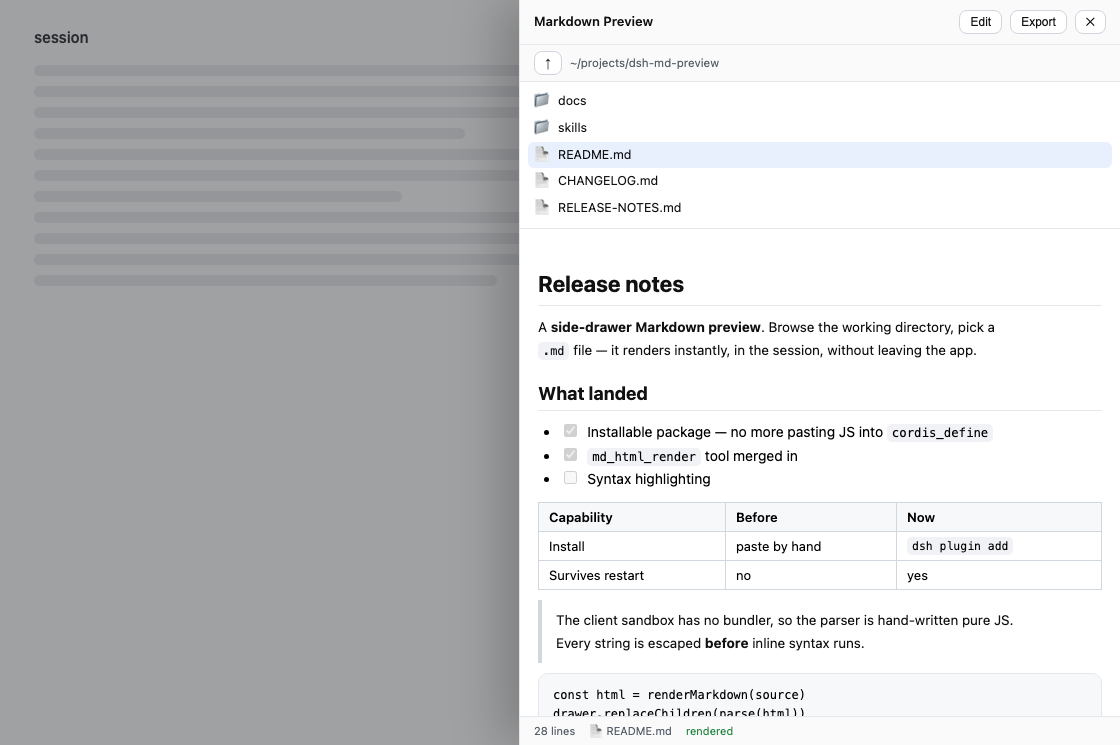
Render Markdown to standalone, self-contained HTML in the DeepSeek Harness — an md_html_render tool that works headless, plus a preview/export drawer in the web GUI. One renderer behind both. Zero dependencies.
已收录
2
Docs
Bundle 已验证
功能介绍
把 Markdown 渲染为自包含的独立 HTML 页面:提供在 headless 配置下同样可用的 `md_html_render` 工具,以及在网页端浏览、预览、编辑并导出本地 `.md` 文件的抽屉;两个入口共用同一个渲染器,无运行时依赖。
适合
- 需要把 Markdown 转成便于分享或离线查看的自包含 HTML 文件的用户。
- 需要由模型调用 Markdown 渲染且不依赖 GUI 的无界面 DSH 工作流。
- 希望在 DSH Web 内就地浏览、预览、轻量编辑并导出本地 `.md` 文件的用户。
不适合
- 需要完整 Markdown 编辑器的用户;抽屉只提供普通文本框,并非独立的高级编辑器。
- 要求运行时加载字体、脚本、样式表或远程资源的工作流;导出页面有意保持自包含。
- 准备安装 npm 包 `dsh-md-preview` 的用户;README 说明该名称属于无关项目,本插件发布名为 `dsh-md-html-render`。
- 被会话文件系统沙箱拒绝的保存位置;插件仍会返回 HTML,但无法写入该位置。
README
📄 dsh-md-html-render
| English | 简体中文 |
Turn Markdown into a page you can send to someone.
A Markdown renderer for the DeepSeek Harness with two front doors and one engine behind them:
-
md_html_render— a tool the model can call. Give it Markdown, get back a complete, self-contained HTML document, optionally written to disk. Works in a headless profile with no GUI at all. -
The MD drawer — press MD in the web session header, browse your working directory, click a
.mdfile. It renders in place. No new tab, no second editor, no context switch.
Both go through the same renderer, so a page the model generates and a page you export from the drawer are byte-for-byte identical. A test asserts that on every case in the corpus.
Install
Renamed in v0.3.0. This package was
dsh-md-previewthrough v0.2.2. The npm namedsh-md-previewwas registered by an unrelated project from another author on 2026-08-17, so this one publishes asdsh-md-html-render— the name of the tool it has always shipped. Installingdsh-md-previewfrom npm gets you that other project, not this one. The GitHub repository path is unchanged, so existing git pins keep resolving; bump the pin to#v0.3.0, because the dependency key has to match this package’s new name.
Not on npm yet — install straight from GitHub. Add it to your profile’s package.json:
// ~/.dsh/profiles/<profile>/package.json
{
  "dependencies": {
    "dsh-md-html-render": "github:LeslieWylie/dsh-md-preview#v0.3.0"
  },
  "dsh": {
    "profile": {
      "bundles": ["dsh-md-html-render"]
    }
  }
}
Then reinstall and restart the profile:
cd ~/.dsh/profiles/<profile> && pnpm install
dsh --profile <profile>
Drop the #v0.3.0 to track the default branch instead of pinning.
常见问题常见问题
在启用了 DSH 的终端中执行已验证命令 dsh plugin --profile default add github:LeslieWylie/dsh-md-preview。命令会解析公开 package 元数据,并保持插件与本页展示的目录身份一致。
兼容性以页面上展示的 bundle 与 profile 状态为准。如果某个 profile 尚未检测到,请先保持禁用,并在生产启用前阅读仓库文档。
GitHub 链接和 activity 元数据是 release 与维护状态的来源。新版本发布后重新查看本页,确认目录已经观察到最新版本。