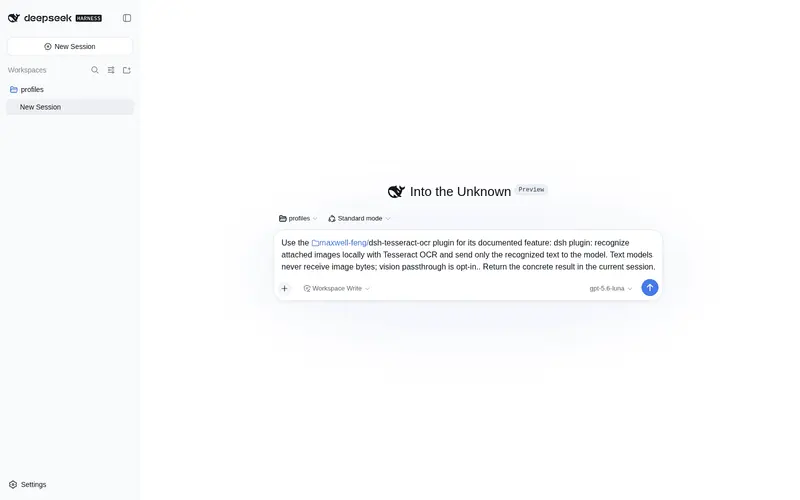
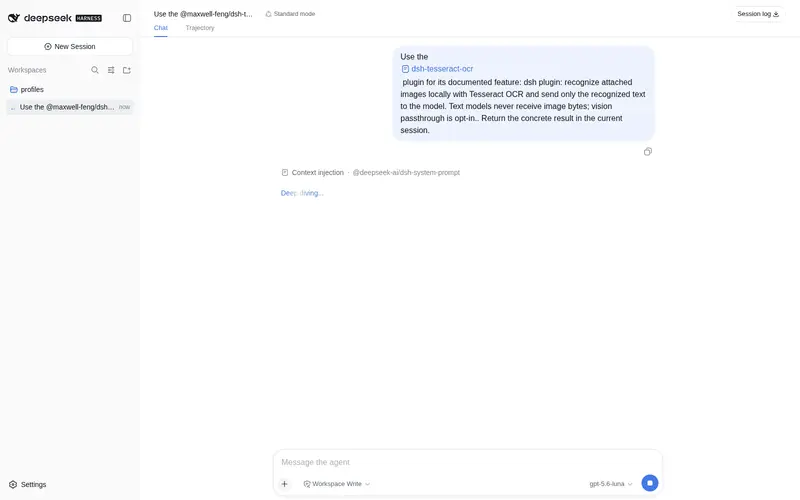
maxwell-feng/dsh-tesseract-ocr
本地 Tesseract 识别附加图片:只把识别出的文字发送给模型,图片字节不进入上下文;视觉直通可选开启。
已收录
2
Vision
Bundle 已验证
预览
功能介绍
本地 Tesseract 识别附加图片:只把识别出的文字发送给模型,图片字节不进入上下文;视觉直通可选开启。
适合
- 希望文本模型读取附加图片中文字的 DSH 用户。
- 要求图片在本地 OCR、仅向模型提供识别文本的隐私敏感工作流。
- 已安装 Tesseract 及相应语言包的 Linux、macOS 或 Windows 用户。
不适合
- 需要理解版式或非文字视觉内容的工作流,除非明确开启视觉直通。
- 未安装 Tesseract CLI 或所需语言包的机器。
- 当前 Tesseract/Leptonica 构建识别效果差或格式不受支持的图片与语言。
- 已启用 windows-ocr 的环境,因为两个插件会重复处理同一图片。
README
tesseract-ocr

DeepSeek Harness (dsh) plugin that lets text-only models accept attached images: every image is recognized locally with Tesseract OCR and only the recognized text is sent to the model API.
Privacy default: image bytes are OCR’d locally and not sent to the provider. Set passthrough: true only if you intentionally want genuine vision models to receive original image bytes.
Tested on Ubuntu (primary target); works anywhere the tesseract CLI is installed (Linux, macOS, Windows). Verified against dsh 0.1.0-rc.8.
- No configuration changes to your models — no
input: [text, image]hacks insettings.yaml. - Works with any provider/model in dsh; by default every attached image is OCR’d before the request leaves the machine.
- Vision-model passthrough is opt-in (
passthrough: true). - Fail-closed: if the plugin is not loaded, models stay text-only and image attachments are refused — nothing can silently leak. Missing attachments are replaced with a refusal text block (never left as raw
image).
Do not enable this plugin together with
windows-ocr: both would OCR the same image. Pick one per machine.
Install from npm
dsh plugin --profile web add @maxwell-feng/dsh-tesseract-ocr
(Replace web with your profile, e.g. tui.) Prebuilt and published with Sigstore provenance — no source build or allowBuilds approval needed. Installing from source (this repo) still works via the agent guide or the manual steps below.
npm install registers the
tesseract-ocrrow by itself. The package ships a bundle patch (dsh.bundle+ its owncordis.patch.yml) that inserts thetesseract-ocrloader entry. Do not also add a manual- insert:row with the same id to your profile — dsh0.1.0-rc.8(cordis-plugin-loader1.0.2) rejects duplicate loader entry ids anddsh webfails to boot withduplicate loader entry id: tesseract-ocr.
Quick install via an AI agent
Hand this repository to any AI agent, or paste the instruction below, and the agent will install and verify the plugin for you:
Please install the dsh plugin in this repository by following https://github.com/maxwell-feng/dsh-tesseract-ocr/blob/main/agents-install.md. Run every preflight check, choose an install mode, then complete the mandatory verification: attach an image to a text-only model session and confirm the model answers with the recognized text.
agents-install.md is a step-by-step guide written for
AI agents: preflight checks (including installing Tesseract and language
packs), both install modes (permanent profile patch / temporary --patch
overlay), mandatory functional verification, and troubleshooting for the
failure modes you are likely to hit. Manual install instructions are below.
Why a plugin (not a skill)
dsh skills are Markdown instruction files injected into the model context — they cannot execute code, cannot hook the request pipeline, and cannot stop an image from being serialized. This feature needs exactly that, so it is a cordis plugin that hooks two public seams of the llm service (same design as windows-ocr):
-
Capability shim —
ctx.llm.resolveModelInfo(alsolistModels). The host gates image attachments oninputModalities.includes("image")at three places: message admission, model switching, and theread_imagetool. The shim answers “yes”, so text models admit images. -
Request rewrite —
registration.adapter.stream(the single choke point bothctx.llm.streamandprepareCall().streamfunnel through). Everyimagecontent block is replaced with an OCR text block before the adapter serializes the request, so the adapter’s own image check never fires, no attachment bytes are read for the wire, and noimage_urlis ever built.
you attach an image
  → admission asks ctx.llm.resolveModelInfo (shimmed: "image" ✓)
  → image stored in the local attachment store (session log, UI preview)
  → agent builds the request → adapter.stream (wrapped)
  → image block read locally (ctx.attachments.readImage) → tesseract CLI
  → block replaced with <image_ocr>…text…</image_ocr>
  → adapter serializes a text-only request → provider
Requirements (Ubuntu)
sudo apt update
sudo apt install -y tesseract-ocr tesseract-ocr-chi-sim   # chi-sim = Simplified Chinese; add more packages as needed
tesseract --version        # verify
tesseract --list-langs     # verify installed languages
Language packs: tesseract-ocr-eng (usually pulled in by the base package), tesseract-ocr-chi-sim, tesseract-ocr-chi-tra, tesseract-ocr-jpn, … The language config joins multiple tags with +, e.g. eng+chi_sim.
Install into dsh
Installing via an AI agent
agents-install.md in this repository is a
step-by-step installation guide written for AI agents (and careful
humans). Give it to an agent — e.g. “install this plugin per
agents-install.md from https://github.com/maxwell-feng/dsh-tesseract-ocr” —
and the agent can perform the preflight checks, install, verification, and
troubleshooting on its own. The guide covers both install modes, the
mandatory functional verification (attach an image → model answers with the
OCR text), and the failure modes you are likely to hit.
Manual install
Two official ways to load this plugin, both referencing the plugin file by absolute path (see docs/user/develop/basic). On Windows the path must be a file:// URL — a bare C:/... path is parsed as the c: URL scheme and the loader rejects it. On Linux a plain absolute path works too:
name: '/home/you/tesseract-ocr/lib/index.js'
Permanent: profile patch layer
Append to your profile’s cordis.patch.yml (e.g. ~/.dsh/profiles/web/cordis.patch.yml):
- insert:
    - id: tesseract-ocr
      name: '/home/you/tesseract-ocr/lib/index.js'
      config:
        language: eng+chi_sim
        passthrough: false
Then restart dsh web. Remove the rows to uninstall — the plugin restores the original llm / adapter methods on unload.
Choose one way to load the plugin: the npm bundle (above) or this manual insert — never both. Both register the same
tesseract-ocrentry id, and dsh0.1.0-rc.8fails the boot withduplicate loader entry id: tesseract-ocrwhen the row exists twice. If the row is already present (for example after an npm bundle install), configure it with an id-targeted override row instead of inserting a second one.
Temporary: --patch overlay
Put the same rows in an overlay file and boot with it; your profile stays untouched:
dsh --profile web --patch /home/you/tesseract-ocr/dev.patch.yml
Notes
-
dsh webfailing withEADDRINUSEmeans an older instance still holds the port:ss -ltnp | grep 3080, stop that process, start again. - For a packaged install (npm / tarball /
github:user/repo), package the plugin as a bundle (dsh.bundle+cordis.patch.yml, seedocs/user/develop/basic/publish); a git install additionally needs apreparebuild script and pnpmallowBuildsconsent.
Configuration
All settings live in the patch row tesseract-ocr:
| Key | Default | Meaning |
|---|---|---|
language |
eng |
Tesseract language(s), +-joined, e.g. eng, chi_sim, eng+chi_sim
|
passthrough |
false |
false (default): OCR every image. true: genuine vision models receive images untouched |
tesseractBin |
tesseract |
CLI path; quote paths with spaces, e.g. "C:\Program Files\Tesseract-OCR\tesseract.exe"
|
psm |
3 |
Page segmentation mode (tesseract --psm) |
timeoutMs |
60000 |
Per-image OCR timeout |
maxCacheEntries |
200 |
Bound on the per-run OCR cache (keyed by attachment id) |
How the model sees the image
Each image block becomes a text block (local filenames are not forwarded):
<image_ocr>
…recognized lines…
</image_ocr>
Recognition text is cached per attachment id for the lifetime of the dsh process, so repeated turns do not re-run OCR.
Temp-file hygiene
Every OCR run writes its input image into a fresh temporary directory
(tesseract-ocr-* under the system temp dir). On timeout the child process is
terminated and awaited before cleanup. The directory is removed in finally
(with one retry and a warning log on failure) — on success, on OCR error, and
on timeout — so no per-run image file survives. At plugin start, any orphaned
tesseract-ocr-* directories left behind by a previously crashed process are
swept as well. Nothing is written outside the plugin’s own temporary directory
and the dsh attachment store.
Smoke test (no dsh needed)
# render a test image with text, then OCR it
convert -size 400x120 xc:white -pointsize 36 -fill black \
  -draw "text 20,80 'Hello OCR 123'" /tmp/ocr-test.png   # ImageMagick; any PNG works
tesseract /tmp/ocr-test.png stdout -l eng --psm 3
Exit 0 with the recognized text means Tesseract is ready.
Verification inside dsh
- Attach an image to a text-model session and send a message — the model should answer using the recognized text.
- Confirm the image never goes out: open DevTools → Network in the web UI, inspect the request to your provider base URL, and verify the payload contains only
textcontent parts (noimage_url/ data URI).
Limitations
- Recognition quality depends on the installed language packs and
psm; tunelanguage/psmper use case. - Image formats depend on the Tesseract/Leptonica build: PNG/JPEG/TIFF/BMP are safe; WebP/GIF may require additional Leptonica support.
- Cache is per process; a long-lived session keeps OCR text cached, bounded by
maxCacheEntries. - Hot reload (HMR) replaces adapters; the plugin re-wraps new adapters on
llm/adapters-updatedand restores the original methods on unload. A full restart is still the safest path after any dsh update. - If the plugin is removed, image attachments to text models are refused again (fail-closed), not uploaded.
- Package name on npm is
@maxwell-feng/dsh-tesseract-ocr(scoped) to avoid colliding with the unrelatedtesseract-ocrpackage.
License
MIT
常见问题常见问题
在启用了 DSH 的终端中执行已验证命令 dsh plugin --profile default add github:maxwell-feng/dsh-tesseract-ocr。命令会解析公开 package 元数据,并保持插件与本页展示的目录身份一致。
兼容性以页面上展示的 bundle 与 profile 状态为准。如果某个 profile 尚未检测到,请先保持禁用,并在生产启用前阅读仓库文档。
GitHub 链接和 activity 元数据是 release 与维护状态的来源。新版本发布后重新查看本页,确认目录已经观察到最新版本。