omicverse/dsh-omicos
Run OmicVerse/OmicOS bioinformatics analyses in a persistent Python kernel from inside DeepSeek Harness (dsh), with capability-catalog search and an account tab.
已收录
0
Tools
Bundle 已验证
预览
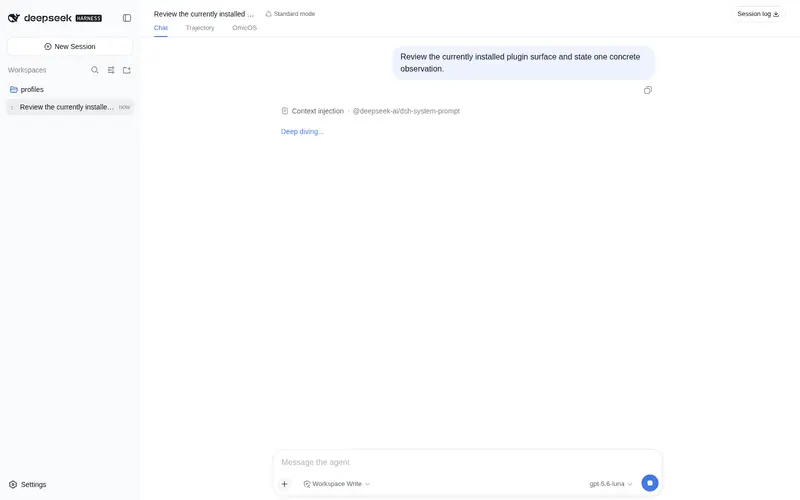
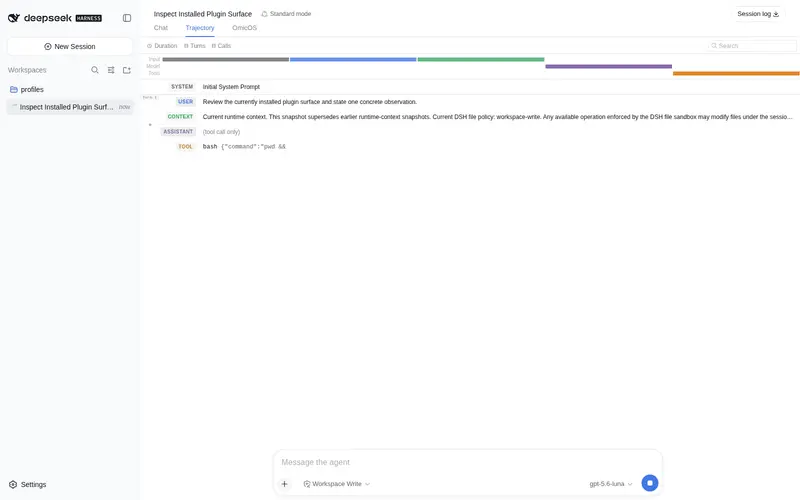
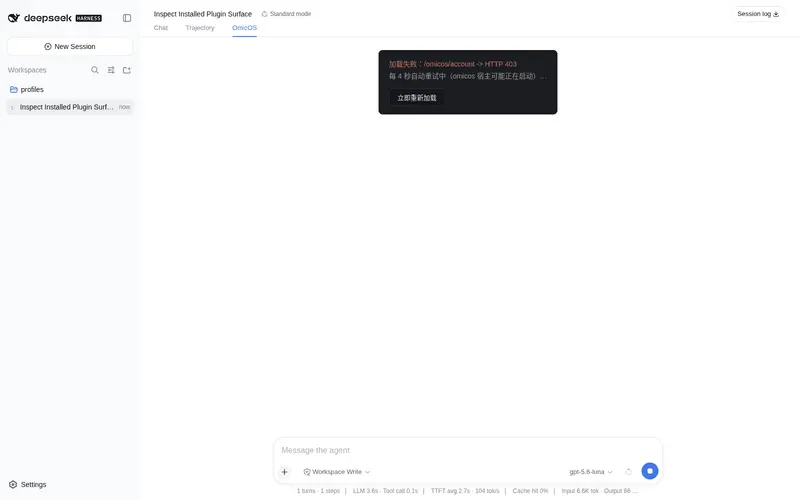
功能介绍
在持久 Python 内核里跑 OmicVerse/OmicOS 生信分析,附能力目录检索、内核变量查看与账号订阅页签。
适合
- 需要在多轮对话间保留 Python、scanpy、OmicVerse 或 R 状态,并迭代执行 OmicVerse/OmicOS 分析的生信团队。
- 需要能力目录检索、内核变量检查、生成文件追踪、后台任务和 DSH Web 实时分析进度的研究人员。
不适合
- 未使用文档所述 DSH 0.1.0-rc.6 兼容目标,或无法容纳随包平台二进制文件的环境。
- 要求每次 OmicOS 工具执行期间弹出审批提示的工作流;工具当前以完整权限运行,尚未实现中途审批桥接。
README
@omicverse/dsh-omicos
Run OmicVerse/OmicOS bioinformatics analyses from inside DeepSeek Harness. The dsh agent keeps the wheel; this plugin gives it a persistent Python kernel (scanpy / omicverse / R) plus the catalog of analysis skills that OmicOS ships.
中文简介:把 OmicOS 的生信分析能力接进 dsh。DeepSeek 负责对话与规划, OmicOS 负责跑分析——持久 Python 内核,
adata等状态跨轮累积; 另带账号/订阅标签页与实时执行过程可视化。
dsh plugin --profile web add @omicverse/dsh-omicos
Tools
One tool runs an analysis; the rest are direct reads of the local kernel that cost neither a turn nor a token.
| Tool | What it does |
|---|---|
omicos_analyze |
Runs a full OmicOS turn in a persistent kernel bound to the workspace. Repeated calls in one dsh session land on the same OmicOS conversation, so state accumulates. background: true hands it to ctx.jobs with live tqdm progress. |
omicos_capabilities |
Searches the installed skill/agent catalog (several hundred skills and ~100 agents on a full install) and returns a ranked, bounded projection. Use it to decide whether a task is worth delegating. Omit the query for a category overview. |
omicos_list_variables |
What currently lives in the kernel — name, type, shape, size. |
omicos_query_variable |
One variable in detail. For an AnnData this includes the preprocessing state (is_int / is_normalized / is_log1p / is_scaled), which is what decides whether the next step is legal. |
omicos_list_generated_files |
Every file the analyses of this conversation produced. |
Commands
/omicos-help (what the plugin adds, and where to look), /omicos-login
(device-code pairing — sign in with phone or email in the browser),
/omicos-status, /omicos-account, /omicos-logout, /omicos-stop-kernel.
Deliberately short: commands are for what the agent cannot do for you. Listing variables, browsing capabilities or finding outputs is better asked of the agent, which has tools for exactly that.
UI
The client bundle adds two surfaces to the web profile:
- an OmicOS tab next to the conversation — a small console: sign-in state, plan and expiry with links to subscribe or manage; which kernels are attached, where, at what version, and what is bound in them right now; and a search box over the installed capability catalog;
- a live tool view on
omicos_analyzecalls — the steps, tool calls and stdout tail as the analysis runs, instead of a spinner that ends in a wall of text. Generated figures render in the settled card.
If dsh-better-sidebar is installed, an “OmicOS 产物” tab is registered there too; the integration is optional and detected at runtime.
Requirements
-
omicos-core comes with the install.
@omicverse/omicosis a dependency, so the ~21 MB platform binary lands in node_modules alongside the plugin rather than being fetched bynpxin the middle of your first tool call. At run time the plugin still attaches to a kernel you already have running (desktop app or terminal) if there is one, spawns the bundled binary only when there is not, and only ever stops a kernel it started itself. - An OmicOS account for cloud-backed models and the higher plan tiers.
Sign in with
/omicos-login; no token is ever persisted by this plugin — the approved login is handed to the local core, which keeps it. - dsh
0.1.0-rc.6. Note that some@deepseek-ai/dsh-*packages have a stalelatestdist-tag pointing at0.0.1-rc.x, so every dsh dependency here is pinned exactly.
Configuration
Override in your profile’s own cordis.patch.yml. A patch replaces the
row’s whole config — there is no deep merge — so restate every key you care
about:
- id: omicos
  config:
    workspace: /path/to/project   # '' = follow each dsh session's own cwd
    autoStart: true               # spawn a kernel when none is attachable
    upstreamBaseUrl: https://auth.omicos.cn
    npmRegistry: ''               # mirror knob for the kernel spawn
Security posture
- Tools run in core with
permission_mode: "full". A single-shot tool result has no room for a mid-flight approval prompt, and blocking on one deadlocks the turn; bridging dsh’s approval UI into an OmicOS turn is planned, not done. - Catalog search projects before it answers: the skill
source_path(an absolute local path) and the verbatimuse_whenrouting text are indexed but never returned, so they do not travel to the model. - The plugin’s HTTP routes are pinned to loopback.
Development
pnpm install
pnpm build       # tsc + the client bundle
pnpm typecheck
pnpm test        # 89 tests against the real dsh defineTool and a mock core
This package publishes as ONE dependency-light artifact: the @omicverse/omicos-*
SDK is inlined by esbuild.host.mjs and kept as devDependencies, while
@deepseek-ai/* stays external (the harness supplies it, and a second copy of
Schema would fail config validation) and @omicverse/omicos stays a real
dependency (it is spawned as a child process, never imported).
src/host/dsh-compat.ts is the only module allowed to import @deepseek-ai/*.
bridge.ts / kernel.ts / runner.ts / auth.ts have no dsh dependency at
all, so a dsh API change is absorbed in the compat layer plus tools.ts,
commands.ts and index.ts.
GPL-3.0-only
常见问题常见问题
在启用了 DSH 的终端中执行已验证命令 dsh plugin --profile default add github:omicverse/dsh-omicos。命令会解析公开 package 元数据,并保持插件与本页展示的目录身份一致。
兼容性以页面上展示的 bundle 与 profile 状态为准。如果某个 profile 尚未检测到,请先保持禁用,并在生产启用前阅读仓库文档。
GitHub 链接和 activity 元数据是 release 与维护状态的来源。新版本发布后重新查看本页,确认目录已经观察到最新版本。