Semidia/dsh-session-manager
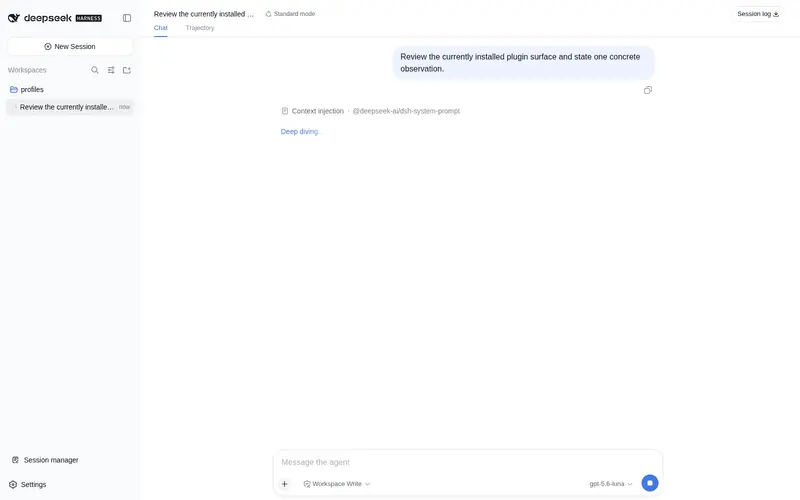
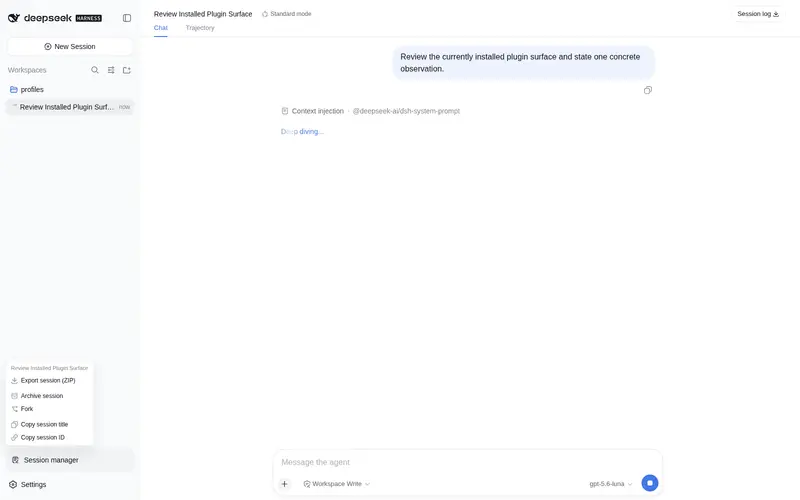
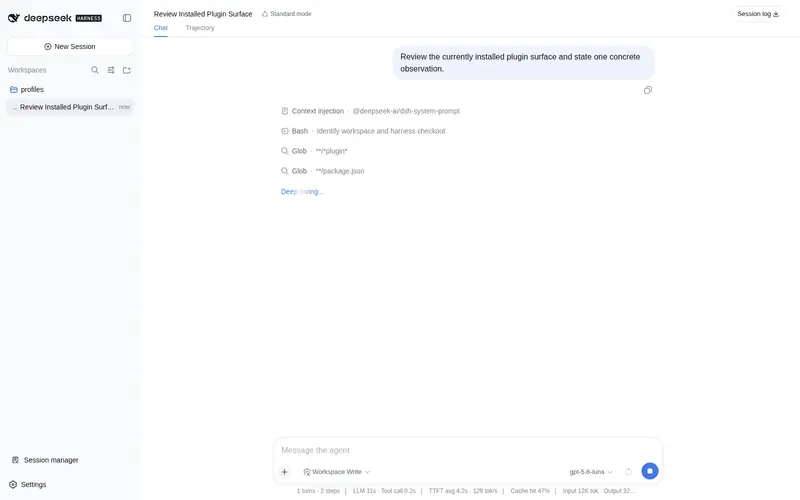
会话行右键菜单与侧边栏会话管理:置顶、重命名、归档、分叉、导出、复制工作目录/会话 ID/深链,在资源管理器或新窗口打开。
已收录
2
Session
Bundle 已验证
预览
功能介绍
会话行右键菜单与侧边栏会话管理:置顶、重命名、归档、分叉、导出、复制工作目录/会话 ID/深链,在资源管理器或新窗口打开。
适合
- 需要从侧边栏会话行执行更多操作,或管理当前会话的 DSH Web 用户。
- 经常需要置顶、重命名、归档、分叉、导出或复制会话元数据的流程。
- 配合深链插件,从复制链接或新窗口重新打开会话的用户。
不适合
- 需要删除会话或在新工作树中继续的用户;这两项均未实现。
- 未安装兼容深链插件的深链流程;复制的链接和新窗口可能无法定位到目标会话。
- 无法接受修改会话行属性并在 DSH 升级后重新应用该修改的安装环境。
- 兼容性复核前,不适合目标版本 `0.1.0-rc.6` 之外的 DSH 版本。
README
DSH Session Manager
A client plugin for DeepSeek Harness web that adds a right-click context menu on sidebar conversation rows and a Session manager entry at the sidebar footer.
It answers the frequent request “the three-dot menu has too few options compared
to Codex”. The stock three-dot menu is hard-coded (no public session-row action
slot in 0.1.0-rc.6), so this plugin works around it instead: right-click any
session row for a full action menu, and use the footer button for the current
session.
Features
Right-click a conversation in the sidebar:
| Action | Backing |
|---|---|
| Pin / Unpin chat |
localStorage (dsh.session-pins.v1) — shared with dsh-session-pins
|
| Mark as unread / read | Local state (dsh.session-unread.v1) with a dot on the row; opening a session marks it read |
| Rename chat | Official sessions.binding(id).session.rename() + a rename dialog |
| Archive chat | Official workspaces.archiveSession()
|
| Continue in new chat | Official sessions.fork() then open the child |
| Open in file explorer | Official workspaces.openPath() on the session’s workspace |
| Copy working directory | Workspace path from the workspaces store |
| Copy session title / ID | Clipboard (writeClipboard) |
| Copy deep link | Copies <origin>/?session=<id> — opens the session when dsh-deeplink is installed |
| Open in new window |
window.open(.../?session=<id>) — needs dsh-deeplink to land on the session |
Sidebar footer “Session manager” (current session): export session ZIP, archive, fork, copy title / ID.
Not implemented (no backend in rc.6): continue in a new working tree, delete-session.
Install
dsh plugin --profile web add github:Semidia/dsh-session-manager#v0.1.1
# recommended companion for deep links:
dsh plugin --profile web add github:qyw233/dsh-deeplink#main
dsh web
Restart dsh web once after adding, then hard-refresh the page. No official
package is patched except one additive data-session-id attribute on the
session row (see below).
How it works
- A one-line additive patch adds
data-session-idto the sidebar session row (@deepseek-ai/dsh-client-ui-workspace→SessionNodeItem). Without it, no public API exposes which session a row represents. - The plugin registers a capture-phase
contextmenulistener and a menu in the publicshell.overlayslot, positioned at the cursor via the primitivesMenu(portal +getAnchorRect). - The footer entry registers in the public
sidebar.footer.actionslot (additive cell, idsession-manager, same slot as Session Pins). - All session/workspace actions use public client services
(
sessions,workspaces,locale,slots); no private host APIs.
The
data-session-idrow patch lives in the installed@deepseek-ai/dsh-client-ui-workspacepackage and is overwritten on a dsh upgrade — re-apply it (one line) after upgrading.
Compatibility
Targets @deepseek-ai/dsh@0.1.0-rc.6. DeepSeek Harness is in developer
preview; a new release candidate may change the slot contracts this plugin
relies on until compatibility is reviewed.
License
MIT
常见问题常见问题
在启用了 DSH 的终端中执行已验证命令 dsh plugin --profile default add github:Semidia/dsh-session-manager。命令会解析公开 package 元数据,并保持插件与本页展示的目录身份一致。
兼容性以页面上展示的 bundle 与 profile 状态为准。如果某个 profile 尚未检测到,请先保持禁用,并在生产启用前阅读仓库文档。
GitHub 链接和 activity 元数据是 release 与维护状态的来源。新版本发布后重新查看本页,确认目录已经观察到最新版本。