SenryLee/dsh-frosted-window
Upload an image as a full-window frosted-glass theme for DeepSeek Harness Web.
已收录
1
Theme
Bundle 已验证
预览
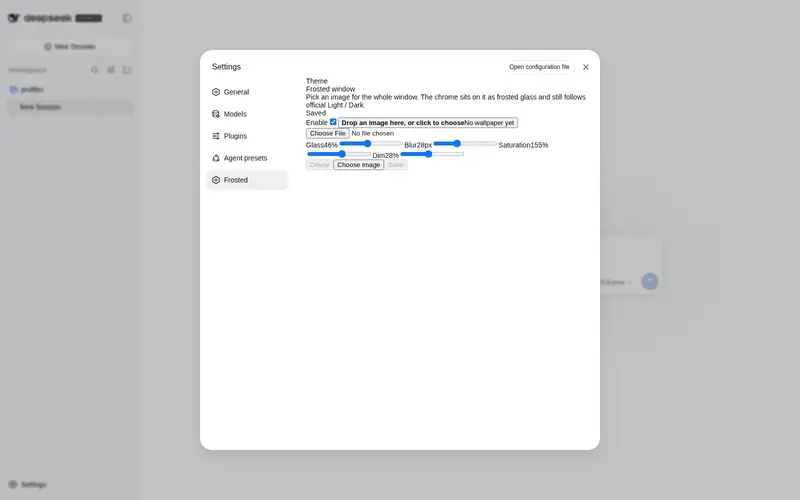
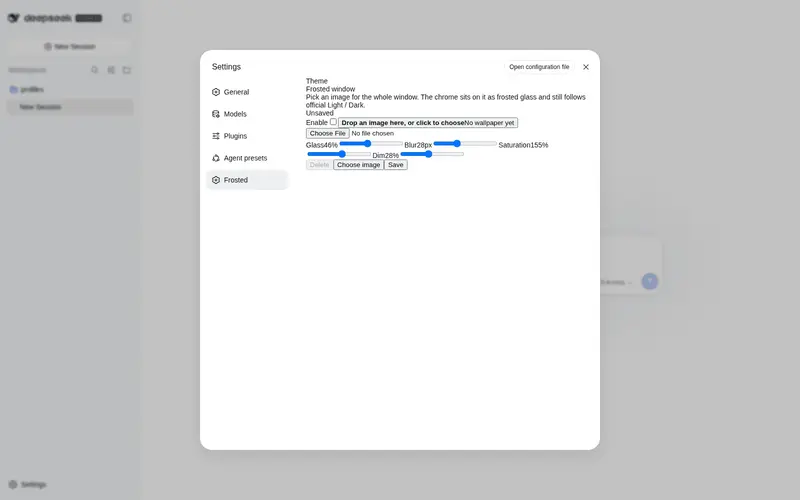
功能介绍
上传图片作为整窗磨砂玻璃主题:侧栏/会话/详情同一层磨砂,保存/删除,官方浅色/深色/跟随系统仍有效。
适合
- 希望用个人图片创建整窗磨砂玻璃主题的 DSH Web 用户。
- 希望调整模糊、玻璃密度、饱和度和壁纸明暗,同时保留官方浅色、深色或跟随系统模式的用户。
- 希望图片保留在浏览器本地存储且不获取远程资源的注重隐私主题流程。
不适合
- 仅使用 CLI 或非 Web 的场景,因为插件只改变 DSH Web 外观。
- 需要 URL 壁纸或集中同步壁纸的用户;图片仅保存在本地 IndexedDB。
- 安装后不便重启 `dsh web` 的环境。
- 浏览器存储空间有限且要使用超大图片的场景,因为插件未设置上传大小上限。
README
dsh-frosted-window
| English | 中文 |
A DeepSeek Harness Web theme plugin. Upload an image, fill the window, and sit the sidebar, conversation, and details on one frosted-glass layer. Official Light / Dark / System stay in charge.
dsh plugin --profile web add github:SenryLee/dsh-frosted-window
Restart dsh web, then open Settings → Frosted.

Features
- Local JPEG / PNG / WebP / GIF upload, no file-size cap
- Full-window wallpaper with the same frost on sidebar, conversation, and details
- Sliders: glass density, blur, saturation, wallpaper dim
- Save / Delete so you can preview, then persist, then replace
- Toggle: green on, gray off; turn it off to restore the official look
- Does not steal official appearance:
overrideTokensonly, neversetTheme('custom')
The image lives in IndexedDB; knobs live in localStorage. Nothing is written to $DSH_HOME/settings.yaml, and nothing is fetched from a URL.
Install
dsh web must already run (the usual profile name is web).
A. From GitHub (recommended)
dsh plugin --profile web add github:SenryLee/dsh-frosted-window
pnpm ≥ 10 refuses git prepare scripts until you allow them. If the first add fails, put this in the profile’s pnpm-workspace.yaml (usually ~/.dsh/profiles/web/pnpm-workspace.yaml) and add again:
allowBuilds:
  dsh-frosted-window: true
The repo already ships lib/. Allowing the build only recompiles on a source install.
B. From a Release tarball
No allowBuilds needed:
dsh plugin --profile web add https://github.com/SenryLee/dsh-frosted-window/releases/latest/download/dsh-frosted-window-0.1.0.tgz
If dsh is not on PATH
npx @deepseek-ai/dsh plugin --profile web add github:SenryLee/dsh-frosted-window
pnpm must be on PATH as well.
Use
-
Quit and start
dsh webagain (a page refresh is not enough). - Open Settings at the bottom of the left rail.
- Open Frosted (or the same panel under General, below Appearance).
- Enable the theme, drop an image, tune the sliders.
- Click Save. The chip reads Saved when the next launch will restore it.
Replace: pick another image → Save. Clear: Delete.
Settings → Plugins lists the technical name frosted-window / dsh-frosted-window. Upload lives on the Frosted settings page, not in that catalog.
Uninstall
dsh plugin --profile web remove dsh-frosted-window
Then restart dsh web.
Develop
npm install
npm test
npm run build
Ships as dsh.bundle + dsh.client per the official package-and-install contract.
License
MIT
常见问题常见问题
在启用了 DSH 的终端中执行已验证命令 dsh plugin --profile default add github:SenryLee/dsh-frosted-window。命令会解析公开 package 元数据,并保持插件与本页展示的目录身份一致。
兼容性以页面上展示的 bundle 与 profile 状态为准。如果某个 profile 尚未检测到,请先保持禁用,并在生产启用前阅读仓库文档。
GitHub 链接和 activity 元数据是 release 与维护状态的来源。新版本发布后重新查看本页,确认目录已经观察到最新版本。