vlln/plugin-registry
DSH 插件生态基建:薄控制台(浏览器面板管理官方 repository 插件,0 patch)+ make-dsh-plugin skill 官方插件开发引导
已收录
55
Market
Bundle 已验证
预览
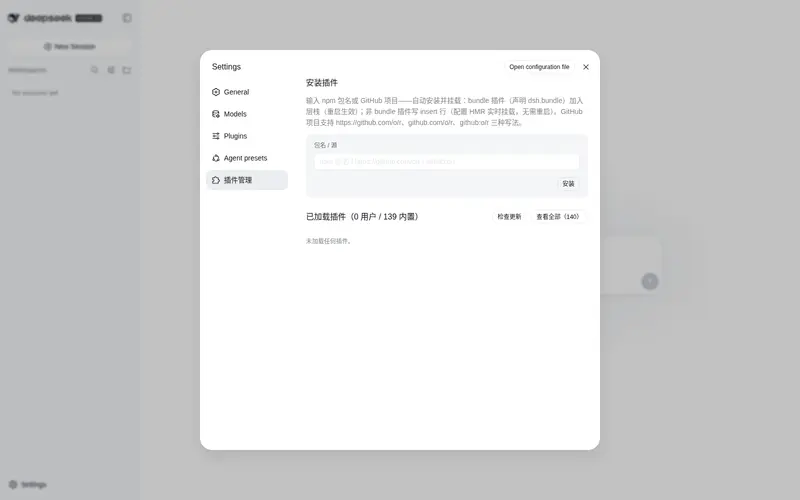
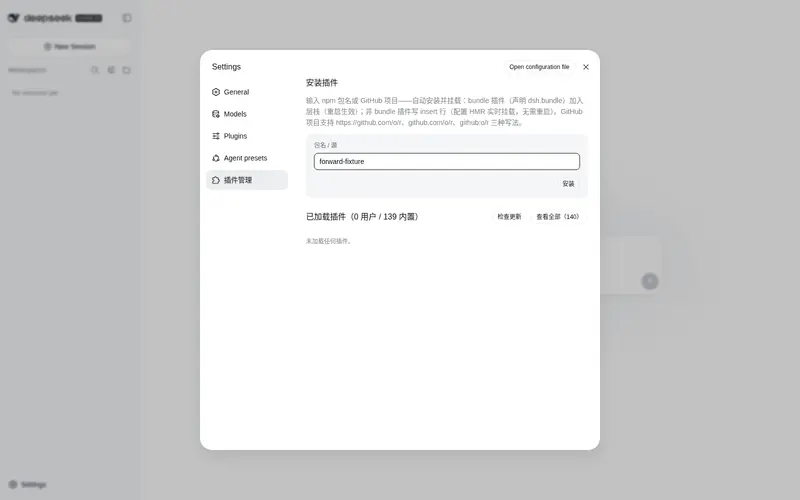
功能介绍
插件生态基建:浏览器面板管理官方 repository 插件(0 patch)+ make-dsh-plugin 插件开发引导技能。
适合
- 适合希望通过浏览器面板安装、更新、启用、禁用和卸载 profile 插件的 DSH 用户。
- 适合在格式选择和验证实践指导下开发官方 bundle 或普通 Cordis 插件的作者。
- 适合通过统一界面管理 bundle 层条目和非 bundle insert 行的团队。
不适合
- 不适合非 DSH 插件生态,因为控制台和开发指导都针对 DSH profile 机制。
- 不适合寻找替代插件运行时的用户;它只管理安装状态,插件运行方式仍由 DSH 定义。
- 不适合旧式 repository-plugin 流程,因为该官方机制已移除,外部插件现使用 profile bundle 或 Cordis insert 行。
README
plugin-registry
中文 | English
DSH plugin ecosystem infrastructure: thin console + official plugin development guide
Browser panel managing a profile’s plugin install state (bundle layer stack + insert rows + enable/disable), zero patches;
the make-dsh-plugin skill guides developers in writing official-format plugins.
Pivot (2026-08): Official 0809 added a repository plugin mechanism (
.dsh-plugin) covering ~95% of the old mechanism; this repo is now a thin console + plugin development spec and guidance (old patches/CLI/panel removed). Since 0811 the repository-plugins mechanism is gone (vendor/loader/src/repository.ts); external plugins install via the web profile only: bundles (dsh.bundle) joindsh.profile.bundles; non-bundles (plain cordis packages) mount via insert rows incordis.patch.yml(live via HMR). Full assessment: official 0809 coverage.
Positioning
DeepSeek Harness’s official mechanisms define “what a plugin is and how it runs”; this repository adds two things (panel structure: console README; guidance: below):
-
Thin console (
packages/plugin/console) — browser panel managing a profile’s plugin install state + 4 agent tools -
Development spec and guidance —
make-dsh-pluginskill + cookbook for creating official bundle/cordis plugins
Ecosystem relationships (who can do what)
Official DSH (DeepSeek Harness)      plugin runtime + profile bundle mechanism (no repo mechanism since 0811)
   │
   ├── Official plugins (bundle)     loop / task-status / navbar etc. — `dsh plugin --profile web add` install into profile layer stack
   ├── Third-party plugins (bundle/plain)  standalone GitHub repos or npm packages — bundles enter the layer stack; plain plugins use insert rows (live)
   │
   └── This repository (plugin-registry)  ① thin console: browser panel + agent tools for install-state management
                                         ② make-dsh-plugin skill + cookbook: guides third-party plugin development
Plugin forms and install paths: plugin type comparison; install examples: examples.
Thin console

The settings page’s “Plugin Management” panel manages a profile’s plugin install state: install area (single entry — npm package name or GitHub project (https://github.com/o/r / github.com/o/r / github:o/r, URL auto-normalized) — automatic pnpm add; bundles enter the layer stack, non-bundles get insert rows) + loaded area (version check/update, disabled toggle, bundle uninstall).
Installation
Option 1: git source, direct install (recommended, one line)
dsh plugin --profile web add "github:vlln/plugin-registry#main&path:/packages/plugin/console"
Build artifacts are committed (git source skips the build); one command installs directly (~15 s).
Option 2: npm source
dsh plugin --profile web add @vlln/plugin-console@0.1.0
Option 3: local directory (source available)
git clone https://github.com/vlln/plugin-registry
cd plugin-registry/packages/plugin/console
dsh plugin --profile web add .   # artifacts are committed, no build needed; the current dir is the bundle package dir (dsh anchors . to an absolute path)
Refresh the web page after mounting — the “Plugin Management” panel appears on the settings page.
Agent Skills
| Skill | Purpose |
|---|---|
| make-dsh-plugin | Create official bundle / cordis plugins: pick a form (skill package / MCP / Node tool / with UI) → declare dsh.bundle or plain apply → install-and-verify discipline. Details in references/; reference implementation: packages/plugin/console
|
Before you start developing (pitfalls we’ve hit)
Key pitfalls (official packages not yet published, Node-half changes need a restart, host CSS overrides, etc.) and the full list: skill references/gotchas — read before developing.
Documentation
- Plugin type comparison — bundle vs plain cordis plugins: development/distribution/installation/management dimensions + how to choose
- Official 0809 coverage assessment — official mechanism coverage, pivot decision (0811 repository removal: CHANGELOG)
- Thin console design — design of unified installation-state management
- Historical mechanism docs (archived after the pivot): architecture (old), creating a plugin (old), manifest format (old), creating a repository-plugin (old), etc.
- Changelog / Roadmap
License
MIT License. See LICENSE.
常见问题常见问题
在启用了 DSH 的终端中执行已验证命令 dsh plugin --profile default add github:vlln/plugin-registry。命令会解析公开 package 元数据,并保持插件与本页展示的目录身份一致。
兼容性以页面上展示的 bundle 与 profile 状态为准。如果某个 profile 尚未检测到,请先保持禁用,并在生产启用前阅读仓库文档。
GitHub 链接和 activity 元数据是 release 与维护状态的来源。新版本发布后重新查看本页,确认目录已经观察到最新版本。