WhitePlusMS/dsh-git-graph
Read-only Git Graph view for the DeepSeek Harness web interface. Inspect commit topology, branches, tags, remotes, HEAD, and working-tree status in a dedicated view beside Chat and Trajectory.
已收录
2
Git
Bundle 已验证
预览
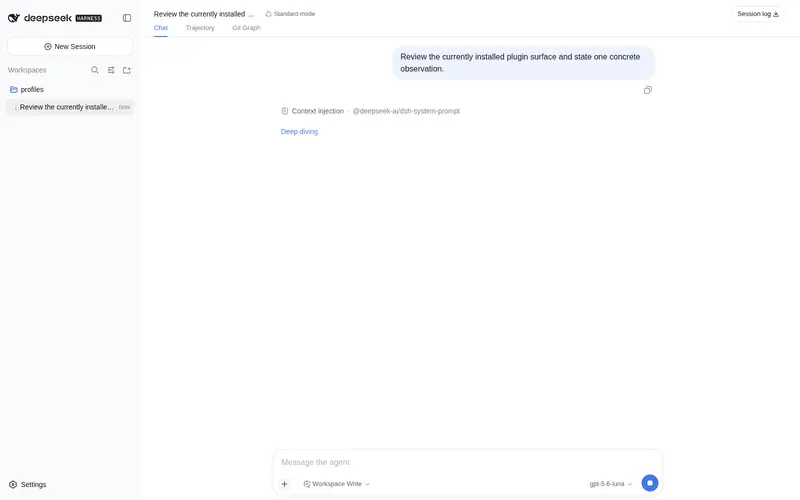
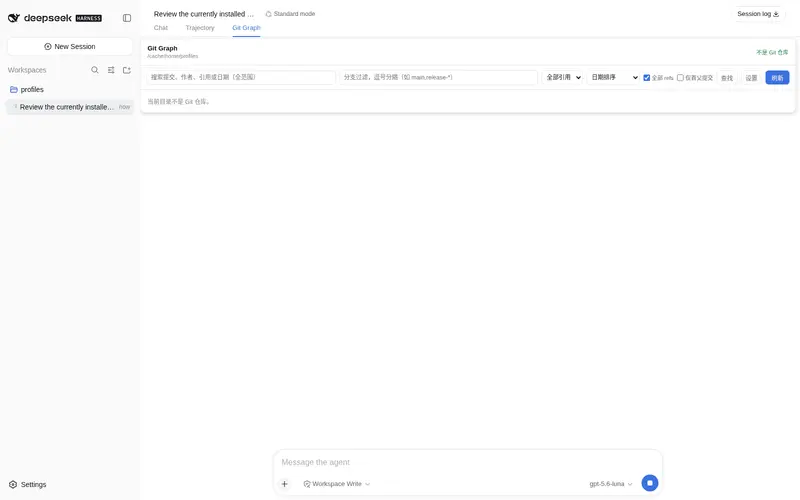
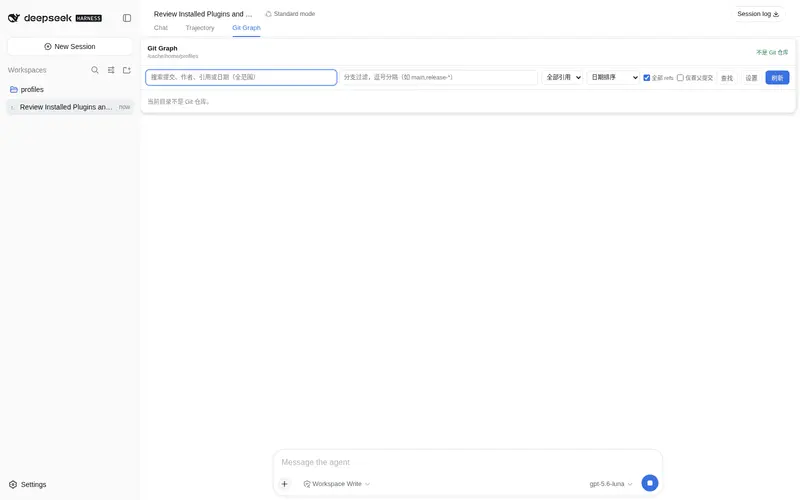
功能介绍
Chat 和 Trajectory 旁的独立 Git Graph 视图:提交拓扑、本地/远程/tag 引用、HEAD 与工作区状态、搜索、筛选、首父模式、刷新和加载更多。
适合
- 希望不离开 DSH 就查看提交拓扑、分支、远端、标签、HEAD 和工作区状态的开发者。
- 需要提交详情、变更文件树、逐行 diff 或任意两个提交比较的代码审查与调试工作流。
- 需要提交搜索、分支 glob、引用筛选、排序模式和首父导航的大型历史排查。
不适合
- 需要提交、合并、变基、推送、拉取、抓取、创建标签、stash 或 reset 等 Git 写操作的工作流;当前版本只读。
- 需要在一次加载结果中查看超过 500 个提交的仓库。
- 非 Git 目录或尚无提交的仓库,此时该视图只能显示空状态。
README
dsh-git-graph
Git Graph for the DeepSeek Harness web interface. Open a dedicated Git Graph view beside Chat and Trajectory to inspect the current workspace’s Git history; refreshing the graph does not create a conversation message or write to the trajectory.

Features
- A dedicated
Git Graphentry beside Chat and Trajectory. - Commit topology with branch, merge, and parent relationships.
- Local branch, remote branch, tag, and HEAD reference labels.
- The clean or dirty working-tree state in the graph header.
- Full-range search across commit hashes, subjects, authors, email addresses, and reference names.
- Branch-name glob filters (e.g.
main,release-*), reference-kind filtering, and an option to include all refs. - Date, author-date, and topological commit ordering, plus a first-parent mode for the mainline history.
- Selecting a commit expands its details inline below the commit’s row: hash, author, committer, date, parents, signature status, and references, with a layout aligned to vscode-git-graph.
- File changes in tree or list view: folder icons with compacted single-child folders, change-type colouring, and
(+added|−deleted)stats. - Click a file to view its line-by-line diff with old/new line numbers and add/remove highlighting.
- Expand the
Uncommitted Changesrow to inspect working-tree files and their per-file diffs. - Compare file changes between any two commits.
- A metadata strip listing the repository’s tags and stashes.
- An in-results find bar with case sensitivity, regex, and previous/next navigation.
- A display settings panel: date/author/hash columns, date format, and graph style, persisted per repository.
- Keyboard support:
↑/↓to move the selection,Ctrl+Fto find,Ctrl+Shift+Ffor settings. - Refresh the current repository without creating a conversation message or tool trace entry.
- Load more commits as needed, up to 500 commits.
- Display an empty state instead of an error when the current directory is not a Git repository or the repository has no commits yet.
The current release is read-only. It does not create, delete, rename, merge, rebase, push, pull, fetch, create tags, stash, or reset Git data.

Open Git Graph
After installing the plugin and restarting DSH Web, click Git Graph in the view switcher beside Chat and Trajectory.
The page reads the current session workspace. Refresh operations call the plugin’s Typert Remote directly; they are not rendered as conversation tool cards and do not append refresh events to the trajectory.
Git data and path handling
The Host reads Git data through fixed subprocess arguments without using a shell. It reads repository status, HEAD, and bounded commit history, and loads commit details, file contents, file diffs, working-tree changes, and commit comparisons on demand.
The model tool supports the following parameters:
git_graph({
  path?: string,          // Repository directory; defaults to the current session workspace
  max_commits?: number,   // 1..500, defaults to 100
  all?: boolean,          // Include all reachable refs, defaults to true
  first_parent?: boolean, // Follow only the first parent, defaults to false
  glob?: string[],        // Branch-name glob filters (OR); overrides --all when provided
  search?: string,        // Full-range search: hash, subject, author, email, ref name, date
  sort?: string           // Commit ordering: date, author-date, or topological; defaults to date
})
The provided path is used only as the Git subprocess working directory and is never interpolated into a shell command; file-read requests are validated to stay inside the repository. If the path is not a Git repository, the page displays an empty state instead of a repository error. A Git repository with no commits is handled the same way.
Install or update
Install version v0.0.2 from GitHub:
dsh plugin --profile web add https://github.com/WhitePlusMS/dsh-git-graph/archive/refs/tags/v0.0.2.tar.gz
Use the same command to update an existing installation. Restart dsh web after installation so the Host entry and browser client load the new version.
Uninstall
Remove the current package from the web profile:
dsh plugin --profile web remove dsh-git-graph
Development
pnpm install
pnpm run typecheck
pnpm test
pnpm run build
The build writes the standalone Host and browser artifacts to lib/. Profile installation uses these generated artifacts and does not require a Harness monorepo checkout.
Reference and inspiration
This project was created with reference to the following open-source project: vscode-git-graph. We would like to express our thanks to its authors and contributors.
License
MIT
常见问题常见问题
在启用了 DSH 的终端中执行已验证命令 dsh plugin --profile default add github:WhitePlusMS/dsh-git-graph。命令会解析公开 package 元数据,并保持插件与本页展示的目录身份一致。
兼容性以页面上展示的 bundle 与 profile 状态为准。如果某个 profile 尚未检测到,请先保持禁用,并在生产启用前阅读仓库文档。
GitHub 链接和 activity 元数据是 release 与维护状态的来源。新版本发布后重新查看本页,确认目录已经观察到最新版本。