ylwl1997/noatmark-dsh-plugin
NoAtMark text hygiene as a DeepSeek Harness (dsh) plugin — sanitize untrusted text, scan invisible characters, clean LLM formatting, and escape CSV injection.
已收录
1
Security
Bundle 已验证
预览
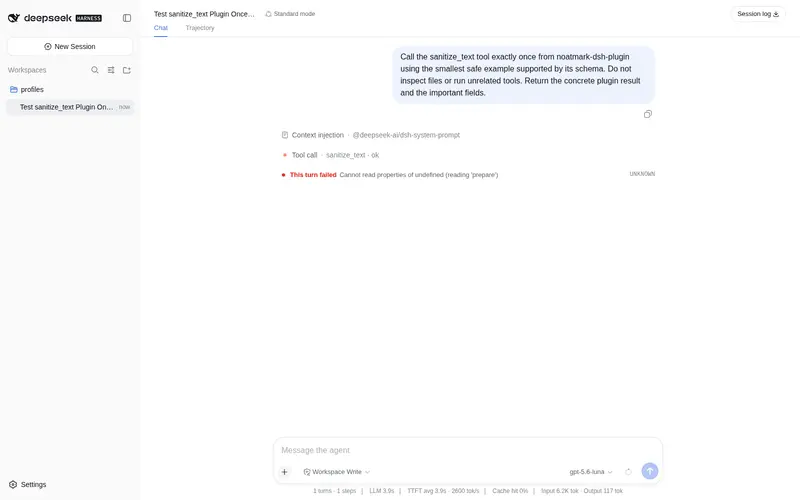
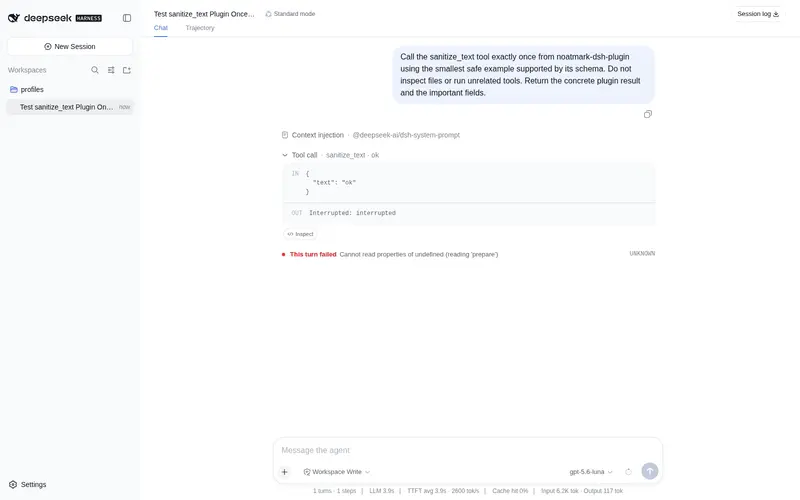
功能介绍
文本卫生 dsh 插件:净化不可信文本、扫描隐形字符、清洗 LLM 格式、转义 CSV 公式注入。
适合
- 处理粘贴内容或其他不可信文本、需要发现隐形字符或注入信号的 Agent。
- 需要报告隐藏字符准确位置与码点的代码库检查流程。
- 希望清理 LLM 格式但不主动改变语义的工作流。
- 需要按 OWASP 方式转义公式前缀的 CSV 导出流程。
不适合
- 不摄入、检查、整理或导出文本的工作流收益有限。
- 需要语义改写或事实核验的任务不适合;格式清理明确保持原意不变。
- 需要公式前缀转义以外 CSV 防护的场景超出已说明的工具行为。
README
noatmark-dsh-plugin

NoAtMark text hygiene as a DeepSeek Harness (dsh) plugin.
Everything-is-a-plugin: this plugin gives your dsh agent four text-hygiene tools, backed by the same deterministic engines behind noatmark.com.
Tools
| Tool | What it does |
|---|---|
sanitize_text |
Strip invisible/zero-width characters and flag prompt-injection + hidden-text signals. |
scan_text |
Report invisible characters (with code points + positions), injection patterns, and hidden text. |
clean_format |
Clean LLM formatting artifacts (blank lines, stray fences, trailing spaces) — meaning untouched. |
sanitize_csv |
Escape CSV formula injection (OWASP): = + - @ prefixes get a leading quote. |
All processing is deterministic and local — no data leaves your machine.
Install
Add this plugin to your dsh Web UI. If you’re running from a source checkout, use a cordis.yml patch:
- insert:
    - id: noatmark
      name: noatmark-dsh-plugin
or point at the source directly (absolute path):
- insert:
    - id: noatmark
      name: '/path/to/noatmark-dsh-plugin/src/index.ts'
Start dsh with the patch:
npx @deepseek-ai/dsh web --patch ./cordis.yml
Usage
In a dsh session, ask the agent to use a tool, e.g.:
Sanitize this pasted text before you summarize it.
Scan this file for invisible characters.
Clean the formatting of this AI output.
Escape this CSV before saving it.
Development
pnpm install
pnpm build   # tsc -> dist/
Resources
- Web tools: https://noatmark.com/
- NoAtMark SDK (npm/PyPI):
noatmark-text-hygiene - DeepSeek Harness: https://github.com/deepseek-ai/deepseek-harness
- Official docs: https://deepseek-harness.github.io/deepseek-harness/
MIT
常见问题常见问题
在启用了 DSH 的终端中执行已验证命令 dsh plugin --profile default add github:ylwl1997/noatmark-dsh-plugin。命令会解析公开 package 元数据,并保持插件与本页展示的目录身份一致。
兼容性以页面上展示的 bundle 与 profile 状态为准。如果某个 profile 尚未检测到,请先保持禁用,并在生产启用前阅读仓库文档。
GitHub 链接和 activity 元数据是 release 与维护状态的来源。新版本发布后重新查看本页,确认目录已经观察到最新版本。