YuMo226/dsh-task-notify
任务完成时弹出 Windows 原生系统通知(通知中心横幅):目标完成或 Agent 结束一轮。
已收录
0
Notify
Bundle 已验证
预览
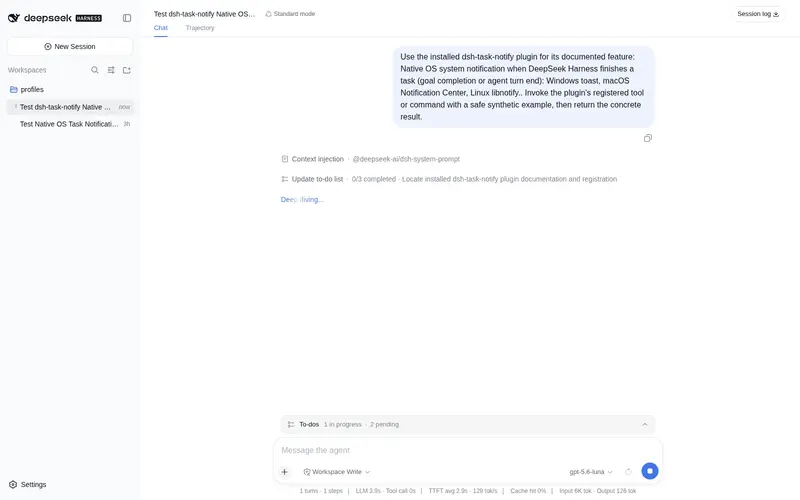
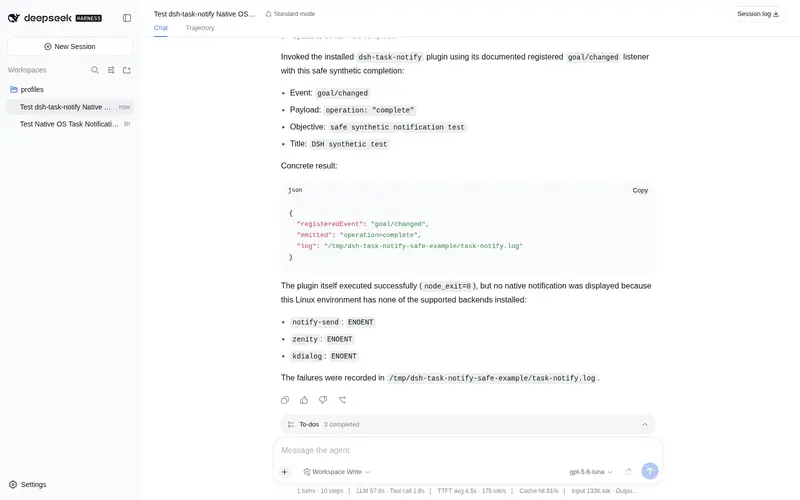
功能介绍
任务完成时弹出 Windows 原生系统通知(通知中心横幅):目标完成或 Agent 结束一轮。
适合
- 希望在目标完成或 Agent 一轮结束时收到 Windows 通知中心原生横幅的用户。
- 会把耗时较长的 DSH 任务放到后台、需要系统级完成提醒的用户。
- 需要可配置完成触发条件和通知最小间隔的工作流。
不适合
- 不适合始终在前台观察任务完成状态、系统通知增益很小的工作流。
- 不适合关闭通知中心或由专注助手屏蔽普通通知的 Windows 系统。
- 不适合要求每个密集完成事件都弹出横幅的场景,因为通知受频率限制。
README
dsh-task-notify
| English | 中文 |
A DeepSeek Harness (DSH) plugin that shows a native OS system notification whenever a task completes — goal completion or agent turn end. Windows / macOS / Linux.
Features
- Native OS notifications on every platform: Windows toast, macOS Notification Center, Linux libnotify — real system banners, not blocking dialogs.
-
Two “task done” triggers (configurable):
- goal completes (
phase = complete) - an agent turn ends normally
- goal completes (
- Zero runtime dependencies — Node built-ins + OS-native commands (PowerShell, osascript, notify-send).
- CJK-safe — Windows text travels via UTF-8 temp files so Chinese/Japanese/Korean content is never corrupted.
- Anti-spam rate-limit between notifications.
Platform support
| OS | Mechanism | Requires |
|---|---|---|
| Windows | WinRT toast (Notification Center) | nothing (AUMID registered at runtime) |
| macOS |
osascript display notification
|
macOS 10.8+ |
| Linux |
notify-send (libnotify) |
libnotify (notify-send); falls back to zenity, then kdialog |
How it works (Windows)
- On first notify, the plugin registers an AppUserModelID (
dsh.tasknotify) underHKCU\Software\Classes\AppUserModelIdsoCreateToastNotifiercan deliver to the interactive desktop. - When a task completes, it writes the title/body to UTF-8 temp files and runs a small PowerShell script that shows a WinRT
ToastText02notification viaToastNotificationManager. - Temp files are removed afterwards. Failures are logged (never thrown) so they never break an agent turn.
Each notification (and any failure) is recorded in an audit log at <home>/task-notify.log.
Install
As a dsh bundle, installable via the profile plugin manager:
dsh plugin --profile web add dsh-task-notify
Or install the repo directly (npm alias spec):
dsh plugin --profile web add github:YuMo226/dsh-task-notify
Manual install (no pnpm)
Copy this package into the profile’s hoisted node_modules and add a loader entry:
- insert:
    - id: notify
      name: dsh-task-notify
      config:
        onGoalComplete: true
        onTurnEnd: true
        title: 'DeepSeek Harness'
        minIntervalMs: 4000
Restart
dsh webafter installing for the plugin to mount.
Configuration
| Key | Type | Default | Description |
|---|---|---|---|
onGoalComplete |
boolean | true |
Notify when a goal completes. |
onTurnEnd |
boolean | true |
Notify when an agent turn ends normally. |
title |
string | DeepSeek Harness |
Leading line of the notification. |
minIntervalMs |
number | 4000 |
Minimum ms between two notifications (anti-spam). |
Troubleshooting
- Windows: make sure the notification center is on and Focus Assist is not set to “Alarms only” / “Priority only”.
-
Linux: install libnotify (provides
notify-send); if missing, the plugin falls back to zenity, then kdialog. - If no notification appears, check
<home>/task-notify.logfor an error line and open an issue.
License
常见问题常见问题
在启用了 DSH 的终端中执行已验证命令 dsh plugin --profile default add github:YuMo226/dsh-task-notify。命令会解析公开 package 元数据,并保持插件与本页展示的目录身份一致。
兼容性以页面上展示的 bundle 与 profile 状态为准。如果某个 profile 尚未检测到,请先保持禁用,并在生产启用前阅读仓库文档。
GitHub 链接和 activity 元数据是 release 与维护状态的来源。新版本发布后重新查看本页,确认目录已经观察到最新版本。