DamonKoy/dsh-projection-guard
DSH plugin: guards the persisted session-projection cache with per-row JSON degradation + startup title self-heal. · 会话投影缓存守卫:逐行 JSON 降级 + 启动自愈补全标题
Listed
0
Session
Bundle verified
Preview
What it does
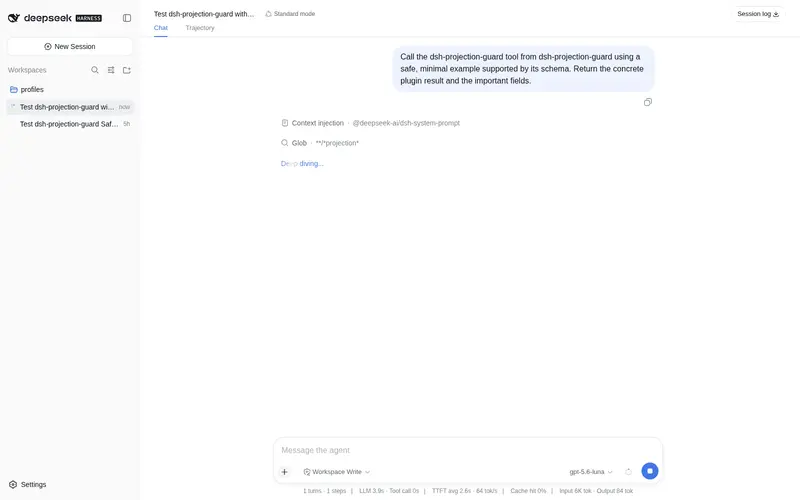
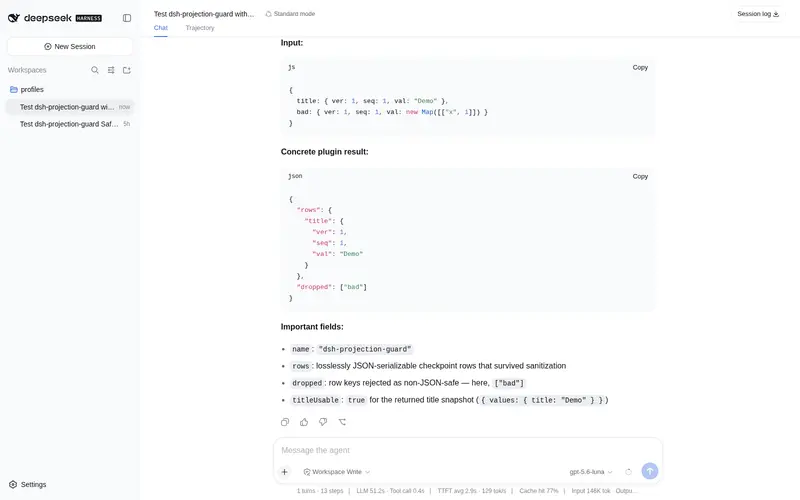
Guards the persisted session-projection cache: per-row JSON degradation so one misbehaving projection unit (e.g. a third-party plugin storing a Map) can never stall session titles or the whole cache again, plus a startup self-heal that backfills missing titles.
Best for
- DSH deployments where a third-party projection stores non-JSON data and prevents healthy session projections from being persisted.
- Users seeing conversation titles disappear or revert to workspace folder names after restarts.
- Operators who need startup repair of missing cached titles and read-only status metrics for dropped or repaired rows.
Not ideal for
- Deployments that do not exhibit projection-cache serialization failures or missing persisted titles.
- Users seeking a general session backup, recovery, or data migration tool.
- Cases where the underlying problem is unrelated to non-lossless JSON values in session projections.
README
dsh-projection-guard
A DeepSeek Harness (DSH) plugin that guards the persisted session-projection cache against misbehaving projection units — so session titles (and every other projection) survive restarts no matter what third-party plugins do.
The bug it fixes
DSH persists per-session projection checkpoints (session titles, stats, permissions, …) into session_projcache.json. The write path serializes the whole per-session checkpoint in one JSON pass: if a single projection unit stores a non-JSON value (a Map, Set, class instance, cyclic or non-finite value — e.g. some third-party plugins), the entire write fails. The failure is fail-soft (log-only), so the cache silently stops updating. After a restart, every cold session loses its title projection and the UI falls back to showing the workspace folder name instead of the conversation title.
What this plugin does
-
Per-row degradation (runtime wrapper). It wraps
sessionProjectionCache.put()and drops only the rows that are not lossless JSON, keeping every healthy row durable. One bad unit can no longer stall the whole cache — titles,sessionListMetadata, stats etc. keep writing normally. -
Startup self-heal. On startup it scans persisted sessions whose cached title is missing and cold-reads their logs to backfill the
titleprojection, so an already-stale cache recovers automatically. -
Observability. A read-only
GET /projection-guard/statusroute reports wrapped-put call counts, dropped rows, and repaired titles (also shown as a small card in Settings when the client half is mounted).
No official or third-party files are modified — the guard is a pure runtime wrapper, so it survives dsh upgrades and works on any deployment.
Install
dsh plugin --profile web add github:DamonKoy/dsh-projection-guard
Restart dsh web. That’s it.
Or add the repo as a profile dependency and include the bundle:
{
  "dependencies": {
    "dsh-projection-guard": "github:DamonKoy/dsh-projection-guard"
  },
  "dsh": {
    "profile": {
      "bundles": ["dsh-projection-guard"]
    }
  }
}
Then pnpm install in the profile directory and restart dsh web.
Configuration
| Key | Default | Meaning |
|---|---|---|
repairOnStart |
true |
Backfill missing cached titles from persisted logs at startup. |
logDropped |
true |
Warn per dropped non-JSON row (key + session id). |
Example (profile cordis.patch.yml overlay):
- id: projection-guard
  config:
    repairOnStart: true
    logDropped: true
Development
npm test # unit tests for the guard core
License
MIT
Frequently Asked QuestionsFAQ
Use the verified command dsh plugin --profile default add github:DamonKoy/dsh-projection-guard in a DSH-enabled shell. The command resolves the public package metadata and keeps the plugin attached to the catalog identity shown on this page.
Compatibility follows the bundle and profile status shown above. If a profile is not detected, keep the plugin disabled there and check the repository documentation before enabling it in production.
The GitHub link and activity metadata are the source of truth for releases and maintenance. Revisit this page after a new release to confirm the catalog has observed the latest version.