ddbj-hub/dsh-wallpaper-skin
Persistent wallpaper skin for dsh web: static image or muted looping video background with translucent panels.
Listed
2
Theme
Bundle verified
Preview
What it does
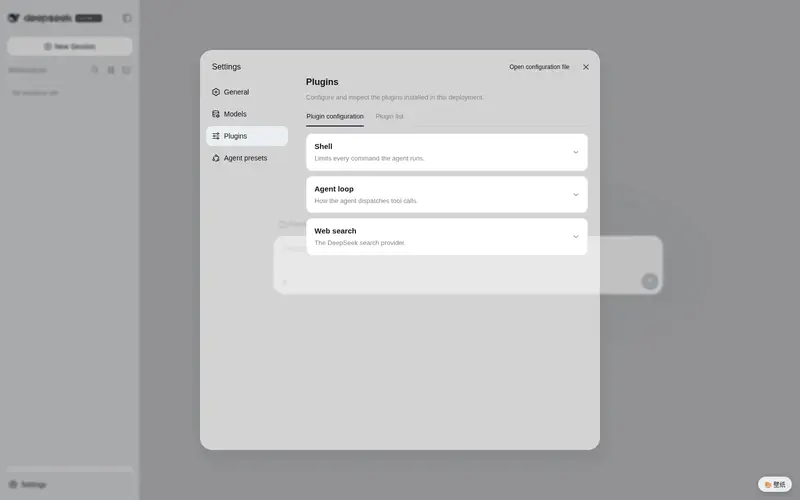
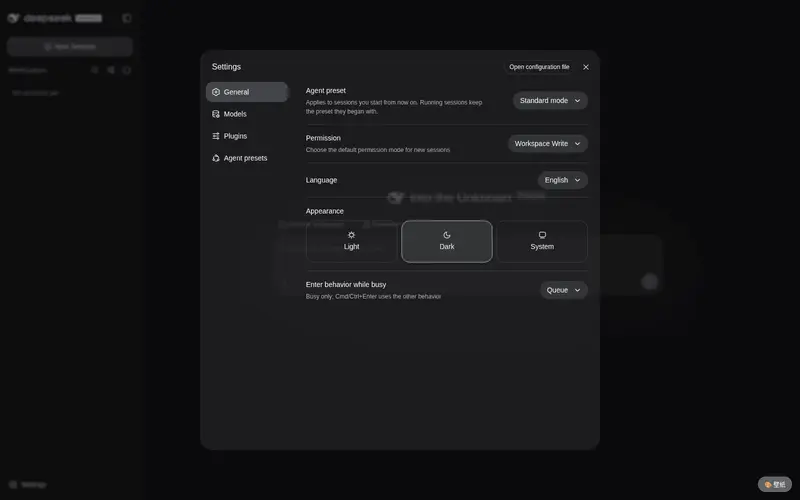
Persistent wallpaper skin for the dsh web profile: static image or muted looping video as the app background, with translucent panels and a floating picker panel.
Best for
- DSH Web users who want a persistent custom image or muted looping video behind the application.
- Users who want to change or disable the wallpaper from a floating panel or plugin settings without restarting.
- Users who prefer translucent panels compatible with both light and dark modes.
Not ideal for
- Users looking for bundled wallpaper media; the repository does not include wallpaper assets.
- Workflows that cannot provide an absolute local path to a supported JPG, PNG, WebP, MP4, or WebM file.
- Users who do not want a decorative background or translucent application panels.
README
dsh-wallpaper-skin
DeepSeek Harness (dsh) Web 界面的壁纸皮肤插件:把应用背景换成一张静态图片或静音循环视频,面板半透明化,让界面通透不遮挡壁纸。路径可在 Settings → Plugins 里随时改,即时生效,无需重启。
这是持久化插件(真实 Cordis 插件 + webserver 路由),不是动态插件,装一次永久有效。
特性
- 🖼️ 静态壁纸:jpg / png / webp
- 🎬 视频壁纸:mp4 / webm,静音循环播放(作为装饰层,不占音频)
- 🎨 右下角悬浮面板:一键换壁纸、开关,实时预览
- ⚙️ 路径可配置:Settings → Plugins → dsh-wallpaper-skin,改完即生效
- 🌓 兼容深色/浅色模式,面板半透明化
安装
方式一:dsh plugin 命令(推荐)
dsh plugin --profile web add github:ddbj-hub/dsh-wallpaper-skin
装完在 profile 的 cordis.patch.yml 里会出现插件行,重启 dsh web 后生效。
方式二:手动 patch(无 git 环境时)
在 <profile>/cordis.patch.yml 的插件列表里加一行:
- insert:
    - id: dsh-wallpaper-skin
      name: dsh-wallpaper-skin
      config:
        path: /absolute/path/to/your/wallpaper.mp4
path 指向本机壁纸文件的绝对路径(图片或视频均可),支持正斜杠或反斜杠。留空则用默认背景。
方式三:本地开发 / 内网分发
git clone https://github.com/ddbj-hub/dsh-wallpaper-skin.git <本地目录>
# 然后在 profile 的 package.json 的 dependencies 里加:
#   "dsh-wallpaper-skin": "file:<本地目录>"
# 并执行:
corepack pnpm --dir <profile> install
注意:
file:依赖有内容缓存,改源码后需要pnpm remove+pnpm add刷新,--force无效。
使用
- 安装并重启 dsh web。
- 右下角出现 🎨 悬浮面板,点击可:
- 打开/关闭壁纸
- 预览并选择当前配置的壁纸
- 跳转 Settings → Plugins 修改路径
- 或在 Settings → Plugins → dsh-wallpaper-skin 直接填壁纸文件路径。
壁纸建议
- 图片:推荐 1080p 以上,文件尽量 < 10MB
- 视频:推荐 mp4 (H.264) 或 webm,静音,建议 < 50MB,过长请自行裁剪
- 仓库不含壁纸素材,请使用你自己的图片/视频
开发
dsh-wallpaper-skin/
├── package.json        # 插件声明:exports ./client + dsh.client { platform: web, immediately }
├── lib/
│   ├── index.js        # Host:webserver 路由(info/media/config)+ settings 命名空间
│   └── client.js       # Client:右下角悬浮面板,轮询 info 刷新
- 客户端打包:
window.__ModuleLoader__.load({ id, factory: (require) => {...} }),可require("react"),bundle 通过exports["./client"]暴露,由 webserver 在/plugins/<包名>/client.js提供。 - 主题:壁纸作为装饰层挂在主框架
.pI_x6G_frame上,配!important盖过主题 presenter 的内联 token,面板半透明由 CSS 变量控制。 - 配置传参:Cordis 4 里读配置要用
apply(ctx, config = {})的第二个参数,不要读ctx.config(会报cannot get property "config" without inject)。
许可证
Frequently Asked QuestionsFAQ
Use the verified command dsh plugin --profile default add github:ddbj-hub/dsh-wallpaper-skin in a DSH-enabled shell. The command resolves the public package metadata and keeps the plugin attached to the catalog identity shown on this page.
Compatibility follows the bundle and profile status shown above. If a profile is not detected, keep the plugin disabled there and check the repository documentation before enabling it in production.
The GitHub link and activity metadata are the source of truth for releases and maintenance. Revisit this page after a new release to confirm the catalog has observed the latest version.