gezi-wen/sage-mem
File-based cross-session memory: plain Markdown memory files with automatic retrieval injection, format-compatible with Claude Code's CLAUDE.md and memory files, so migrating is a manual file copy.
Listed
4
Memory
Bundle verified
Preview
What it does
File-based cross-session memory: plain Markdown memory files with automatic retrieval injection, format-compatible with Claude Code's CLAUDE.md and memory files, so migrating is a manual file copy.
Best for
- DSH users who want inspectable cross-session memory stored as ordinary Markdown files.
- People migrating CLAUDE.md and Claude Code memory files through a manual file copy.
- Users who prefer editing and cleaning memory directly with a text editor or the provided Web manager.
Not ideal for
- Users who do not need information to persist across sessions.
- Workflows requiring a database-backed memory service, embeddings, or an external memory API.
- Teams expecting migration to occur automatically rather than by copying compatible files.
README
sage-mem · DSH 的文件式记忆插件
给 DeepSeek Harness(DSH)装上跨会话记忆——agent 今天记住的事,明天的新会话自动想起来。
记忆存在本地 markdown 文件里(frontmatter + 正文),不是数据库。透明、可检查、防膨胀。
从 Claude Code 无损迁移
你已经在 Claude Code(CC)里养了一个 agent,舍不得它的记忆和人格?sage-mem 是「CC → DSH」迁移方案的一部分,记忆与人格都能无损搬过来:
-
人格:CC 的
CLAUDE.md→ DSH 的AGENTS.md,DSH 原生加载,纯文本一字不改就能用。 -
记忆:CC 沉淀的跨会话记忆 → sage-mem 的
memory/目录(markdown + frontmatter,四类)。
没有数据库、没有私有格式——全都是 markdown 文本,直接拷文件就完成迁移。agent 换了身体,但依然记得你是谁、记得你们聊过什么、记得进行中的项目。
为什么用文件
DSH 原生没有记忆系统,每个会话都是白纸。市面上的记忆方案大多走 SQLite + 常驻 worker:
- 记忆写进数据库,不透明——想检查存了什么得查表,想清理要连数据库
- 事件自动捕获会膨胀——”用户打了个招呼”这种无实质内容也被存进去
- 需要一个常驻 worker 进程 + 端口,多一份运维负担
sage-mem 换成文件式:每条记忆一个 markdown 文件,直接用编辑器打开就能看、能改、能删。存不存由 agent 按规则判断,不是事件全捕获。没有 worker、没有 SQLite、没有端口。
功能
- 按问题检索注入:每次提问,插件扫记忆目录,按相关性把记忆注入 system prompt,agent 第一轮就「想起来」
-
四类记忆:
user(用户是谁)/feedback(工作方式指导)/project(项目状态)/reference(外部信息指针) -
文件透明:记忆就是
*.md文件,frontmatter 存元数据,正文存内容 - 防膨胀:写入靠规则引导 agent 判断「存不存」,无实质内容、能靠代码/git 推导的不存
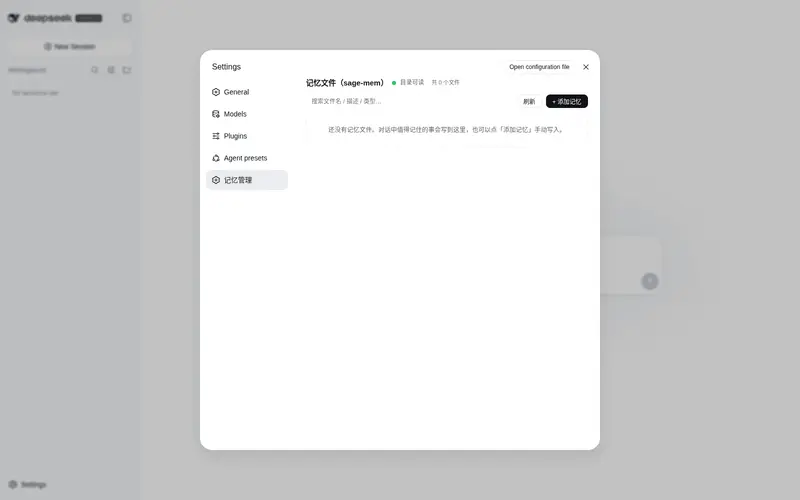
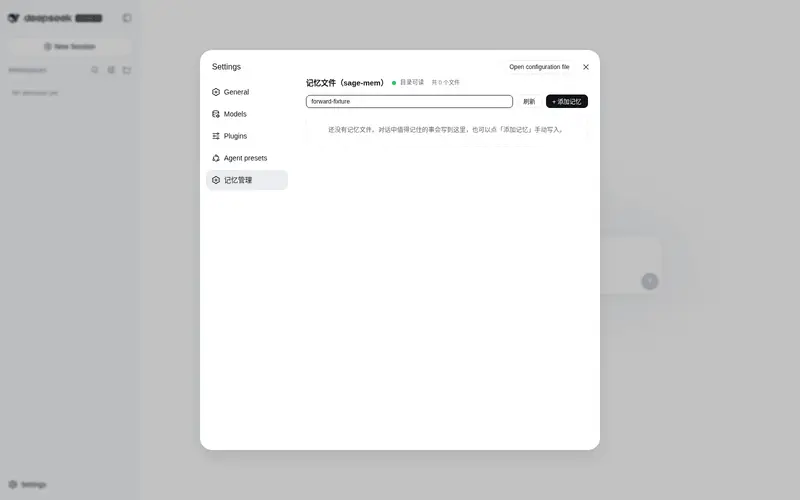
- Web 文件管理器(v0.4):DSH 设置页「记忆管理」,浏览/查看/编辑/删除记忆文件,添加新记忆
架构
DSH(Cordis 插件)
  └─ sage-mem 插件(按问题检索 + 注入)← 本仓库
       │  Node fs 直读
       ▼
memory/ 目录(markdown 文件,4 类)
  ├── user_*.md
  ├── feedback_*.md
  ├── project_*.md
  ├── reference_*.md
  └── MEMORY.md          ← 索引
没有 worker、没有 SQLite、没有 HTTP 端口、没有常驻进程。
安装
在你的 DSH profile 的 package.json 里加:
{
  "dependencies": {
    "sage-mem": "github:gezi-wen/sage-mem"
  },
  "dsh": {
    "profile": {
      "bundles": ["sage-mem"]
    }
  }
}
或 clone 后本地 link:
{
  "dependencies": {
    "sage-mem": "link:../sage-mem"
  }
}
然后 pnpm install 重启 DSH。
配置
用环境变量 SAGE_MEM_DIR 指定记忆目录,默认 ~/.sage-mem/memory:
SAGE_MEM_DIR=/path/to/your/memory
记忆文件格式:
---
name: 可选的短名
description: 一句话说清这条记忆是什么(检索与列表都靠它)
metadata:
  type: user        # user / feedback / project / reference
---

记忆正文。
feedback 类建议带 **Why:**(原因)和 **How to apply:**(何时生效)两行,方便判断边界。
验证
跨会话记忆链路(实测):
- 会话 A 说「记住:我的猫叫芝麻,它喜欢晒太阳」——agent 按规则写进
memory/ - 开新会话 B 问「我的猫叫什么」
- agent 第一轮直接答出「芝麻」——记忆自动注入,无需 agent 自己找
相关项目
- DeepSeek Harness — DSH 本体,一切皆插件
旧版
本仓库早期是 SQLite + worker 架构,已归档到 sqlite-worker 分支。文件式是继任实现。
License
Apache-2.0
Frequently Asked QuestionsFAQ
Use the verified command dsh plugin --profile default add github:gezi-wen/sage-mem in a DSH-enabled shell. The command resolves the public package metadata and keeps the plugin attached to the catalog identity shown on this page.
Compatibility follows the bundle and profile status shown above. If a profile is not detected, keep the plugin disabled there and check the repository documentation before enabling it in production.
The GitHub link and activity metadata are the source of truth for releases and maintenance. Revisit this page after a new release to confirm the catalog has observed the latest version.