ICCuse/dsh-file-memory
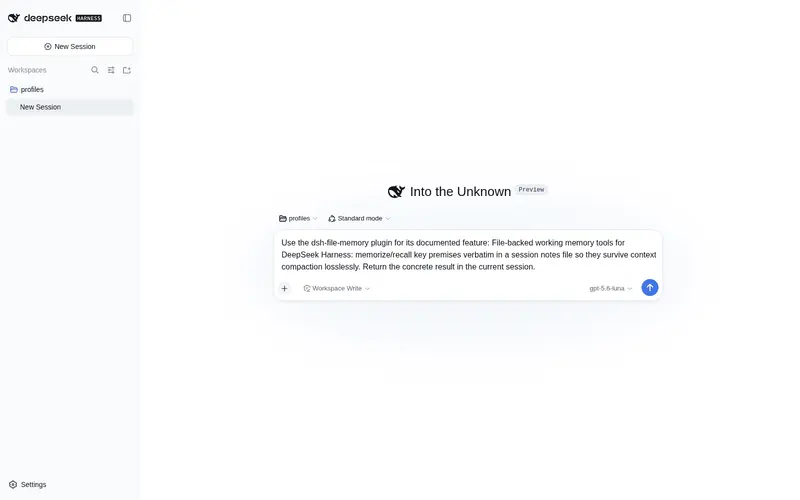
File-backed working memory tools for DeepSeek Harness: memorize/recall key premises verbatim in a session notes file so they survive context compaction losslessly
Listed
0
Memory
Bundle verified
Preview
What it does
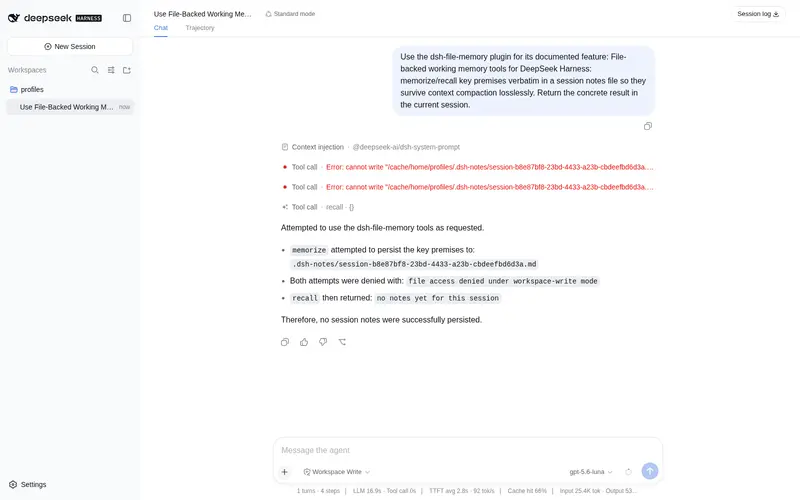
File-backed working memory: memorize/recall key premises verbatim in a session notes file so they survive context compaction losslessly.
Best for
- Long-running agent sessions where exact premises must survive repeated context compaction.
- Tasks that need selected facts recalled byte-for-byte rather than reconstructed from summaries.
- Workspace-based workflows that benefit from simple session-scoped notes searchable by substring.
Not ideal for
- Sessions without an agent backend or mounted filesystem service, both of which the tools require.
- Users seeking a global, structured, semantic knowledge base rather than session-scoped line notes.
- Users requiring a published npm package today; the documented installation is from the repository.
README
@deepseek-ai/dsh-file-memory
| 中文 | English |
File-backed working memory for long tasks. Two model-facing tools — memorize and recall — keep key premises as verbatim bytes in a session-scoped notes file inside the workspace, so they survive context compaction losslessly: a summarizer can blur or drop a fact, but a file round-trips it byte-exact.
Why
Compaction checkpoints are LLM-generated and LLM-rewritten generation after generation; the prompt-space “state document” proposals still re-summarize the previous state every pass. Files are the only lossless medium the agent already has: write once, read back exactly. This is the pragmatic complement to prompt-space compaction, usable today on the shipped compaction-basic backend.
Tools
| Tool | Behavior |
|---|---|
memorize(entries) |
Appends verbatim deduplicated lines to <workspace>/.dsh-notes/<session>.md. |
recall(query?) |
Reads the notes back, optionally filtered to lines containing query; caps output at maxRecallChars. |
Both require an agent-backed session and a mounted fs service; they resolve the notes file relative to the session’s workspace cwd (falling back to the backend default when the session has no cwd).
Config
| Field | Default | Meaning |
|---|---|---|
maxRecallChars |
6000 |
Recall output cap. |
notesDir |
.dsh-notes |
Notes directory name inside the workspace; must be a bare directory name. |
maxRecallChars must be an integer >= 1; misconfiguration throws at plugin load.
Install
Not on npm yet - install from this repository:
npm install github:ICCuse/dsh-file-memory
# or: pnpm add github:ICCuse/dsh-file-memory
Then mount the bundle (declared in package.json ‘dsh.bundle’):
- id: dsh-file-memory
  name: 'dsh-file-memory'
Or, once published, ‘dsh plugin –profile web add dsh-file-memory’.
Frequently Asked QuestionsFAQ
Use the verified command dsh plugin --profile default add github:ICCuse/dsh-file-memory in a DSH-enabled shell. The command resolves the public package metadata and keeps the plugin attached to the catalog identity shown on this page.
Compatibility follows the bundle and profile status shown above. If a profile is not detected, keep the plugin disabled there and check the repository documentation before enabling it in production.
The GitHub link and activity metadata are the source of truth for releases and maintenance. Revisit this page after a new release to confirm the catalog has observed the latest version.