ICCuse/dsh-premise-guard
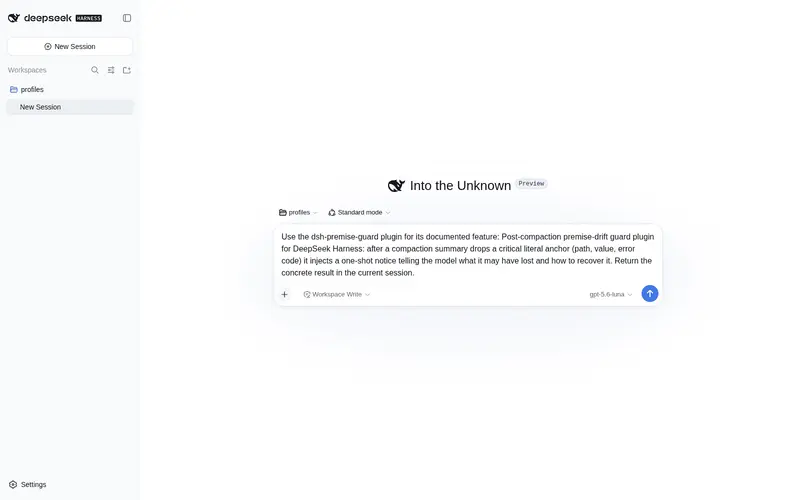
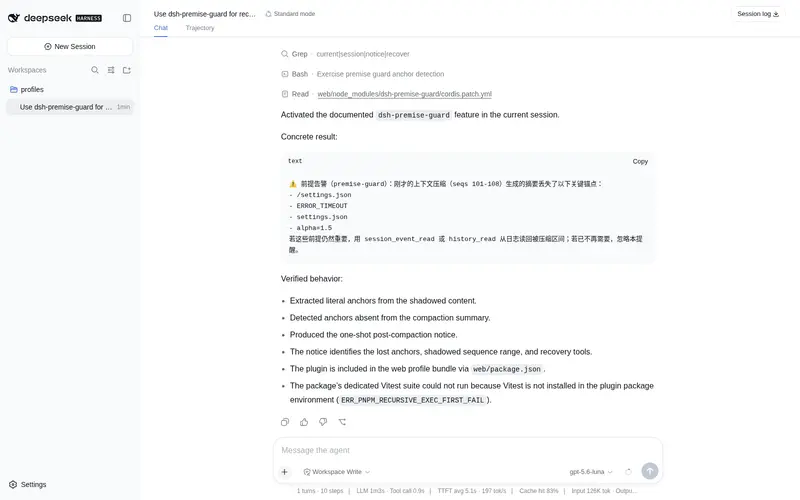
Post-compaction premise-drift guard plugin for DeepSeek Harness: after a compaction summary drops a critical literal anchor it injects a one-shot notice telling the model what it may have lost and how to recover it
Listed
0
Memory
Bundle verified
Preview
What it does
Post-compaction premise-drift guard: injects a one-shot notice when a compaction summary drops a critical literal anchor.
Best for
- Long DSH sessions that use context compaction and depend on exact paths, literals, key-value pairs, or error codes.
- Workflows that need an immediate warning when a compaction summary omits a critical literal anchor.
- Teams wanting deterministic drift detection without LLM calls or additional storage.
Not ideal for
- Sessions that do not use compaction or do not depend on exact literal details.
- Cases where the lost premise is semantic rather than expressible as one of the extracted literal anchors.
- Workflows expecting continuous enforcement; each detected alarm produces only a one-shot notice.
README
@deepseek-ai/dsh-premise-guard
| 中文 | English |
Post-compaction premise-drift guard. After a compaction/summary event, it extracts distinctive literal anchors (file paths, quoted literals, key=value pairs, error codes) from the shadowed span’s text, checks whether the committed summary still contains them, and — when a critical anchor vanished — injects a one-shot notice into the next step telling the model what it may have lost and how to recover it from the append-only log.
Why
Recall-oriented designs (recallable-compaction, session-query tools) make shadowed content reachable when suspected. Nothing says “you just dropped a key fact”. This guard turns the compaction summary into a checked handoff: the model learns the moment a path, value, or error string it was relying on is no longer in the summarized context.
How it works
| Hook | Role |
|---|---|
session/event (compaction/summary) |
Re-derives the shadowed span’s text from shadowedSeqs (the log keeps every byte), extracts anchors, and compares against event.data.summary. |
agent/pre-step |
Injects one notice (plugin source) naming up to maxAnchors vanished anchors and the shadowed seq range, once per alarm; a new user prompt skips delivery. |
Anchor extraction is deterministic and pure — no LLM calls, no new storage.
Config
| Field | Default | Meaning |
|---|---|---|
maxAnchors |
5 |
Vanished anchors named in one notice. |
minAnchorLength |
6 |
Anchors shorter than this are never critical. |
maxNoticeChars |
400 |
Notice text cap. |
All three must be integers >= 1; misconfiguration throws at plugin load.
Install
Not on npm yet - install from this repository:
npm install github:ICCuse/dsh-premise-guard
# or: pnpm add github:ICCuse/dsh-premise-guard
Then mount the bundle (declared in package.json ‘dsh.bundle’):
- id: dsh-premise-guard
  name: 'dsh-premise-guard'
Or, once published, ‘dsh plugin –profile web add dsh-premise-guard’.
Frequently Asked QuestionsFAQ
Use the verified command dsh plugin --profile default add github:ICCuse/dsh-premise-guard in a DSH-enabled shell. The command resolves the public package metadata and keeps the plugin attached to the catalog identity shown on this page.
Compatibility follows the bundle and profile status shown above. If a profile is not detected, keep the plugin disabled there and check the repository documentation before enabling it in production.
The GitHub link and activity metadata are the source of truth for releases and maintenance. Revisit this page after a new release to confirm the catalog has observed the latest version.