KongChengZhi/dsh-pixel-studio#dsh-cli-anything-aseprite
Aseprite-style pixel art studio: the AI draws sprites stroke by stroke with selections, layers, animation frames, gradients, symmetry and reference layers, each step rendered live as ANSI terminal frames.
Listed
0
Fun
Bundle verified
Preview
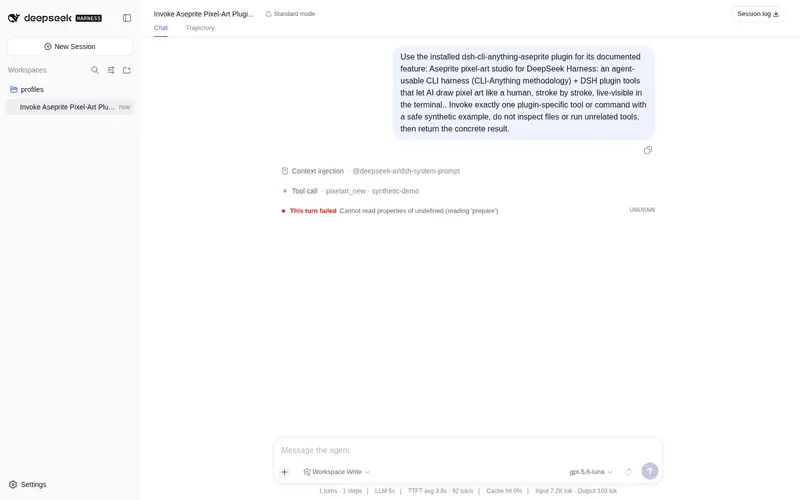
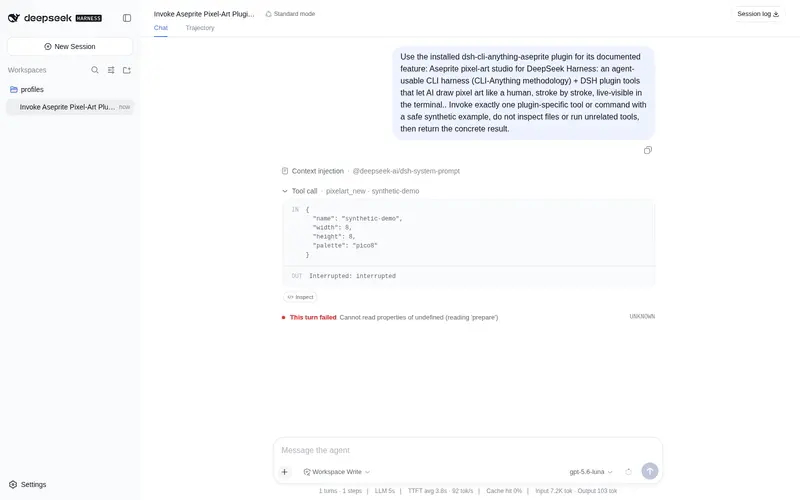
What it does
Aseprite-style pixel art studio: the AI draws sprites stroke by stroke with selections, layers, animation frames, gradients, symmetry and reference layers, each step rendered live as ANSI terminal frames.
Best for
- Agents creating sprites or pixel animations through incremental, visible drawing operations.
- Pixel-art workflows needing selections, layers, frame tags, symmetry, tiling, gradients, palettes, and reference layers.
- Users who need output as PNG, GIF, Aseprite files, sprite sheets, or PNG sequences.
Not ideal for
- Vector illustration, photo editing, or other non-pixel-art workflows.
- Users who need a conventional manual Aseprite GUI rather than AI-operated CLI tools and a live monitor.
- Environments unable to run the required Python harness alongside the DSH plugin.
README
DSH Pixel Studio — CLI-Anything × Aseprite
把 Aseprite 像素画工作流做成 AI 可用的 CLI + DSH 插件: AI 像人类一样分步绘制像素画,每一步都实时渲染到终端与 GUI 监视器, 人类可以全程观看 AI 的每一笔。
基于 HKUDS/CLI-Anything 的 GUI→CLI harness 方法论构建。
✨ 功能
CLI harness(cli-anything-aseprite,纯 Python,无 GUI 依赖)
- 绘制原语:pixel / line / rect / ellipse / flood / erase
- 选区(Aseprite 语义):fill / stroke / clear / copy / paste / move / get (剪贴板跨进程持久化)
- 图层:增删改查、显示/隐藏、透明度 0-255、复制、合并、参考层
- 动画帧:增删、时长、复制 + 帧标签(Frame Tags)
- 画布:任意尺寸 1..1024(自由画布)+ 7 个预设、resize(九宫格锚点)、 rescale(最近邻)
- 模式:对称绘制(h/v/both)、平铺模式(无缝纹理)
- 渐变:两点插值,支持 rgb16 4096 色(16×16×16 通道索引)
- 调色板:pico8 / db16 / sweetie16 / na16 + 最近色映射 + 量化
- 导出:PNG(最近邻放大)/ GIF / 原生 .aseprite 二进制(手写 ASE 格式) / 精灵表(含 JSON)/ PNG 序列
- 实时终端帧:ANSI 真彩半块字符渲染(含洋葱皮多帧幽灵)
- Undo/Redo 跨进程持久化(sidecar 快照栈)
- 并发安全:多进程写同一项目文件使用唯一临时文件 + flock 原子替换
- 49+ 单元 & E2E 测试(字节级验证 .aseprite 格式)
DSH 插件(实时监视器)
- 20 个
pixelart_*模型工具 - 右下角实时监视器:终端画布(居中自适应 80% 宽)、预览缩放 1×~48×、 图层栏(眼睛/透明度滑条)、对称/平铺/洋葱皮开关、导出、切换/新建画板、 工作区目录管理
- 每次操作自动推送 ANSI 帧 + 画布网格 → 人类实时可见 AI 绘制过程
📦 安装
# 1) harness
cd agent-harness && pip install -e .

# 2) DSH 插件(开源注册)
dsh plugin --profile web add github:KongChengZhi/dsh-pixel-studio
🎨 快速上手
# 新建 32×32 精灵
cli-anything-aseprite --file hero.pxa project new hero --width 32 --height 32 --palette pico8

# 像人类一样分步绘制:打形 → 底色 → 阴影 → 高光
cli-anything-aseprite --file hero.pxa pixel rect 10 6 12 18 "#1d2b53"
cli-anything-aseprite --file hero.pxa pixel rect 11 7 10 16 "#ff004d" --fill
cli-anything-aseprite --file hero.pxa pixel symmetry h          # 对称绘制
cli-anything-aseprite --file hero.pxa pixel gradient 0 8 15 8 "rgb16:15,0,0" "rgb16:0,0,15"

# 实时终端帧(人类观看)
cli-anything-aseprite --file hero.pxa terminal --onion 1

# 导出
cli-anything-aseprite --file hero.pxa export png hero.png --scale 8
cli-anything-aseprite --file hero.pxa export aseprite hero.aseprite
🗂 项目结构
├── agent-harness/          # cli-anything-aseprite(Python,开发版)
│   └── cli_anything/aseprite/   # core / utils / tests / skills
├── dsh-cli-anything-aseprite/  # ★ 正式 DSH 插件包(npm + python 副本)
│   ├── src/index.js        # cordis 插件:20 个 pixelart_* 工具
│   ├── python/             # harness 打包副本
│   └── cordis.patch.yml    # 注册行(带 workdir 配置)
└── README.md
🧪 测试
cd agent-harness && python -m pytest cli_anything/aseprite/tests/ -q # 73 passing
📄 许可
MIT — 见 LICENSE。
Frequently Asked QuestionsFAQ
Use the verified command dsh plugin --profile default add github:KongChengZhi/dsh-pixel-studio#path:/dsh-cli-anything-aseprite in a DSH-enabled shell. The command resolves the public package metadata and keeps the plugin attached to the catalog identity shown on this page.
Compatibility follows the bundle and profile status shown above. If a profile is not detected, keep the plugin disabled there and check the repository documentation before enabling it in production.
The GitHub link and activity metadata are the source of truth for releases and maintenance. Revisit this page after a new release to confirm the catalog has observed the latest version.