MineRPi/dsh-trilium
DSH 记忆知识库插件:通过 ETAPI 把 Trilium 笔记库接入 agent(记忆/笔记/搜索/周报/附件/日历/备份)。
Listed
0
Memory
Bundle verified
Preview
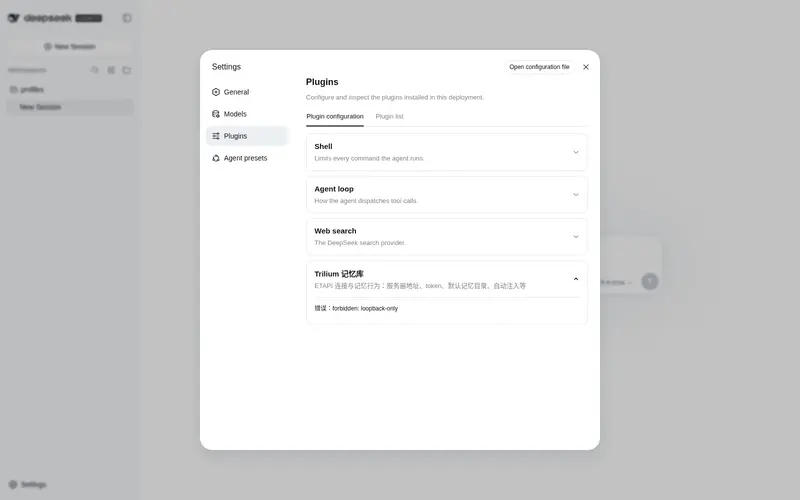
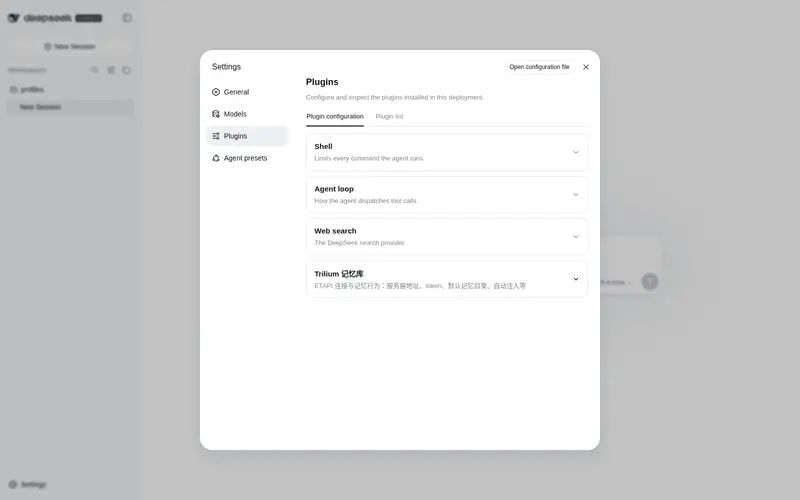
What it does
Connect Trilium notes to the DSH agent via ETAPI with 20 agent tools: durable memory (remember/recall + auto-injected index), note management (CRUD/clone/attributes/revisions), full-text search, weekly-report workflow, attachments, calendar notes, backup/import, and a settings card.
Best for
- DSH users who keep durable memory and working knowledge in a Trilium note library.
- Agents that need note CRUD, full-text search, cloning, attributes, revisions, attachments, or calendar notes through one integration.
- Teams assembling and storing weekly reports from material already held in Trilium.
- Users who need Trilium backup, export, and import operations exposed to the agent.
Not ideal for
- Users without a Trilium instance that has ETAPI enabled.
- Environments outside the documented DSH >=0.1.0-rc.7 and <0.2.0 compatibility range.
- Systems running Node versions outside ^22.19.0 or >=24.0.0.
- Simple local Markdown workflows that do not need Trilium's server-backed notes and ETAPI features.
README
dsh-trilium





| English | 中文 |
A DeepSeek Harness (DSH) Web GUI plugin that connects your Trilium notes to the agent through the ETAPI: durable memory, note management, full-text search, a weekly report workflow, attachments, calendar notes, backups, and a settings card.
Highlights
-
Memory:
trilium_remember/trilium_recallscoped to a memory directory, plus auto-injected memory index at session start (toggleable). - Notes: create / read / update / delete / undelete, tree browsing, cloning (multi-folder reuse), attributes (label/relation), revisions.
-
Search: Trilium full-text syntax (
"exact phrase",#label, subtree scoping). -
Weekly report:
trilium_weekly_reportcollects the week’s material and stores the finished report withstartDate/endDatelabels. -
Attachments & calendar:
trilium_attachment,trilium_calendar. -
Backup & migration:
trilium_backup,trilium_export,trilium_import. - Settings card: 设置 → 插件 → 可配置 (server URL, token, memory directory, switches, connection test).
-
Safe by default: config in
~/.dsh/dsh-trilium.json(0600); token never enters cordis.yml or the model context; deletes requireconfirm.
Install
dsh plugin --profile web add dsh-trilium      # npm
# or: dsh plugin --profile web add github:MineRPi/dsh-trilium
Restart dsh web. The repository ships lib/, so git installs normally need no
build approval.
Tools
trilium_app_info trilium_search trilium_get_note trilium_list_children
trilium_create_note trilium_update_note trilium_delete_note trilium_undelete_note
trilium_clone trilium_attribute trilium_attachment trilium_calendar
trilium_remember trilium_recall trilium_weekly_report trilium_revisions
trilium_backup trilium_export trilium_import trilium_history
Verify after install
# the agent tools should be listed in the session (or just ask the agent)
# connection test:
curl -s -o /dev/null -w '%{http_code}\n' http://127.0.0.1:3080/api/dsh-trilium/config
Requirements
- DSH
>=0.1.0-rc.7 <0.2.0, Node^22.19.0 || >=24.0.0 - Trilium with ETAPI enabled (TriliumNext 0.10x+ or classic Trilium)
Development
npm install
npm run typecheck
npm run build
npm test
Listing status
- npm:
dsh-trilium@0.1.2published ✅ - awesome-dsh-plugin PR: #1045 open (pending merge)
- Flow: publish to npm → add a YAML entry under
data/plugins/→ runnode scripts/generate-readme.mjs→ open a PR → dshmarket picks it up after merge
License
Frequently Asked QuestionsFAQ
Use the verified command dsh plugin --profile default add github:MineRPi/dsh-trilium in a DSH-enabled shell. The command resolves the public package metadata and keeps the plugin attached to the catalog identity shown on this page.
Compatibility follows the bundle and profile status shown above. If a profile is not detected, keep the plugin disabled there and check the repository documentation before enabling it in production.
The GitHub link and activity metadata are the source of truth for releases and maintenance. Revisit this page after a new release to confirm the catalog has observed the latest version.