MuWinds/dsh-archived-sessions
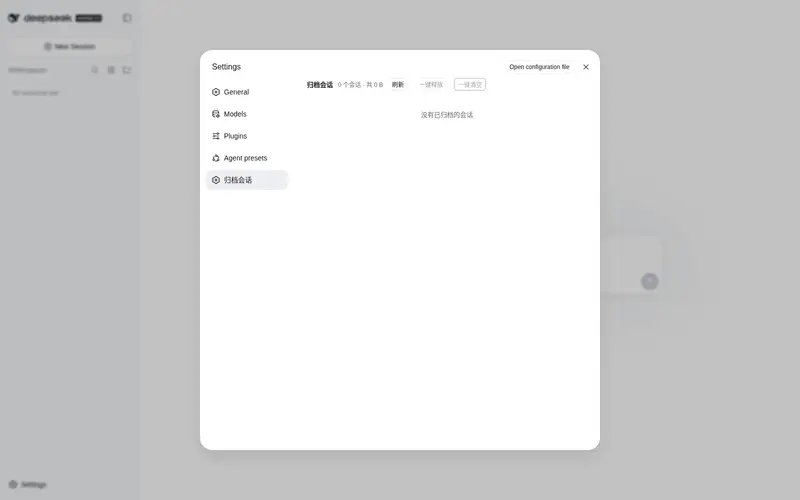
DeepSeek Harness 插件-归档会话管理,支持释放、清除归档会话
Listed
6
Session
Bundle verified
Preview
What it does
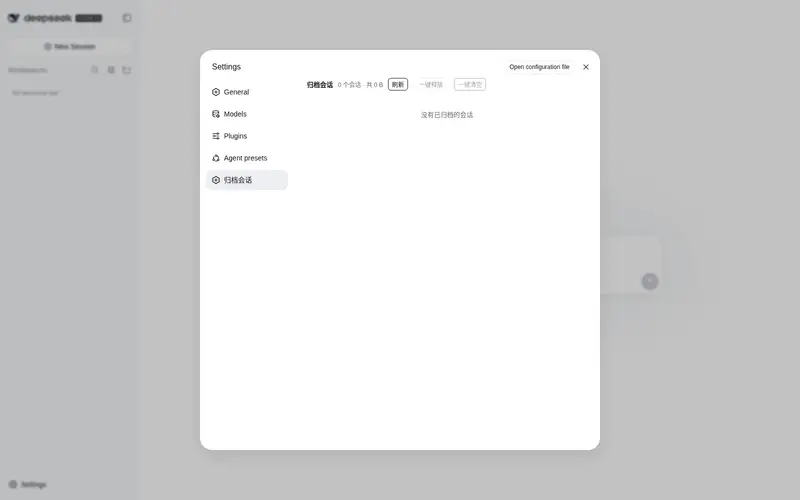
Archived-session management: browse archived sessions, unarchive them, or clear them out.
Best for
- DSH Web users who need to browse archived sessions with titles, locations, sizes, and message previews.
- Users restoring individual, selected, or all archived sessions to their original workspaces.
- Storage-cleanup workflows that need selective or bulk removal of archived session files with confirmation.
Not ideal for
- Users with no archived sessions to inspect, restore, or remove.
- Workflows that require deleted session files to be recoverable; disk deletion is explicitly irreversible.
- Harness versions whose compatibility with the plugin has not been established; the documented target is `0.1.0-rc.6`.
README
dsh-archived-sessions
归档会话管理(Archived sessions manager)—— DeepSeek Harness Web 界面的设置页扩展,以单 bundle 包分发,一条命令即可安装。
在 Harness 的「设置 → 归档会话」页面中提供:
- 查看所有已归档会话(标题、创建时间、所属目录、磁盘上的实际文件路径)
- 每个会话占用的磁盘空间与总占用
- 释放(取消归档,回到原工作区)—— 单个、批量、一键全部
- 从硬盘删除会话文件 —— 单个、批量、一键清空(两步确认)
- 点击会话标题展开查看会话内容(用户 / 助手 / 工具消息预览)
⚠️ 安全提示:本插件包含「从硬盘删除会话文件」能力,删除不可恢复。安装即代表信任本仓库代码会在你的机器上以你的权限运行,请自行审阅源码。
安装(推荐:bundle 一键安装)
本包是一个声明了 dsh.bundle 的插件组合包,纯 JavaScript、无构建步骤,可直接从 GitHub 安装:
dsh plugin --profile web add github:MuWinds/dsh-archived-sessions
然后重启 Harness(npx @deepseek-ai/dsh web)。设置面板底部会出现「归档会话」页面。
纯 JS 包没有
prepare构建脚本,因此不需要 pnpmallowBuilds授权。若你习惯锁定版本,可钉住 commit:github:MuWinds/dsh-archived-sessions#<sha>。
从本地目录安装(开发调试)
dsh plugin --profile web add ./dsh-archived-sessions
dsh plugin --profile web remove @muwinds/dsh-archived-sessions 可卸载(同时移除依赖与对应的 bundle 层)。
仓库结构
dsh-archived-sessions/
├── package.json          # dsh.bundle + dsh.client 声明(单包双端)
├── cordis.patch.yml      # 插入一行 archived-sessions(宿主端 + 浏览器端)
├── lib/
│   ├── index.js          # 宿主端插件:webServer 路由 /dsh-archived/* + 全部业务逻辑
│   └── client.js         # 浏览器端插件:设置页 UI(__ModuleLoader__ bundle)
├── README.md
└── LICENSE               # MIT
宿主端 API(POST /dsh-archived/*,无鉴权、同源):
| 路由 | 请求体 | 返回 |
|---|---|---|
/dsh-archived/list |
{} |
{ items, totalBytes } |
/dsh-archived/unarchive |
{ sessionId } |
{ ok, changed, archivedSessionIds } |
/dsh-archived/delete |
{ sessionId } |
{ ok, deleted, sessionId, path?, sizeBytes?, reason? } |
/dsh-archived/detail |
{ sessionId } |
{ id, createdAt, cwd, totalEvents, messageCount, truncated, messages } |
发布到 npm registry(可选)
包名使用自己的 scope(@muwinds/dsh-archived-sessions),与官方 @deepseek-ai/* 包区分,可以直接发布到 npm:
npm login   --registry=https://registry.npmjs.org   # 国内镜像只读,发布需显式带官方源
npm publish --registry=https://registry.npmjs.org
发布后用户安装:dsh plugin --profile web add @muwinds/dsh-archived-sessions(npm 安装的是预构建产物,同样无需 allowBuilds)。只走 GitHub 也可以,dsh plugin add github:MuWinds/dsh-archived-sessions 不受影响。
兼容性
- 目标 Harness 版本:
0.1.0-rc.6(web profile 组合结构)。 - 宿主端插件无第三方运行时依赖(纯 ESM,不 import 任何
@deepseek-ai/*,需要的能力全部从ctx获取);浏览器端仅依赖react(由 Harness 前端运行时提供,属于 platform seed)。
License
MIT
Frequently Asked QuestionsFAQ
Use the verified command dsh plugin --profile default add github:MuWinds/dsh-archived-sessions in a DSH-enabled shell. The command resolves the public package metadata and keeps the plugin attached to the catalog identity shown on this page.
Compatibility follows the bundle and profile status shown above. If a profile is not detected, keep the plugin disabled there and check the repository documentation before enabling it in production.
The GitHub link and activity metadata are the source of truth for releases and maintenance. Revisit this page after a new release to confirm the catalog has observed the latest version.