NoNameLeGo/dsh-catppuccin-theme
DeepSeek Harness Web GUI 的 Catppuccin 主题插件:Latte / Frappé / Macchiato / Mocha 四种主题一键切换,内置可开关的玻璃质感(Glassmorphism)
Listed
10
Theme
Bundle verified
Preview
What it does
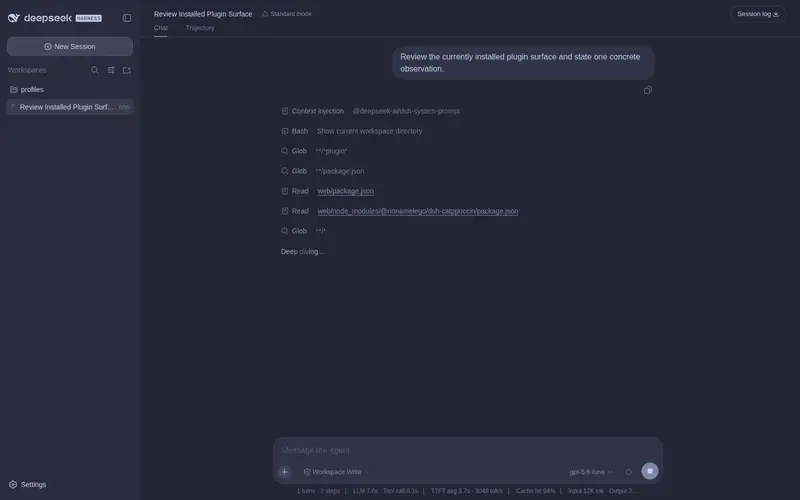
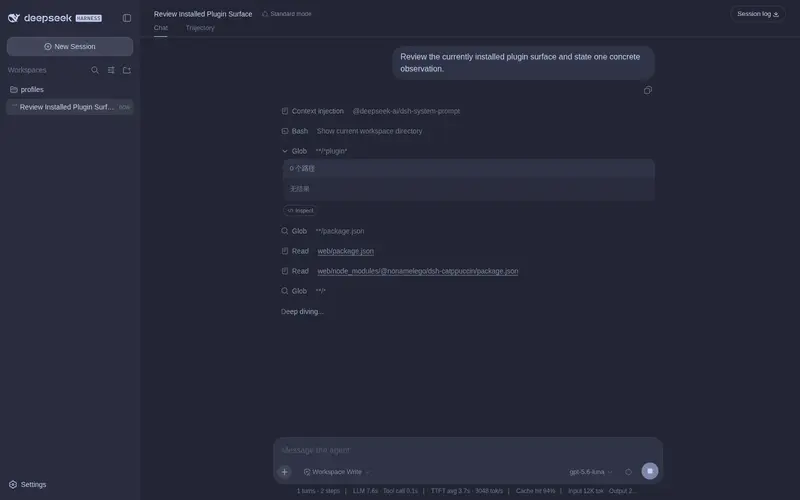
Catppuccin themes plus a toggleable glassmorphism skin for the DSH Web GUI: Latte, Frappé, Macchiato and Mocha registered into the native theme runtime, one-click switching with a persisted choice, and adjustable frosted glass for the top bar, sidebar, composer, stats line and trajectory view.
Best for
- DSH Web users who prefer the Catppuccin Latte, Frappé, Macchiato, or Mocha palettes
- Users who want persistent theme selection across restarts and changing local ports
- People who want adjustable frosted-glass styling for major DSH interface surfaces
Not ideal for
- Headless or terminal-only DSH workflows where Web GUI styling is not visible
- Users satisfied with the built-in light, dark, or system theme and no glass effects
- Workflows seeking functional model, file, or agent capabilities rather than appearance customization
README

 Catppuccin for DeepSeek Harness




简介
DeepSeek Harness Web GUI
(dsh web)的 Catppuccin 主题插件。
它内置 Catppuccin 的四个主题——Latte、Frappé、Macchiato、Mocha——
把整个界面的配色都换成对应的 Catppuccin 色板;并在 设置 → 常规 → 外观
下方提供一行 Catppuccin 快捷切换,选择会自动保存、重启自动恢复——
偏好持久保存在 DSH home 下的 catppuccin-state.json(浏览器 localStorage
作为同机的即时缓存),因此即使在 DSH Desktop 里每次启动端口都变化,
主题和玻璃设置也能跨重启稳定恢复。
同时内置一套可开关的玻璃质感(Glassmorphism)皮肤:顶栏、侧边栏、 输入框、统计行、轨迹视图、聊天气泡、新会话按钮都变成磨砂玻璃卡片, 模糊度、磨砂度、背景亮度均可自由调节,玻璃颜色自动跟随当前 Catppuccin 主题。
特性
- 🎨 四个主题:Latte(浅色)、Frappé / Macchiato / Mocha(深色)
- 🧩 接入官方主题系统,与内置浅色 / 深色 / 跟随系统主题平级
- 🎯 全界面配色覆盖(162 个配色变量),不只是一两个强调色
- ⚙️ 设置页一行切换,选择自动保存、重启自动恢复
- 🌐 中英文双语文案(跟随系统语言)
- 🪟 玻璃质感:顶栏 / 侧边栏 / 输入框 / 统计行 / 轨迹视图 / 聊天气泡 / 新会话按钮磨砂玻璃效果,设置里一键开关;云母 / 兼容双模式,模糊度、磨砂度、 背景亮度自由调节(交互参考 DSH-Transparent-UI-Plugin)
- 🌫️ 玻璃拟态细节:页面上下边缘渐变模糊、折叠侧边栏悬浮玻璃、 纯色背景跟随主题底色——内容滚入视口边缘时柔化穿过,层次更立体
- 🎨 玻璃配色取自当前主题的 token(color-mix 自动跟随四个 Catppuccin 色板)
- 🔄 检查 Catppuccin 插件更新:设置页一键检测本插件(dsh-catppuccin)在 npm 上的最新版本,发现新版直接给出可复制的升级命令
预览
四个主题在 DeepSeek Harness 中的实际效果(截图来自本地 GUI,文首大图为四主题斜切合成):
Frequently Asked QuestionsFAQ
Use the verified command dsh plugin --profile default add github:NoNameLeGo/dsh-catppuccin-theme in a DSH-enabled shell. The command resolves the public package metadata and keeps the plugin attached to the catalog identity shown on this page.
Compatibility follows the bundle and profile status shown above. If a profile is not detected, keep the plugin disabled there and check the repository documentation before enabling it in production.
The GitHub link and activity metadata are the source of truth for releases and maintenance. Revisit this page after a new release to confirm the catalog has observed the latest version.