PAKIKNOWLEDGE/dsh-client-ui-skin-claude
Claude-style skin for DeepSeek Harness (dsh) Web GUI — warm-black canvas, Anthropic clay accent, serif UI
Listed
6
Theme
Bundle verified
Preview
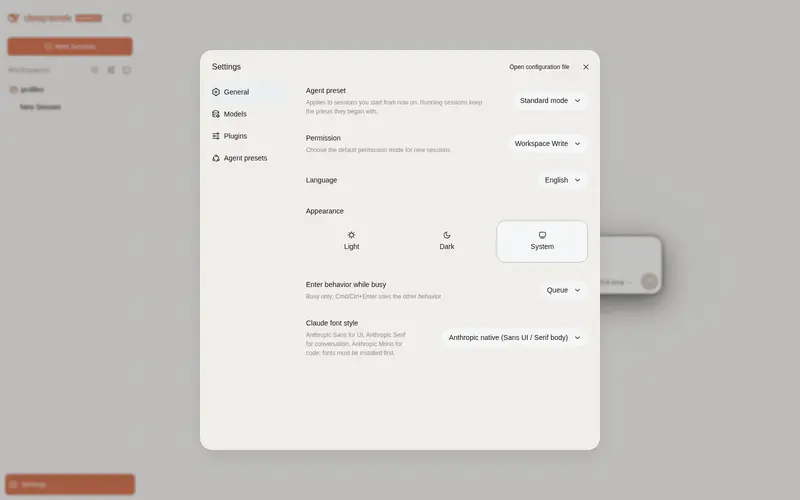
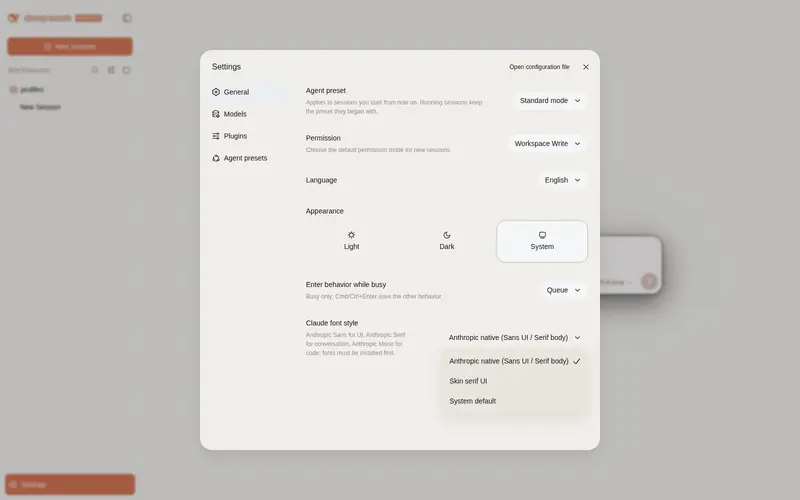
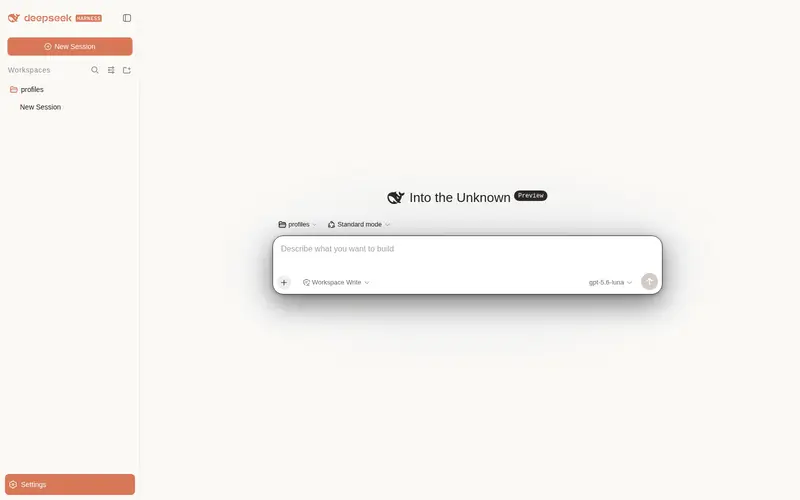
What it does
Claude-style skin with a warm-black canvas, clay accent, and serif UI that follows the native light and dark themes.
Best for
- DSH Web users who want a Claude-inspired warm-black and clay-accent visual theme.
- Users who want separate Sans, Serif, and Mono typography for UI, conversation text, and code.
- Light/dark theme users who want the skin to follow the native theme setting.
Not ideal for
- Users seeking functional agent capabilities rather than a visual and typography change.
- Users unwilling or unable to install the Anthropic font files separately; they are not distributed in the npm package.
- Profiles that must run multiple skins simultaneously; the documentation calls for enabling only one skin at a time.
README
dsh-client-ui-skin-claude
 English English
|
中文 |
Claude 风格的 DSH Web 界面皮肤:暖黑画布、陶橙点缀,内置 Anthropic 字体切换,跟随原生亮/暗主题。
 ·
· 
特性
- 暖黑(#141413)画布 + Anthropic 陶橙(#d97757)点缀
- 字体模式:
- Anthropic 原生(默认):UI 用 Anthropic Sans,对话正文用 Anthropic Serif,代码用 Anthropic Mono
- 皮肤衬线:保留原来的衬线 UI 风格
- 系统默认:不覆盖 DSH 字体
- 细滚动条、陶橙选中 / 焦点、胶囊徽章
- 亮 / 暗双主题,跟随系统切换
字体
重要:npm 包不随包分发字体文件。 字体文件放在仓库
fonts/供下载;安装后刷新 / 重启 web 才会生效。
| 字体 | 用途 | 文件 |
|---|---|---|
| Anthropic Sans Web Text | 界面 / UI | fonts/AnthropicSansWebText.ttf |
| Anthropic Serif Web Text | 对话正文 / Markdown | fonts/AnthropicSerifWebText.ttf |
| Anthropic Mono Variable | 代码 / 代码块 | fonts/AnthropicMonoVariable.ttf |
安装:Windows 双击 .ttf → 「安装」;macOS 用「字体册」导入。安装后刷新页面生效。
字体版权归 Anthropic 所有,仅供个人使用,不适用 MIT 许可(详见 LICENSE 字体声明)。
安装
从 npm 安装(推荐,预构建免授权):
dsh plugin --profile web add @pakiknowledge/dsh-client-ui-skin-claude
或从 GitHub 安装:
dsh plugin --profile web add github:PAKIKNOWLEDGE/dsh-client-ui-skin-claude
装完重启 dsh web,刷新页面。
切换字体
打开 设置 → 常规 → 字体风格:
- Anthropic 原生(默认):Sans UI / Serif 正文 / Mono 代码
- 皮肤衬线:Georgia 等衬线 UI
- 系统默认:保持 DSH 默认字体
选择立即生效,并保存在浏览器 localStorage。
如果之前单独安装过
dsh-anthropic-fonts,建议先卸载,避免两套字体变量互相覆盖。
切换皮肤
同一时刻只启用一个皮肤。编辑 ~/.dsh/cordis.patch.yml:
# dsh-skin managed 段之外
- insert:
    - id: ui-skin-claude
      name: '@pakiknowledge/dsh-client-ui-skin-claude'
(并把当前启用皮肤的 disabled: true 加上。)配置 watcher 几秒内热加载,刷新页面生效。
卸载
- 删除
~/.dsh/cordis.patch.yml里的ui-skin-claudeinsert 行 dsh plugin --profile web remove @pakiknowledge/dsh-client-ui-skin-claude- 重启
dsh web
许可
MIT
Frequently Asked QuestionsFAQ
Use the verified command dsh plugin --profile default add github:PAKIKNOWLEDGE/dsh-client-ui-skin-claude in a DSH-enabled shell. The command resolves the public package metadata and keeps the plugin attached to the catalog identity shown on this page.
Compatibility follows the bundle and profile status shown above. If a profile is not detected, keep the plugin disabled there and check the repository documentation before enabling it in production.
The GitHub link and activity metadata are the source of truth for releases and maintenance. Revisit this page after a new release to confirm the catalog has observed the latest version.