penguin-oo/dsh-bookmarks
Bookmark assistant replies in DeepSeek Harness: per-message bookmarks with notes/tags, a cross-session center, and one-click Markdown export.
Listed
9
Session
Bundle verified
Preview
What it does
Bookmark assistant replies with notes and tags; browse every bookmark in one cross-session center and export to Markdown.
Best for
- Researchers and developers who need to retain useful finalized assistant replies across sessions and workspaces.
- Users who organize saved replies with notes, tags, full-text search, and tag filters.
- Workflows that need a portable Markdown export of collected assistant responses.
Not ideal for
- Shared multi-user bookmark repositories; storage uses one global row intended for personal use.
- Workflows requiring a jump directly to the exact bookmarked message; navigation currently opens the containing session.
- Users who need to bookmark unfinished assistant output or arbitrary non-assistant content.
README
dsh-bookmarks


Bookmark assistant replies in DeepSeek Harness (DSH) Web UI: bookmark any finalized assistant reply with a note and tags, browse every bookmark from every session in one center panel, and export them to Markdown in one click.
Screenshots


Features
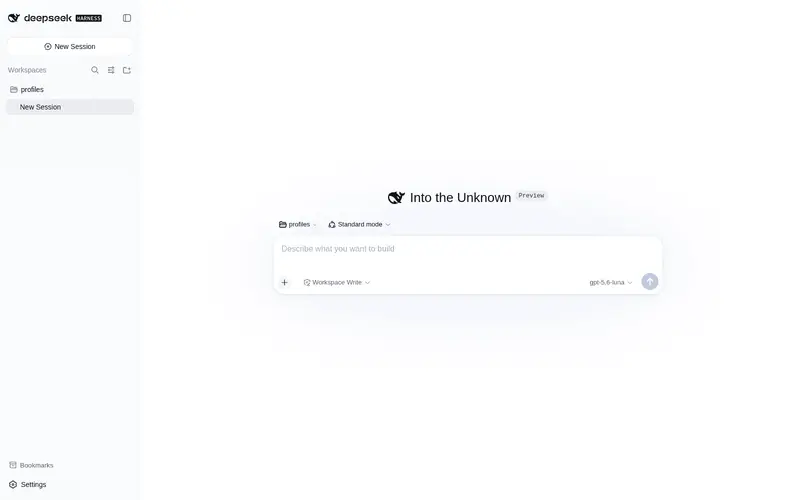
- Per-message bookmark — an archive button on each finalized assistant reply (right next to the 👍/👎 feedback buttons), with an inline editor for a note and comma-separated tags.
- Server-derived snippet — the bookmark stores a text preview of the actual reply, so the center stays useful even without a note.
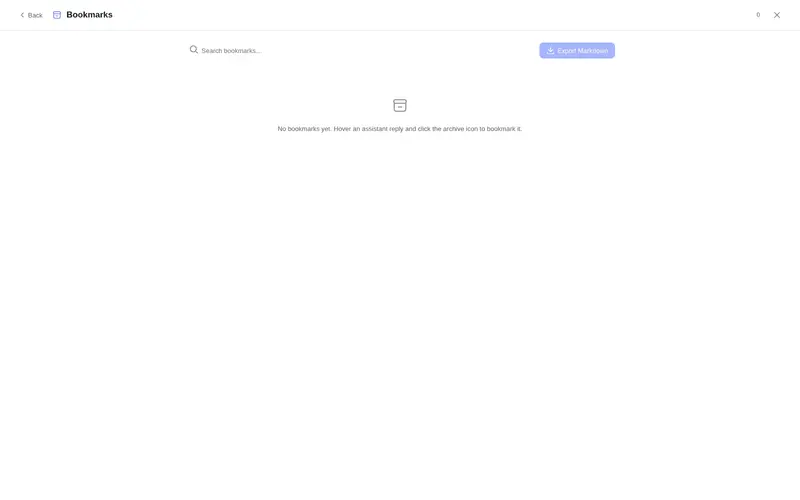
- Cross-session center — one panel listing bookmarks from all sessions and workspaces, with full-text search, tag filter, inline editing and deletion.
- Jump back — every entry opens its session in one click.
-
Markdown export — one click downloads all bookmarks as
dsh-bookmarks.md. -
Keyboard —
Alt+Btoggles the center from anywhere. - Safe writes — per-item compare-and-set versions (multi-tab safe), server-side validation, and durable storage via the DSH storage domain.
Install
dsh plugin --profile web add dsh-bookmarks
Then restart DSH (dsh web). The plugin appends itself to the profile bundle layer automatically; nothing else to configure.
For a local checkout:
# from the plugin repo
dsh plugin --profile web add file:./        # relative file spec, anchored to your cwd
Config
The bundle row exposes three limits (all optional):
| Key | Default | Meaning |
|---|---|---|
maxNoteBytes |
4096 |
Max UTF-8 bytes of one note ("" clears a note; omitting the field keeps it). |
maxSnippetChars |
300 |
Max characters of the server-derived reply snippet. |
maxTags |
8 |
Max tags per bookmark; each tag ≤ 32 chars, trimmed and deduplicated. |
Override them in the profile patch layer ($DSH_HOME/profiles/web/cordis.patch.yml):
- id: bookmarks
  config:
    maxNoteBytes: 2048
    maxSnippetChars: 200
    maxTags: 5
How it works
One npm package hosts both halves of the plugin:
-
Host half (
lib/index.js) — thebookmarksRemote service (Typert), backed by a storage-domain table ($DSH_HOME/storages/bookmarks.json).putinspects the persisted session log to validate the target reply and derive its snippet, mirrors the officialmessage-feedbackdurability barrier, and serializes mutations with per-item version tokens. -
Browser half (
src/client, bundled tolib/client.js) — mounts the Remote contribution throughctx.remote.$mount, then registers two UI slots:conversation.chat.assistant-actions(the per-message button) andsidebar.footer.action(the center toggle).
Development
npm install            # zod + esbuild (dev only)
npm run build          # bundles src/client into lib/client.js
lib/client.js is committed and shipped; no build step runs on install.
Limitations
- Bookmarks are stored in one global row: fine for personal use, not a shared multi-user store.
- The center panel jumps to the bookmarked session; it does not auto-scroll to the exact message yet.
- The panel toggle lives in the sidebar footer; use
Alt+Bwhen the sidebar is collapsed.
License
Acknowledgements
This project is promoted on the LINUX DO community.
Frequently Asked QuestionsFAQ
Use the verified command dsh plugin --profile default add github:penguin-oo/dsh-bookmarks in a DSH-enabled shell. The command resolves the public package metadata and keeps the plugin attached to the catalog identity shown on this page.
Compatibility follows the bundle and profile status shown above. If a profile is not detected, keep the plugin disabled there and check the repository documentation before enabling it in production.
The GitHub link and activity metadata are the source of truth for releases and maintenance. Revisit this page after a new release to confirm the catalog has observed the latest version.