skr311/dsh-codex-pet#dsh-codex-pet
dsh-codex-pet · DSH 桌面宠物插件 — 导入精灵图序列帧宠物,悬浮浮层渲染 + Agent 状态联动
Listed
5
Fun
Bundle verified
Preview
What it does
Import Codex-style sprite-sheet pets and render them as a floating shell.overlay with a pet library, interactions, and agent-state linkage.
Best for
- DSH Web users who want a floating animated pet linked to agent working, waiting, completion, and failure states.
- Users with compatible sprite-sheet pet assets who want upload, URL import, enable/disable, and library management.
- Users who want a draggable, position-persistent pet overlay with simple click interactions.
Not ideal for
- Users seeking functional agent or workflow capabilities rather than a visual companion.
- Users without compatible sprite-sheet assets who expect bundled example pets; the repository explicitly does not include sample sprite art.
- Non-web DSH interfaces, since rendering depends on the Web GUI overlay.
README
English · 简体中文
dsh-codex-pet
DeepSeek Harness(DSH)桌面宠物插件:导入/上传 codex 风格的精灵图序列帧宠物,在 DSH Web GUI 以 shell.overlay 悬浮浮层渲染,含图库管理、基础交互与 Agent 状态联动。



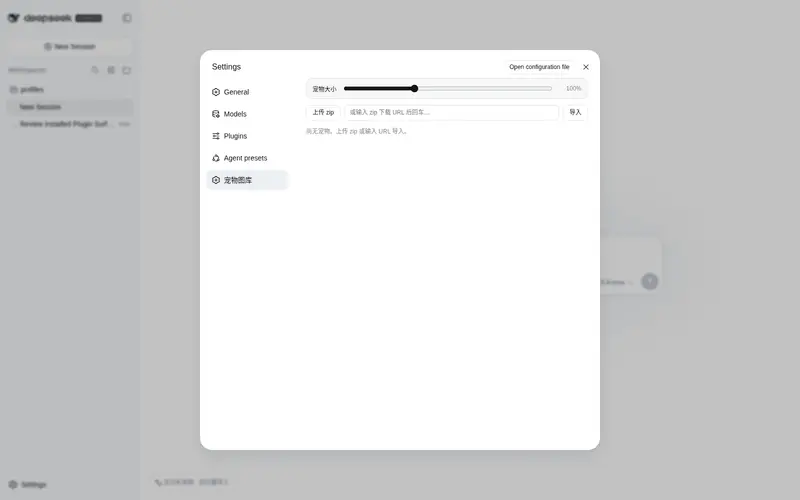
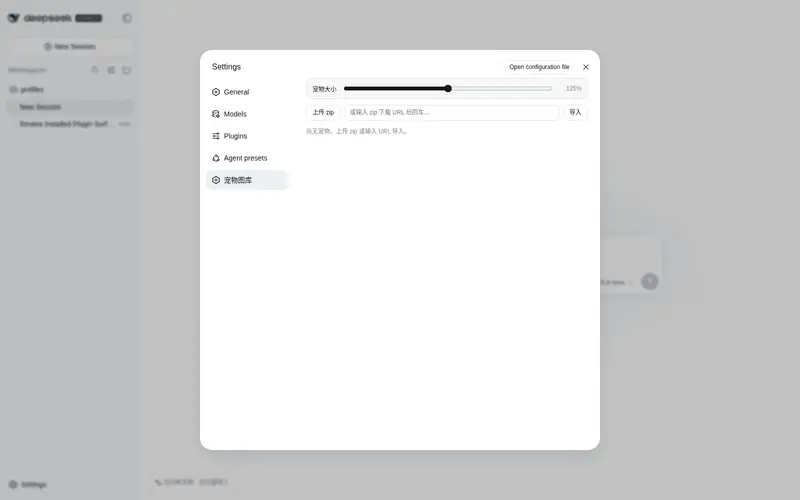
📸 预览


✨ 核心特性
- 序列帧播放:单 WebP 精灵图(格式 A),逐帧毫秒时长,行=动画(idle / running / waiting / review / failed / 移动 / 挥手 / 跳跃)。
- 悬浮浮层交互:左下角常驻(贴着侧边栏),可拖拽(视口钳制 + 位置持久化)、点击挥手、空闲随机小动作。
- 图库管理:设置 → 宠物图库——zip 上传 / URL 导入 / 启用 / 停用 / 删除 / 首帧预览。
- Agent 状态联动:订阅 DSH 会话状态——工作中→跑动(常驻);审批/提问→等待(脉冲一次);任务完成→得意(脉冲一次);任务失败→沮丧(脉冲一次)。
-
深/浅主题:全部样式走
--dsw-*主题令牌,自动适配 DSH 主题。
🎮 操作指南
- 打开 DSH Web GUI(默认 http://127.0.0.1:3080)。
- 设置 → 宠物图库 → 上传/导入宠物 zip(或从 URL 导入)→ 点「启用」。
- 左下角出现宠物浮层(贴着侧边栏):
- 拖拽:按住移动,松手后位置自动保存。
- 点击:宠物挥手。
- Agent 联动:Agent 干活时宠物跑动;等你确认/回答时发呆一次;任务完成得意一次;失败沮丧一次。
- 想隐藏宠物:图库页点「停用宠物」。
📦 安装
方式一:pnpm(推荐)
dsh plugin --profile web add dsh-codex-pet
方式二:GitHub clone
git clone https://github.com/skr311/dsh-codex-pet.git
cd dsh-codex-pet
dsh plugin --profile web add ./packages/dsh-codex-pet
安装后重启 DSH Web GUI(宿主半改动需重启;客户端 bundle 改完热更免重启),再刷新页面。
🛠️ 开发
-
项目结构:
packages/dsh-codex-pet/(宿主半lib/index.js+pet-library.js;客户端半lib/client.js;vendoredlib/vendor/fflate.mjs)。 -
测试(零依赖,纯 Node + vendored fflate):
node scripts/test-m2.js node scripts/test-m2-routes.js -
开发流程:客户端 bundle 改完 HMR 热更、免重启;宿主半改动需重启 DSH Web GUI。开发规范见
docs/development-spec.md,工作指引见AGENTS.md。 -
参与贡献:见 CONTRIBUTING.md。
📚 文档
-
docs/README.md:标准文件索引;
AGENTS.md:开发工作指引;docs/execution-steps.md:里程碑状态。 - 资产格式见 docs/asset-spec.md。仓库不附带示例精灵图(版权),测试用运行时合成 WebP。
License
MIT
Frequently Asked QuestionsFAQ
Use the verified command dsh plugin --profile default add github:skr311/dsh-codex-pet#path:/packages/dsh-codex-pet in a DSH-enabled shell. The command resolves the public package metadata and keeps the plugin attached to the catalog identity shown on this page.
Compatibility follows the bundle and profile status shown above. If a profile is not detected, keep the plugin disabled there and check the repository documentation before enabling it in production.
The GitHub link and activity metadata are the source of truth for releases and maintenance. Revisit this page after a new release to confirm the catalog has observed the latest version.